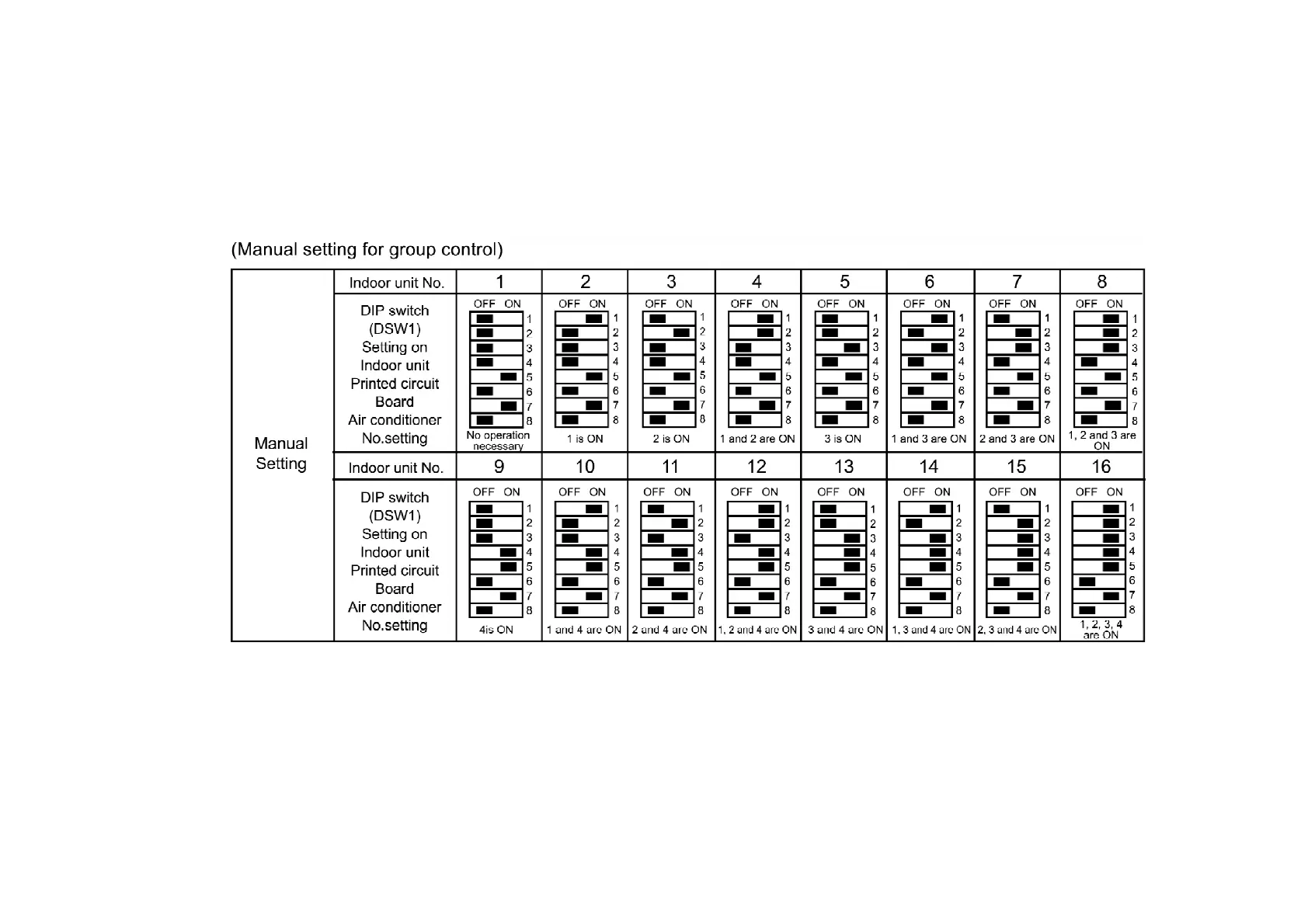
- When address numbers are set automatically, you will not know which address number
corresponds to which indoor unit.
- Do not turn off the power supply for at least 1 minute during automatic address setting, otherwise
the settings will not be made correctly.
Automatic address resetting for group control
After setting DIP switches 1 to 4 to OFF and stop operation. Then press the “AIR SWING AUTO” “OPERATION MODE” and “Air conditioner
No.” switches simultaneously. Then addresses will be momentarily reset, and then automatic address setting will be carried out once more. /
Switching the thermistor.
- The temperature detection thermistor used for detecting the air temperature and changing between
COOL and H EAT operation can be switched between the thermistor at the indoor unit and the
188



 To Next Page