103
4 REMOTE CONTROL RECEIVING SOUND OFF/ON MODE
The Remote Control Receiving Sound OFF/ON Mode will be activated if the Auto OFF/ON button is pressed
continuously for more than 16 seconds (4 “beep” sounds will occur at 16th seconds to identify the Remote
Control Receiving Sound Off/On Mode is in standby condition) and press “AC Reset” button at remote
control.
Press “Auto OFF/ON button” to toggle remote control receiving sound.
o Short “beep”: Turn OFF remote control receiving sound.
o Long “beep”: Turn ON remote control receiving sound.
After Auto OFF/ON Button is pressed, the 20 seconds counter for Remote Control Receiving Sound OFF/ON
Mode is restarted.
15.2 Remote Control Button
15.2.1 SET Button
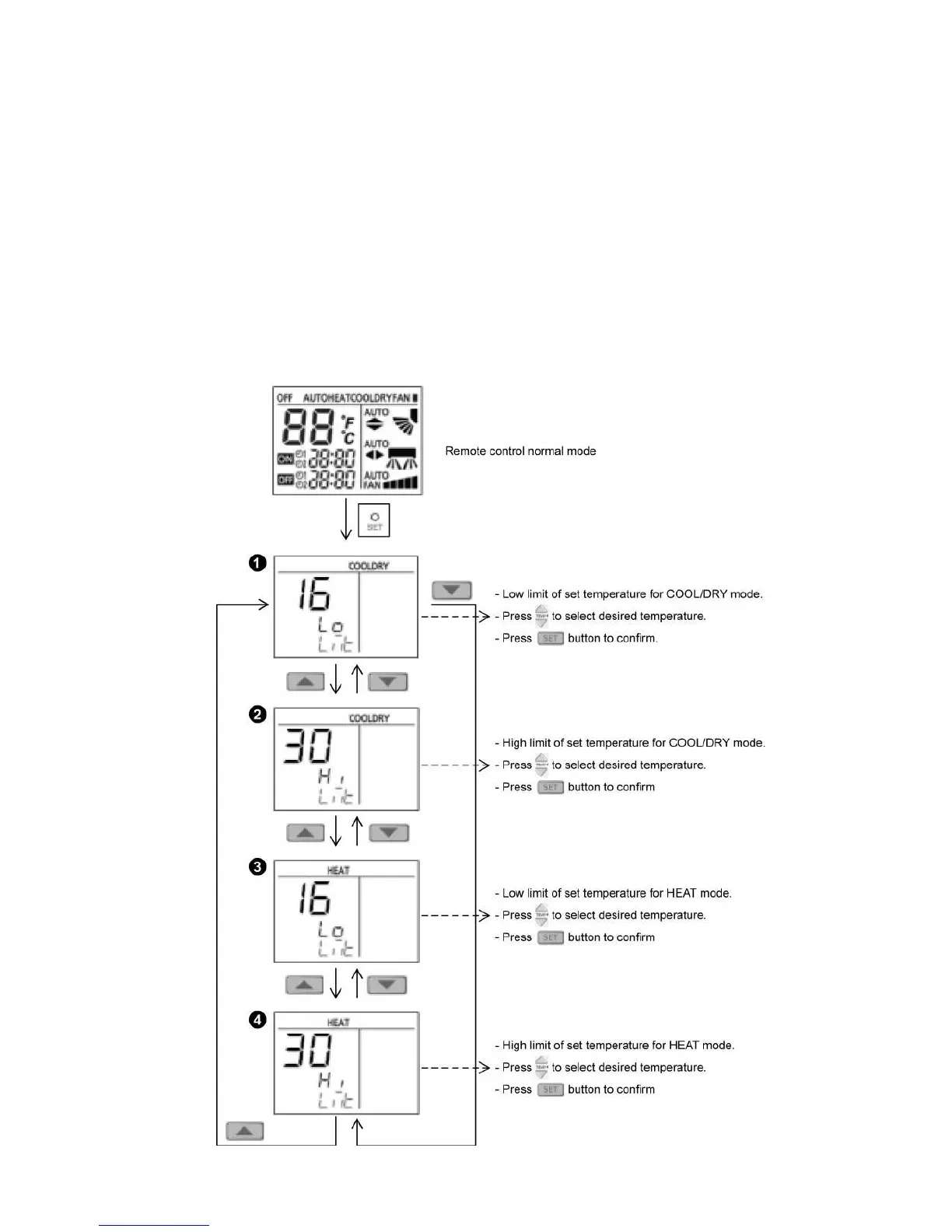
To limit set temperature range for COOL/DRY and HEAT mode.




 To Next Page