64
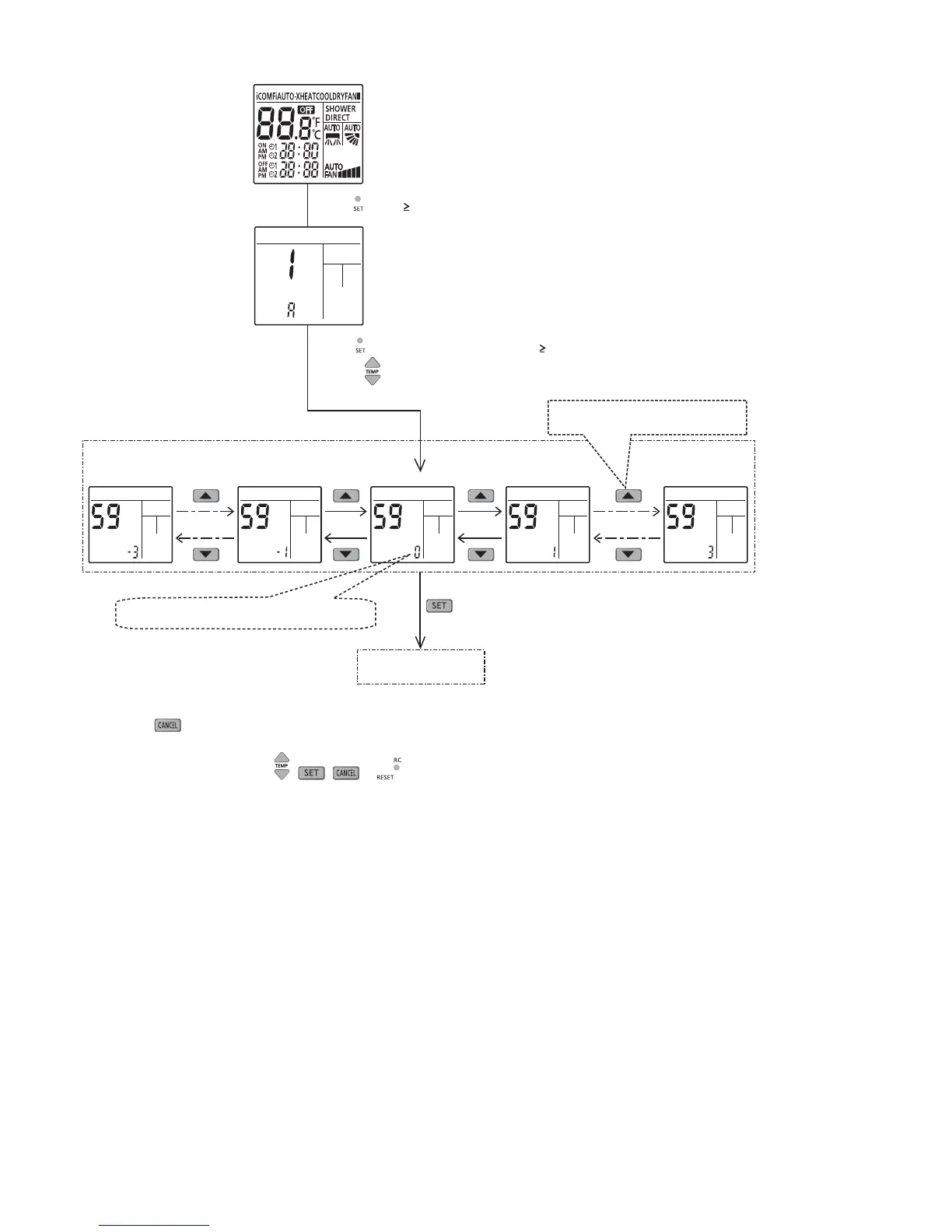
Cooling or Dry mode (using remocon function 59)
Normal display mode
Press SW (t 0secs)
When SW pressed continuously for t 5secs to enter service zone
& press SW’s to choose function 59 (shift 0°C)
Range = -3°C/-2°C/-1°C/0°C/+1°C/+2°C/+3°C
Transmit shift code
Timer Up Down button
Shift -3°C Shift -1°C
Shift 0°C
Shift +1°C
Shift +3°C
1 Press
SW, special setting is immediately cancelled and normal mode starts.
2 If no SW is pressed for 30secs, then special setting mode is cancelled and normal mode starts.
3 Under this function, only
, , & SW’s are effective.





 To Next Page