65
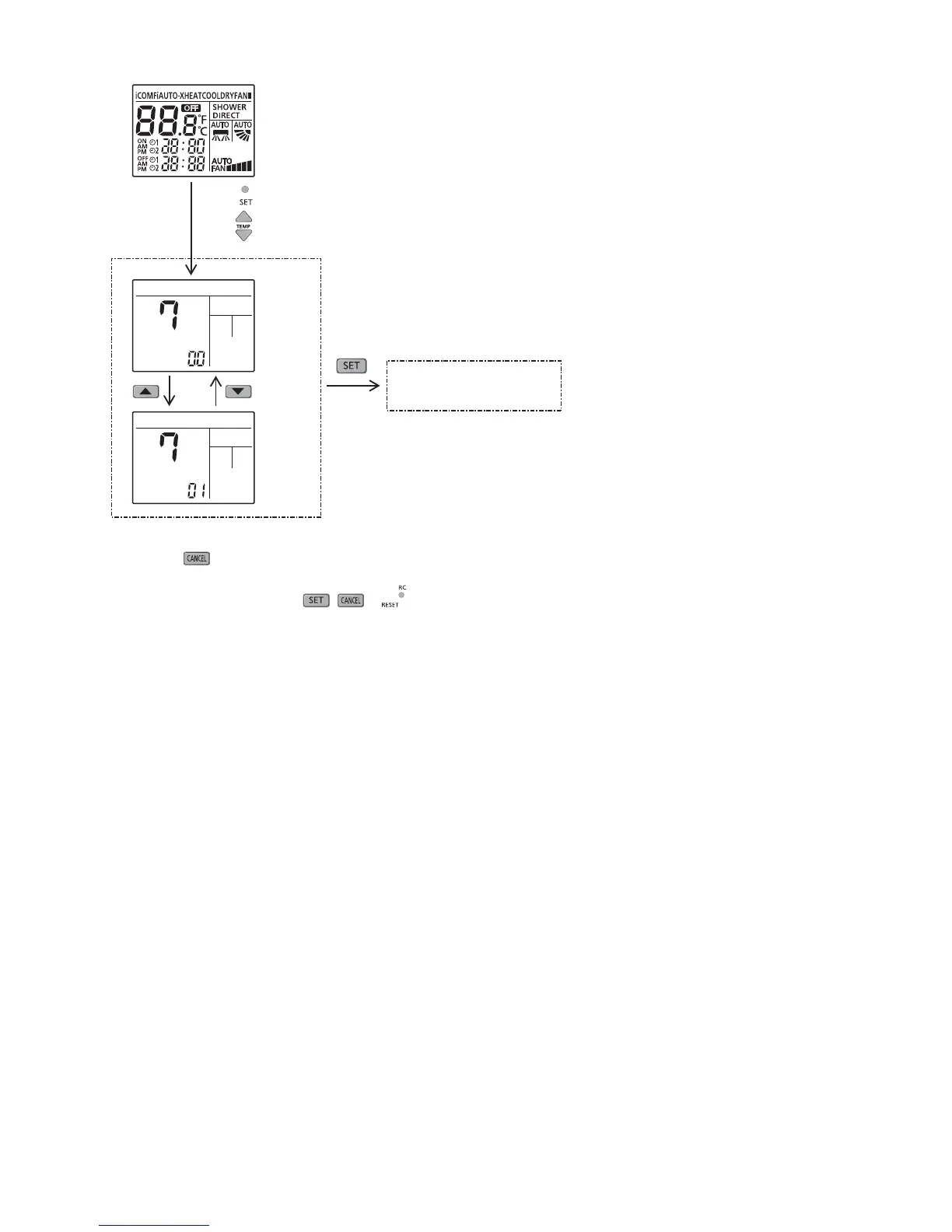
Filter cleaning enable/disable selection
Normal display mode
Transmit
“Enable or Disable” code
Control
Disable
Control
Enable
Press SW to enter customer zone &
press SW’s to choose function 7
1 Press
SW, special setting is immediately cancelled and normal mode starts.
2 If no SW is pressed for 30secs, then special setting mode is cancelled and normal mode starts.
3 Under this function, only
, & SW’s are effective.
Note:
By default if enable.





 To Next Page