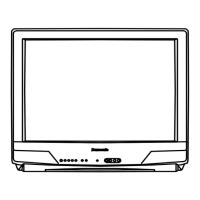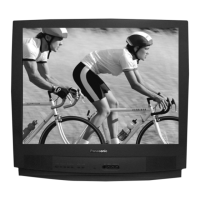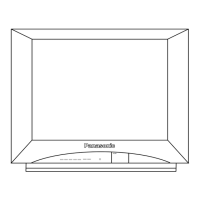
EasyManua.ls Logo

Panasonic CT-32SC14 - User Manual

Panasonic CT-32SC14
80 pages
Print Icon
To Next Page IconTo Next Page
Loading...
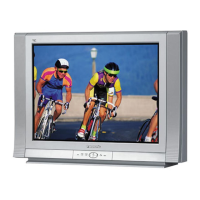
Color Television
Operating Instructions
Televisor a color
Instrucciones de Operación
Télé-couleur
Manuel d’utilisation
TQB2AA0499-1 40223
PRINTED IN USA
IMPRESO EN EE.UU
IMPRIMÉ AUX ÉTATS-UNIS
CT-32SL14
CT-36SL14
PUSH
PUSH
CT-20SL14
CT-24SL14
CT-27SL14
CT-F2124
CT-F2124L
CT-F2134
CT-F2134L
CT-F2524
CT-F2524L
CT-F2924
CT-F2924L
CT-27SC14
CT-32SC14

Table of Contents

Questions and Answers

  • S
    Sheila CalhounAug 13, 2025
    What to do if my Panasonic CT-32SC14 has no sound?
    • B
      Benjamin ThomasAug 13, 2025
      If your Panasonic TV has no audio, try the following: 1. Increase the volume. Ensure the mute function is off. 2. Verify that the TV SPEAKERS setting is turned on. 3. Try changing the channel.
  • C
    Chloe YoderAug 16, 2025
    How to unlock the picture menu on my Panasonic CT-32SC14 TV (32” or 36” model)?
    • K
      Kimberly HensleyAug 17, 2025
      If the picture menu is locked on your 32” or 36” Panasonic TV model, press the ACTION and CH S buttons on the TV front panel simultaneously to unlock it.
  • V
    vprinceAug 20, 2025
    What to do if the front control panel keys on my Panasonic CT-32SC14 (under 32’’) are not working?
    • P
      Paul RobinsonAug 21, 2025
      If you're experiencing issues with the front control panel keys on Panasonic TV models under 32’’, the control panel may be locked. To unlock it, simultaneously press the ACTION and TV/VIDEO buttons on the TV front, then quickly press ACTION and VOL X buttons simultaneously.
  • T
    Thomas SullivanAug 25, 2025
    How do I fix noisy audio by setting TV or cable mode properly and checking antenna cables on Panasonic TV?
    • C
      Corey MannAug 25, 2025
      To address noisy audio on your Panasonic TV, ensure the TV or cable mode is properly set and check the antenna cables.
  • N
    Nicholas GallagherAug 28, 2025
    What to do if my Panasonic CT-32SC14 TV has noisy audio because of electrical interference?
    • S
      Shannon MeyerAug 28, 2025
      To resolve noisy audio on your Panasonic TV, try moving the television away from electrical appliances, lights, vehicles, and medical equipment.
  • D
    Daisy BakerSep 1, 2025
    Why is the audio wrong on my Panasonic TV?
    • J
      Julia ChaneySep 1, 2025
      If you are experiencing wrong audio on your Panasonic TV, check that the audio is set to Stereo or Mono, and not SAP.
  • J
    John GardnerSep 4, 2025
    What to do if I have normal audio, but want to adjust the picture on my Panasonic CT-32SC14?
    • N
      Nicole PhillipsSep 4, 2025
      If you are getting normal audio on your Panasonic TV, try adjusting the color settings or changing the channel.
  • J
    Joshua IngramSep 8, 2025
    What to check if there is no audio on a Panasonic CT-32SC14 TV?
    • B
      Brittney MaldonadoSep 8, 2025
      If your Panasonic TV has no audio, ensure the power cord is plugged into an active outlet, adjust brightness and audio controls, change the channel, check cable connections, reprogram the remote control, and check the second video source operation.

Summary

Important Safety Instructions

Installation

Initial Setup Menu

Guide for the initial on-screen setup process after turning on the TV.

Remote Control Operation

Programming the Remote Control

Icon Menu Operation

System Setup and Configuration

Manage language, channels, CC, and system settings.

Picture Settings

Fine-tune picture quality and color settings for optimal viewing.

Audio and Sound Options

Configure audio modes, EQ, and speaker output for enhanced sound.

V-Chip Parental Controls

V-Chip Setup and U.S. Ratings

Configure parental controls using V-Chip for TV programs and movies with U.S. ratings.

Troubleshooting Guide

Audio and Video Issues

Resolve common audio and video problems with step-by-step solutions.

Limited Warranty (USA)

Warranty Coverage and Duration

Details warranty periods for parts, labor, and service types.

Service Options and Locations

Explains how to obtain service and where to find service centers.

Warranty Exclusions and Limitations

Lists limitations and exclusions of the warranty coverage.

Customer Service and Support

Limited Warranty (Canada)

Warranty Coverage and Service

Details warranty for televisions and in-home service availability.

Warranty Limitations and Exclusions

Lists exclusions and limitations specific to the Canadian warranty.

Obtaining Warranty Service

Contact details for obtaining product repairs and service.

Panasonic CT-32SC14 Specifications

General IconGeneral
Screen Size32 inches
Display TypeCRT
Resolution480i
Aspect Ratio4:3
InputsComposite, S-Video, RF
Comb Filter3D Y/C Comb Filter

Related product manuals