EasyManua.ls Logo

Panasonic CU-3C20BKP5G - User Manual

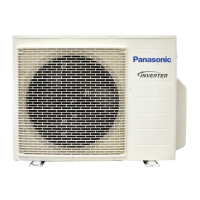
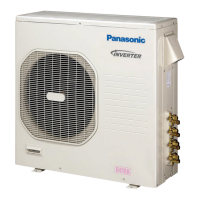
Panasonic CU-3C20BKP5G
94 pages
Print Icon
To Next Page IconTo Next Page
Loading...
OPERATING INSTRUCTIONS
Room Air Conditioner
or/and
ou/e
oder/und
ou/et
of/en
o/a
Þ/êáé
o/y
Ë/ËÎË
MATSUSHITA AIR-CONDITIONING CORP.
LOT 2, PERSIARAN TENGKU AMPUAN, SECTION 21, SHAH ALAM
INDUSTRIAL SITE, SELANGOR, MALAYSIA
MATSUSHITA INDUSTRIAL CORP.
NO. 2, JALAN SS8/1, SUNGEI WAY FREE INDUSTRIAL ZONE,
SELANGOR, MALAYSIA
Before using your air-conditioner, please read this operating instructions
carefully and keep it for future reference.
COOLING MODEL :-
(Refrigerant : R22)
Indoor Outdoor
CS-C9BKPG CU-2C14BKP5G
CS-C9BKPG CU-2C18BKP5G
CS-C9BKPG CU-3C20BKP5G
CS-C7BKPG CU-2C19BKP5G
CS-C12BKPG
ENGLISH ...................... P. 1 P. 10
PORTUGUÊS ............... P. 11 P. 20
DEUTSCH ..................... P. 21 P. 30
FRANÇAIS .................... P. 31 P. 40
NEDERLANDS.............. P. 41 P. 50
ITALIANO ...................... P. 51 P. 60
ÅëëçíéêÜ ................... P. 6 1 P. 7 0
ESPAÑOL ...................... P. 71 P. 80
êìëëäàâ ................... P. 8 1 P. 9 2
Before using your air-conditioner, please read
this operating instructions carefully and keep it
for future reference.
F563436


Table of Contents

Other manuals for Panasonic CU-3C20BKP5G

Questions and Answers

Summary

Features

Self-illuminating Button

Provides convenient operation in dark conditions.

Automatic Operation

Senses indoor temperature to select the optimum operating mode.

Sleep Mode

Maintains comfortable temperature during sleep, preventing overcooling/overheating.

Economy Mode

Reduces electrical power consumption by optimizing operation.

Powerful Mode

Quickly reaches the desired room temperature.

Removable Front Panel

Allows for quick and easy cleaning as the panel is washable.

Air Filters

Details Catechin and Solar Refreshing filters for air purification.

Auto Restart Control

Automatically restarts the unit after a power failure.

Blue Coated Condenser

Features an advanced anti-rust coating on the outdoor unit.

Safety Precautions

Installation Precautions

Instructions to be followed before installing the unit to ensure safety.

Operation Precautions

Instructions to be followed during the operation of the unit for safety.

Component Identification

Indoor Unit Components

Details the various parts of the indoor air conditioner unit.

Outdoor Unit Components

Details the various parts of the outdoor air conditioner unit.

Accessories

Lists and identifies the included accessories with the unit.

Remote Control and Operation

Identifies remote parts, functions, and provides battery installation instructions.

Preparation and Operation

Preparation Before Operation

Steps for preparing the indoor unit and setting the remote control time.

How to Operate

Basic operation: starting, stopping, setting mode, and temperature.

Advanced Operation Settings

Adjusting fan speed and airflow direction (vertical and horizontal).

Operation Mode Details

Explanation of COOL, AUTO, DRY, and FAN modes.

Special Modes and Timers

Convenience Operation

Details on using Sleep Mode for comfortable room temperature during sleep.

Timer Settings

Instructions for setting ON-TIMER and OFF-TIMER operations.

Economy and Powerful Modes

Using Economy mode for energy saving and Powerful mode for quick cooling.

Care and Maintenance

Cleaning Procedures

Instructions for cleaning the indoor unit, remote control, air filters, and front panel.

Filter Information

Details on air purifying filters (Catechin, Solar Refreshing) and replacement recommendations.

Inspections and Storage

Covers pre-season checks, long-term storage preparation, and recommended periodic inspections.

Helpful Information and Hints

Auto Operation and Remote Signals

Using the auto operation button and managing remote control signal sound.

Energy Saving and Operation Hints

Tips for efficient use: temperature, filters, door closure, and environment.

Troubleshooting

Normal Operation Observations

Explanation of common sounds and phenomena during normal operation.

Abnormal Operation Checks

Lists common issues and checks to perform for abnormal operation.

Contacting the Dealer

Situations requiring immediate professional assistance from a dealer.

Summary

Features

Self-illuminating Button

Provides convenient operation in dark conditions.

Automatic Operation

Senses indoor temperature to select the optimum operating mode.

Sleep Mode

Maintains comfortable temperature during sleep, preventing overcooling/overheating.

Economy Mode

Reduces electrical power consumption by optimizing operation.

Powerful Mode

Quickly reaches the desired room temperature.

Removable Front Panel

Allows for quick and easy cleaning as the panel is washable.

Air Filters

Details Catechin and Solar Refreshing filters for air purification.

Auto Restart Control

Automatically restarts the unit after a power failure.

Blue Coated Condenser

Features an advanced anti-rust coating on the outdoor unit.

Safety Precautions

Installation Precautions

Instructions to be followed before installing the unit to ensure safety.

Operation Precautions

Instructions to be followed during the operation of the unit for safety.

Component Identification

Indoor Unit Components

Details the various parts of the indoor air conditioner unit.

Outdoor Unit Components

Details the various parts of the outdoor air conditioner unit.

Accessories

Lists and identifies the included accessories with the unit.

Remote Control and Operation

Identifies remote parts, functions, and provides battery installation instructions.

Preparation and Operation

Preparation Before Operation

Steps for preparing the indoor unit and setting the remote control time.

How to Operate

Basic operation: starting, stopping, setting mode, and temperature.

Advanced Operation Settings

Adjusting fan speed and airflow direction (vertical and horizontal).

Operation Mode Details

Explanation of COOL, AUTO, DRY, and FAN modes.

Special Modes and Timers

Convenience Operation

Details on using Sleep Mode for comfortable room temperature during sleep.

Timer Settings

Instructions for setting ON-TIMER and OFF-TIMER operations.

Economy and Powerful Modes

Using Economy mode for energy saving and Powerful mode for quick cooling.

Care and Maintenance

Cleaning Procedures

Instructions for cleaning the indoor unit, remote control, air filters, and front panel.

Filter Information

Details on air purifying filters (Catechin, Solar Refreshing) and replacement recommendations.

Inspections and Storage

Covers pre-season checks, long-term storage preparation, and recommended periodic inspections.

Helpful Information and Hints

Auto Operation and Remote Signals

Using the auto operation button and managing remote control signal sound.

Energy Saving and Operation Hints

Tips for efficient use: temperature, filters, door closure, and environment.

Troubleshooting

Normal Operation Observations

Explanation of common sounds and phenomena during normal operation.

Abnormal Operation Checks

Lists common issues and checks to perform for abnormal operation.

Contacting the Dealer

Situations requiring immediate professional assistance from a dealer.

Panasonic CU-3C20BKP5G Specifications

General IconGeneral
BrandPanasonic
ModelCU-3C20BKP5G
CategoryAir Conditioner
LanguageEnglish

Related product manuals