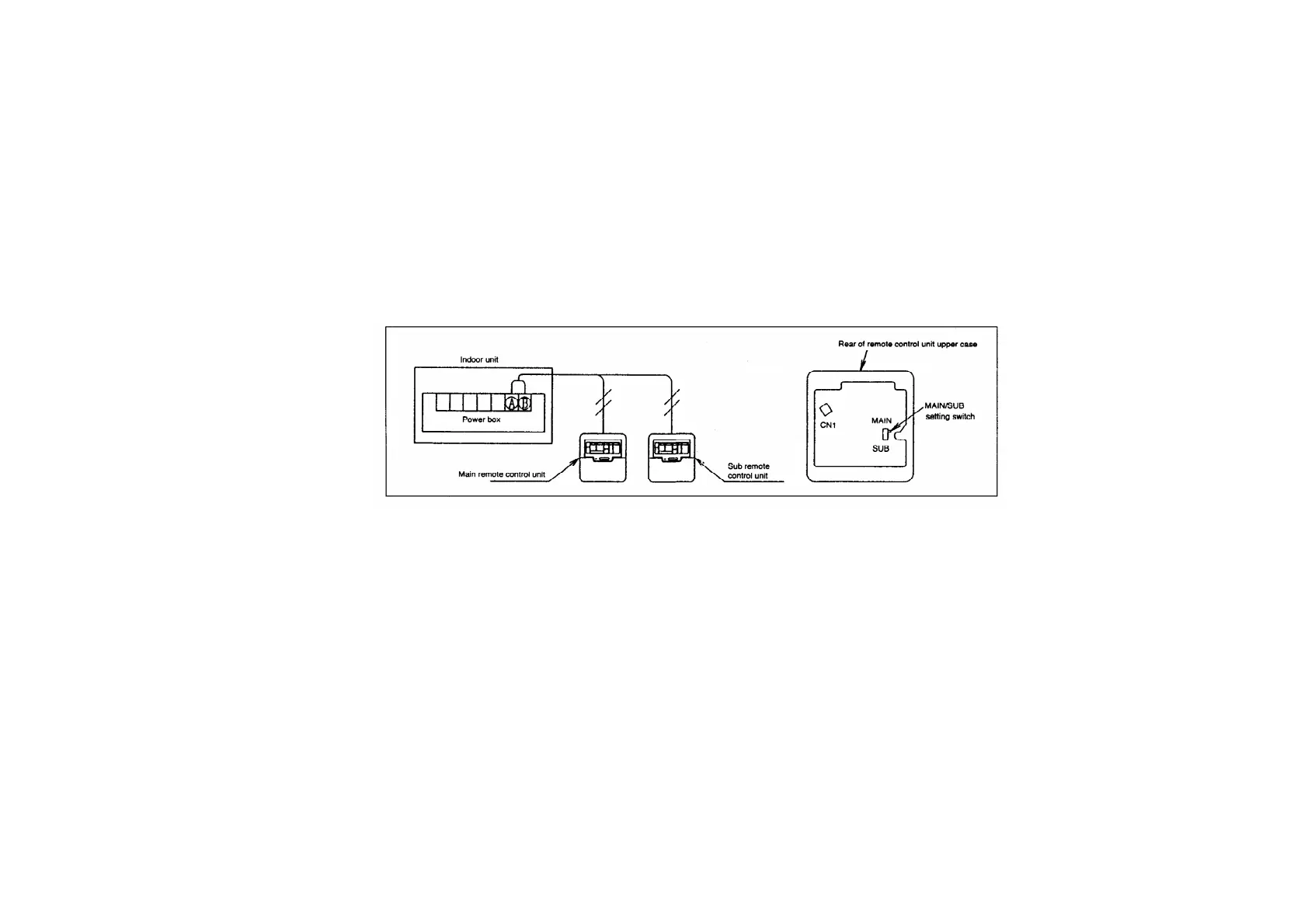
- The indoor unit can be operated with the last switch pressed having priority.
1. Decide which is to be the main and which is to be the sub remote control unit. The main or the
sub status of the remote control unit is set automatically. The MAIN/SUB setting switch can also
be used to make the setting manually, however if the manual setting is made, that manual setting
has priority. Be sure to turn off the main power before making the manual setting.
2. Connect the remote control units. / Connect both remote control units to terminals (A) and (B) on
the indoor unit terminal block (non-polar)
27.7.4. Test operation
- Turn on the main power.
- After 3 minutes have passed since the power was turned on, press the STOP/RUN switch on the
remote control unit. (No operation occurs within 3 minutes after the power was turned on.)
- Press the TEST RUN switch within 1 minute of pressing the STOP/RUN switch.
- Next, select the operation mode. (Be sure to select the cooling mode first, and run the unit in this
mode for 5 minutes or more.)
- Press the STOP/RUN switch or the TEST RUN switch to cancel the test operation.
- Test operation will be cancelled automatically after 30 minutes.
252



 To Next Page