24
When...
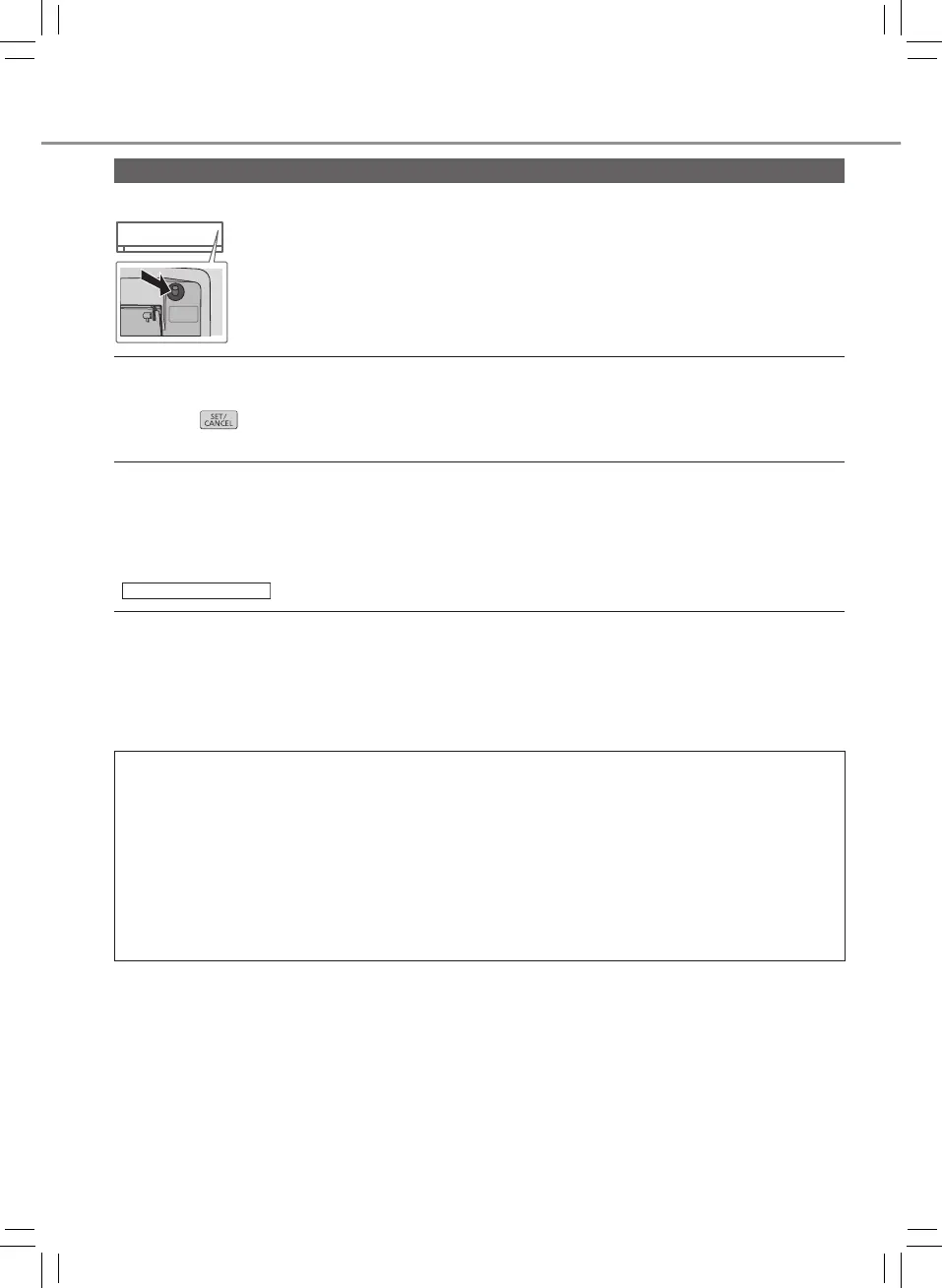
■ The remote control is missing or a malfunction has occurred
AUTO
OFF/ON
1. Raise the front panel.
2. Press the button once to use in AUTO mode.
3. Press and hold the button until you hear 1 beep, then release to use in
forced COOL mode.
4. Press the button again to turn off.
■ The indicators are too bright
•To dim the power indicator and the timer indicator while extinguishing other indicators,
press the
button for 5 seconds; to restore the brightness of all indicators, repeat this
procedure.
■ Conducting a seasonal inspection after extended non-use
•Check the remote control batteries.
•Check that there is no obstruction around the air inlet and outlet vents.
•Use Auto OFF/ON button to select COOL operation. After 15 minutes of operation, it is
normal to have the following temperature difference between the air inlet and outlet vents:
COOL:≥8°C/14,4°F
■ The units are not going to be used for a long period of time
•Separately activate NANOE operation for 2~3 hours to remove moisture left in the internal
parts thoroughly to prevent mould growth.
•Turn off the power supply and unplug.
•Remove the remote control batteries.
NON SERVICEABLE CRITERIAS
TURN OFF THE POWER SUPPLY AND UNPLUG then please consult an authorised
dealer when in following conditions:
•Abnormal noise during operation.
•Water/foreign particles have entered the remote control.
•Water leaks from Indoor unit.
•Circuit breaker switches off frequently.
•Power cord becomes unnaturally warm.
•Switches or buttons are not functioning properly.
Troubleshooting
ACXF55-21790_FC1806-00_S ��.indb 24 2019/4/24 10:12:55



 To Next Page