8
■ Operation Details
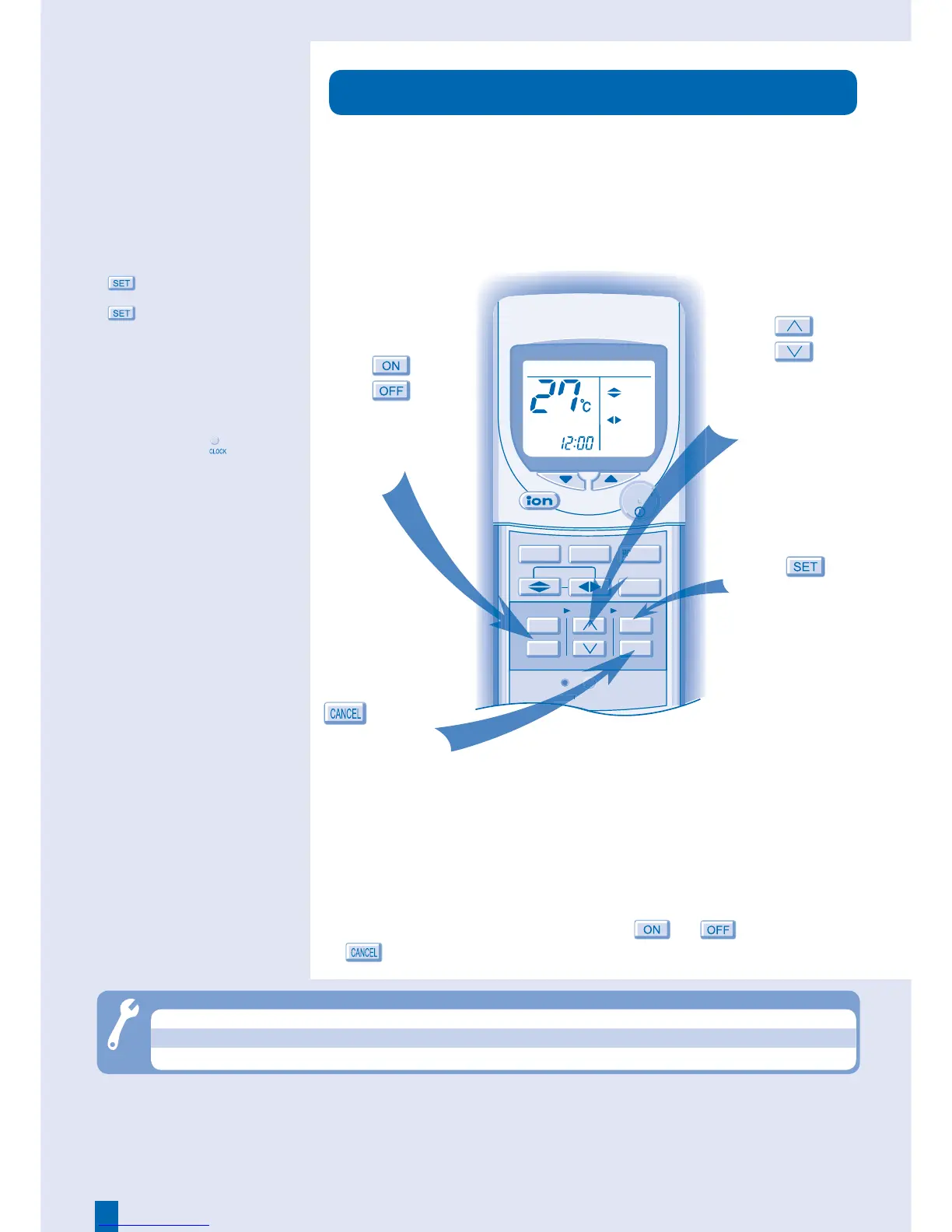
TIMER
• The timer allows you to turn the air
conditioner on or off automatically.
• The unit may start in preliminary
operation before the actual set time
when ON timer has been set.
• The set timer repeats daily once
set.
• If there is a power failure, you can
restore the previous setting (once
power is resumed) by pressing the
button.
• If the timer is cancelled, press
to restore the previous
setting.
■ Hint
• Press and hold the for
approximately 10 seconds to set
either 12-hour (am/pm) or 24-hour
time indication.
● The timer is valid only when the clock is set correctly.
● You can set your preferred time for ON and OFF timers. The
unit will turn ON or OFF automatically.
● To cancel ON or OFF timer, press
or , then press
.
AIR SWING
FAN SPEED
QUIET
POWERFUL
1
2
3
TIMER
ON
OFF
CANCEL
SET
RESET CLOCK
OFF/ON
MODE
TEMP
COOL
AUTO
AU
3
Troubleshooting
● Timer indicator always on. ► The timer setting repeats daily once set.
● Remote control does not work. ► The batteries are inserted incorrectly or need replacing.
● The unit does not work. ► The circuit breaker is tripped or the timer is set incorrectly.



 To Next Page