12
REMOTE CONTROL
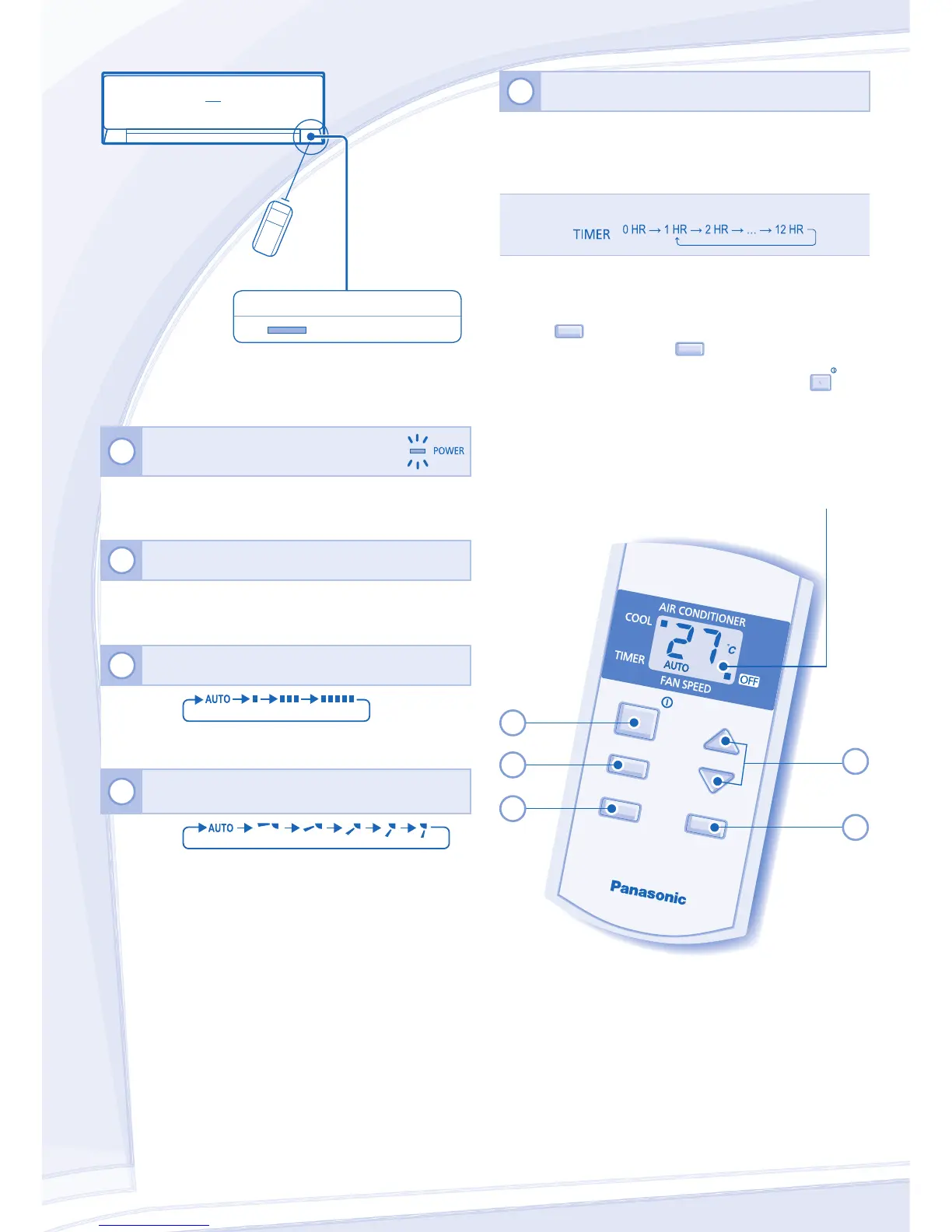
Maximum distances: 8m
INDICATOR
POWER
(Green)
5
TO SET THE TIMER
• To turn ON the unit at a preset time, set the timer while
the unit is OFF.
• To turn OFF the unit at a delayed time, set the timer while
the unit is ON.
Press twice → Press repeatedly to set your desired time
• Once the timer is set, the TIMER indication on the remote
control display will be shown.
• To check the remaining time before the timer takes effect,
press
TIMER
.
• To cancel the timer, press
TIMER
once, then press again
and hold for approximately 3 seconds.
• The timer will also be canceled when you press
OFF/ON
or
when power failure occurs.
• This setting is for one time operation, you will need to set
again each time you want to use the timer.
Press the remote control’s button
1
TO TURN ON OR OFF THE UNIT
• Please be aware of the OFF indication on the remote
control display to prevent the unit from starting/stopping
improperly.
2
TO SET TEMPERATURE
• The range of temperature for selection is 16°C ~ 30°C.
• Recommended temperature for energy saving:
26°C ~ 28°C.
3
TO SELECT FAN SPEED (3 OPTIONS)
FAN
PEED
• For AUTO, the indoor fan speed is automatically adjusted
according to the operation mode.
4
TO ADJUST VERTICAL AIRFLOW DIRECTION
(5 OPTIONS)
AIR SWING
• Keeps the room ventilated.
• If AUTO is set, the louver swing up/down automatically.



 To Next Page