Basic Operations – Camera Setting Operations
76
Camera Setting Operations
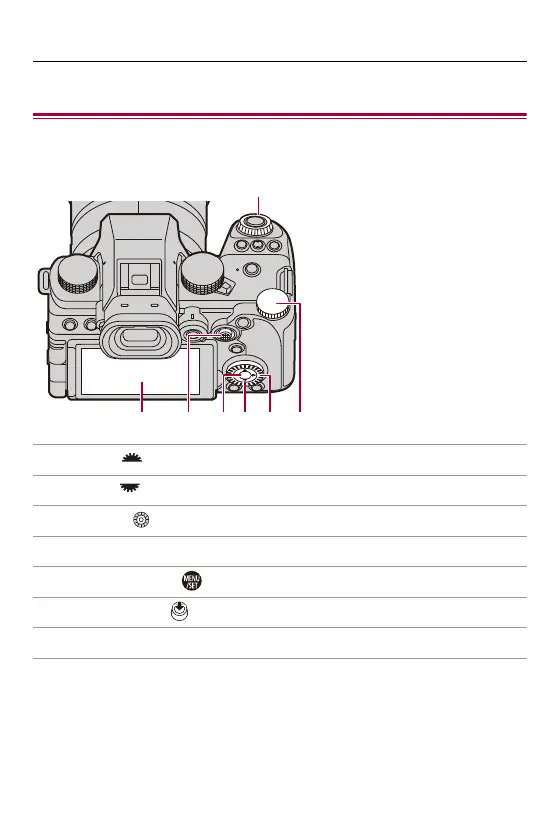
When changing the camera settings, operate the camera using the
following operation parts.
(A) Front dial ( ) (ÎFront Dial/Rear Dial: 77)
(B) Rear dial ( ) (ÎFront Dial/Rear Dial: 77)
(C) Control dial ( ) (ÎControl Dial: 77)
(D) Cursor buttons (3421) (ÎCursor Buttons: 78)
(E) [MENU/SET] button ( ) (Î[MENU/SET] Button: 78)
(F) Joystick (3421/) (ÎJoystick: 79)
(G) Touch screen (ÎTouch Screen: 80)
(G) (F) (E) (D) (C) (B)
(A)








 To Next Page