47
RQT8432
[HDD] [RAM]
[-RW‹VR›] (Play only)
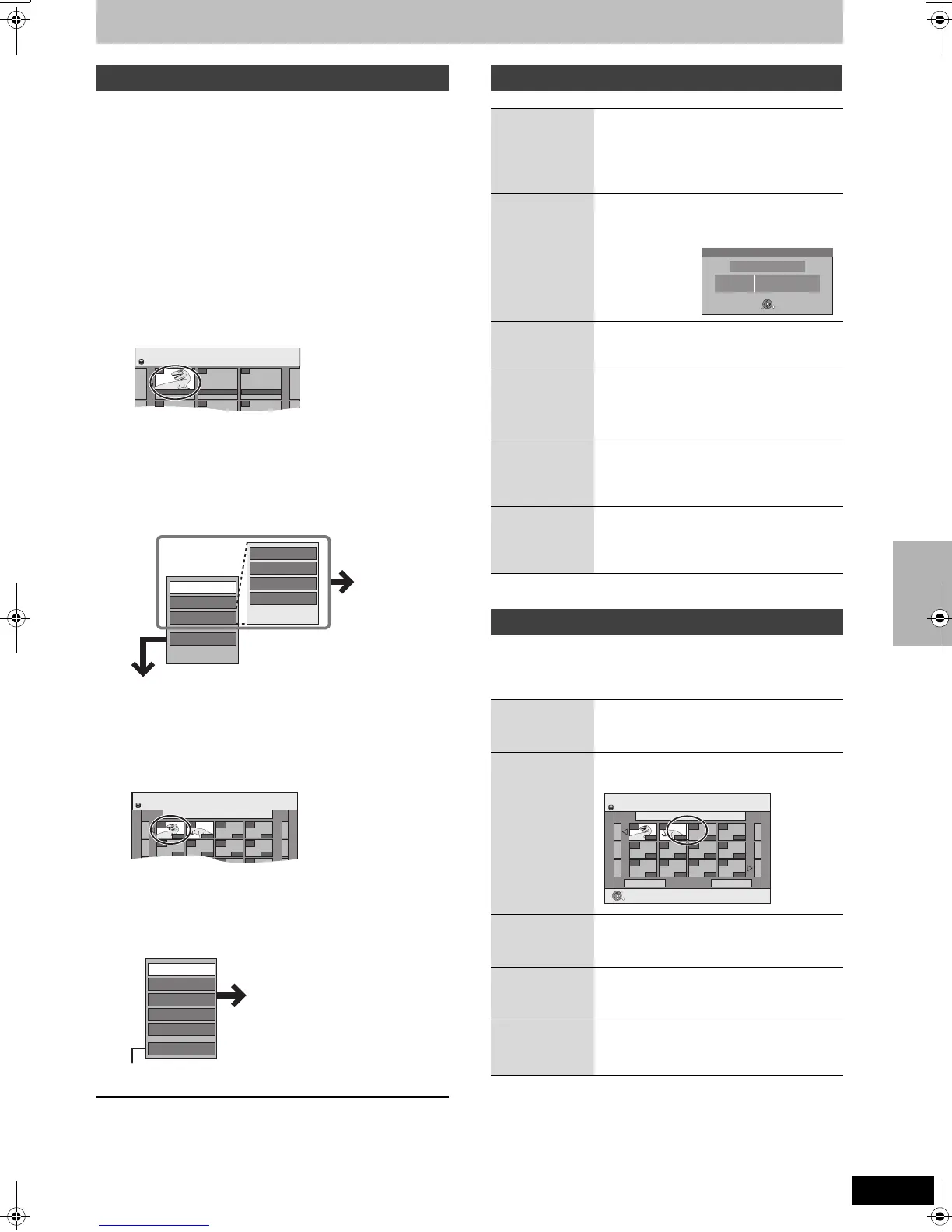
1 While stopped
Press [FUNCTIONS].
2 Press [3, 4] to select “To Others”
and press [ENTER].
3 Press [3, 4] to select “Playlists” and
press [ENTER].
4 Press [3, 4, 2, 1] to select the
playlist.
To start play ➡ Press [ENTER].
To edit ➡ Step 5.
≥To show other pages/Multiple editing (➡ 44)
5 Press [SUB MENU], then [3, 4] to
select the operation and press
[ENTER].
≥If you select “Edit”, press [3, 4] to select the operation and
press [ENTER].
∫ If you select “Chapter View”
6 Press [3, 4, 2, 1] to select the
chapter.
To start play ➡ Press [ENTER].
To edit ➡ Step 7.
≥To show other pages/Multiple editing (➡ 44)
7 Press [SUB MENU], then [3, 4] to
select the operation and press
[ENTER].
≥You can go back to Playlist View.
To return to the previous screen
Press [RETURN].
To exit the screen
Press [RETURN] several times.
After performing steps 1–5 (➡ left)
§
Multiple editing is possible.
[HDD] [RAM]
After performing steps 1–7 (➡ left)
≥Editing chapters in a playlist does not modify the source titles and
source chapters.
§
Multiple editing is possible.
Editing and playing playlists/chapters
01
Create
- -- -
- -- -- -
12.10. SUN 0:30
HDD
Playlists Playlist View
Playlist View screen
Copy
Enter Name
Change Thumbnail
Create
Properties
Edit
Chapter View
Delete
Refer to “Playlist
operations”.
Playlists Chapter View
01 ARD 12.10. SUN 0:30
001
--- ---
--- ------ ---
--- ------ ---
002
HDD
0:19.36
0:10.24
Chapter View screen
Move Chapter
Create Chapter
Combine Chapters
Delete Chapter
Playlist View
Add Chapter
Refer to “Chapter
operations”.
Playlist operations
Delete
§
[HDD] [RAM]
Press [2, 1] to select “Delete” and press
[ENTER].
Once deleted, the playlists are lost and
cannot be restored.
Make certain before proceeding.
Properties
[HDD] [RAM]
[-RW‹VR›]
Playlist information (e.g., total time and date)
is shown.
≥Press [ENTER] to exit the screen.
Create
[HDD] [RAM]
➡ 46, Creating playlists, Step 5–8
Copy
§
[HDD] [RAM]
Press [2, 1] to select “Copy” and press
[ENTER].
≥The copied playlist becomes the newest
one in the playlist view screen.
Enter
Name
[HDD] [RAM]
You can give names to playlists.
➡ 63, Entering text
Change
Thumbnail
[HDD] [RAM]
➡ 45, Change Thumbnail
Chapter operations
Add
Chapter
➡ 46, Creating playlists, Step 5–7
Move
Chapter
Press [3, 4, 2, 1] to select the position
to insert the chapter and press [ENTER].
Create
Chapter
➡ 45, Create Chapter
Combine
Chapters
➡ 45, Combine Chapters
Delete
Chapter
§
➡ 45, Delete Chapter
The playlist itself is deleted if you delete all
the chapters in it.
Properties
Dinosaur
No.
Chapters 0:30.53
Date
Total
10
002
12.10.2006 TUE
ENTER
RETURN
Playlists Move Chapter
Previous Page 01/01 Next
01 12.10. SUN 0:11
001
--- ---
--- ------ ---
--- ------ ---
002
HDD
ENTER
RETURN
0:10.240:10.24
0:19.36
Creating, editing and playing playlists
EH65.book Page 47 Thursday, March 23, 2006 5:18 PM


 To Next Page
 Loading...