6 VQT3E40 (ENG) (ENG) VQT3E40 7
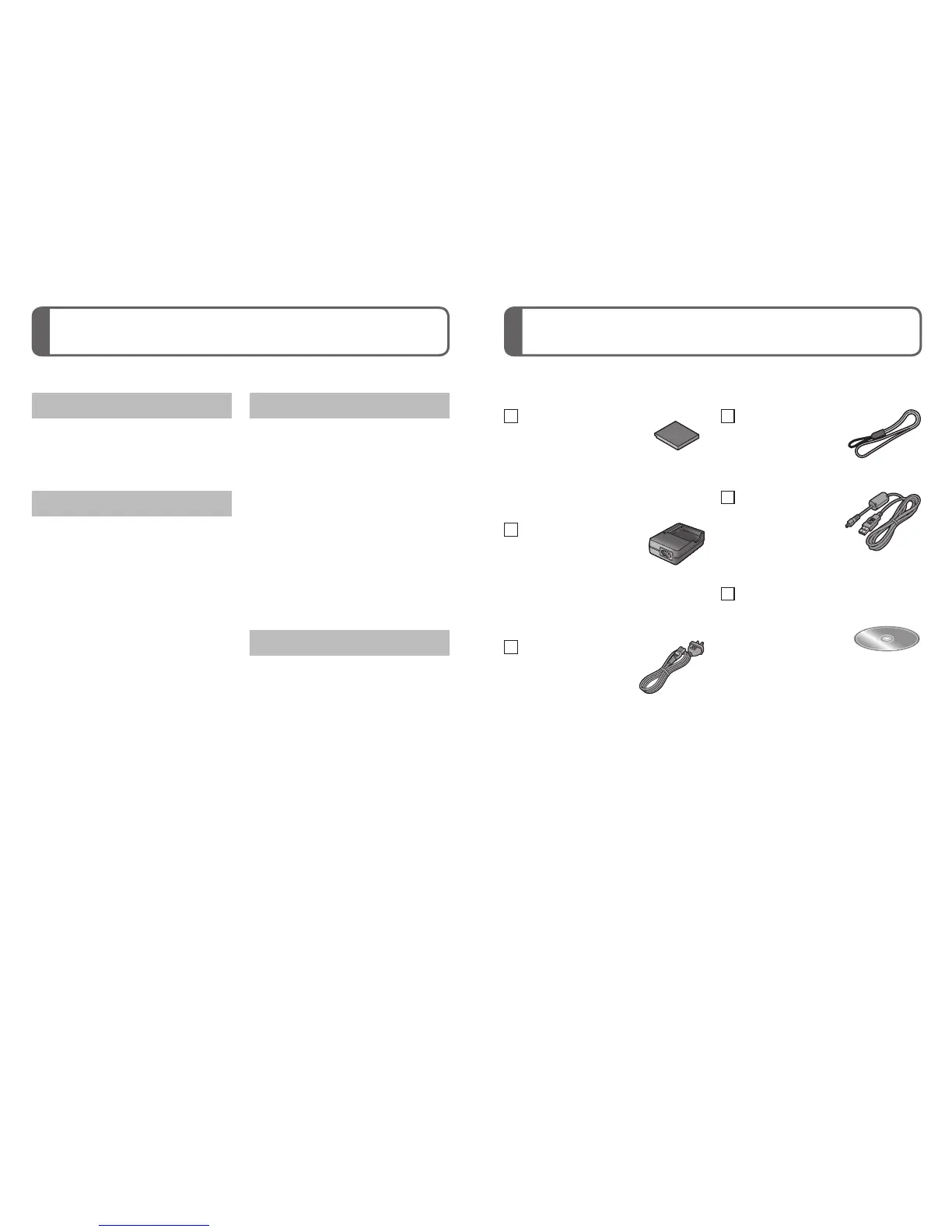
Contents Standard accessories
Before use
Standard accessories ................7
Names of parts............................8
Cursor button ...................................9
Preparations
Charging the battery ................10
Inserting and removing the card
(optional)/the battery ................12
Picture save destination
(cards and built-in memory) ...........13
Setting the clock .......................14
Setting the menu ......................15
Basics
Selecting the
Recording Mode .......................16
Taking pictures with automatic
settings
[Intelligent Auto] Mode .............17
Taking motion pictures
[Motion Picture] Mode ..............19
Viewing your pictures
[Normal Play] ............................20
Deleting pictures ......................20
Others
Reading the Operating
Instructions (PDF format) ........21
Specifications ...........................23
Information for Your Safety .......2 Check that all the accessories are supplied before using the camera. Part
numbers are as of January 2011.
Battery pack
*
NCA-YN101H
• Charge the battery
before use.
Battery pack is indicated as
battery pack or battery in the text.
Battery charger
DE-A92A
Battery charger is indicated as
battery charger or charger in
the text.
AC Cable
K2CJ2YY00052
Hand strap
VFC4297
USB connection
cable
K1HY08YY0017
CD-ROM
VFF0739
• Software:
Use it to install
the software on
your PC.
• Operating
Instructions
*
When purchasing a spare battery, please purchase an optional battery
(DMW-BCK7E).
• Memory cards and AV cable are optional. You can record or play back
pictures on the built-in memory when you are not using a card.
• Consult the dealer or your nearest Service Centre if you lose the
supplied accessories. (You can purchase the accessories separately.)
• Please dispose of all packaging appropriately.
• Keep small parts in a safe place out of the reach of children.








 To Next Page