12 VQT4B41 (ENG)
Setting the clock
The clock is not set when the camera is shipped.
Set REC/PLAY switch to before turning the camera on.
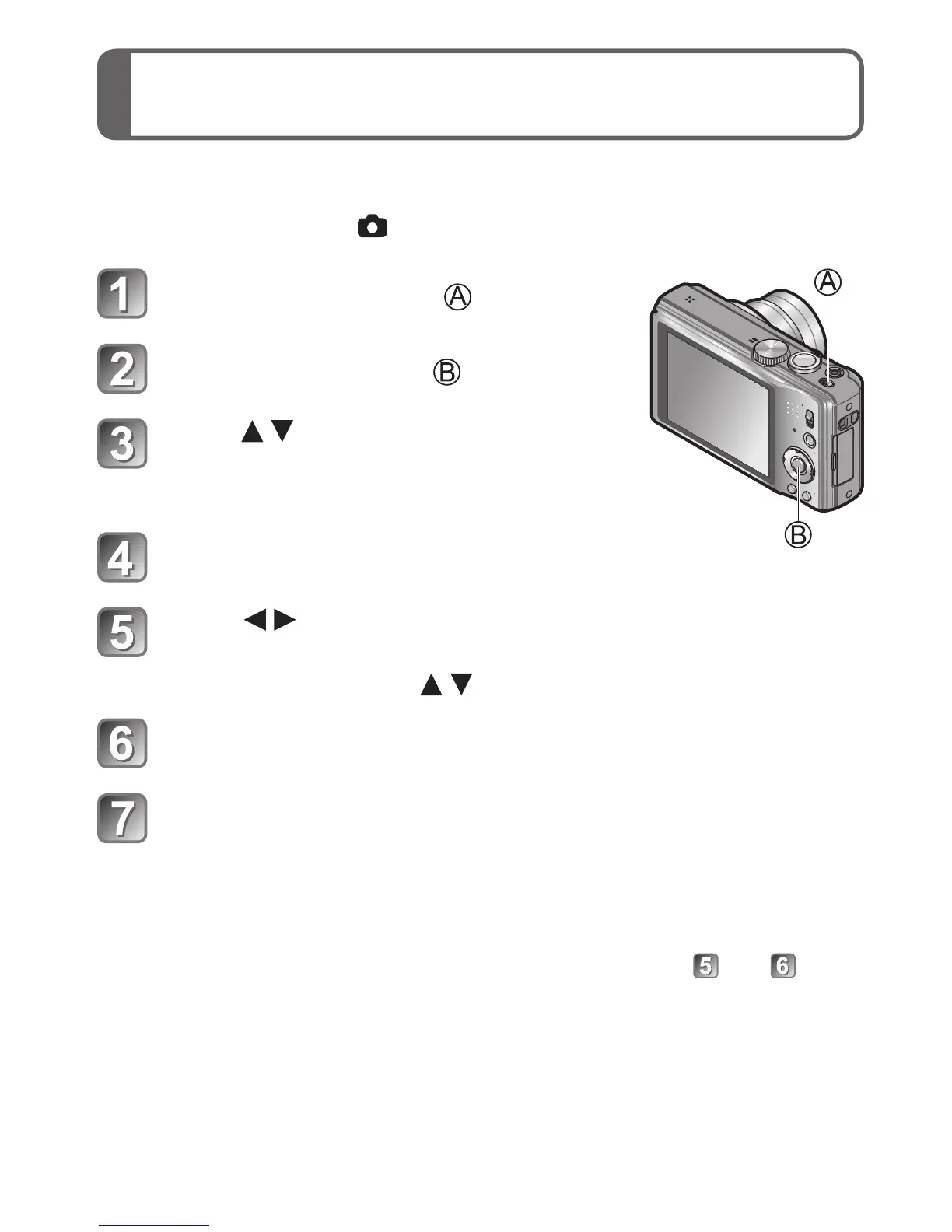
Turn the camera on ( )
Press [MENU/SET] ( )
Press to select the
language, and press [MENU/SET]
• [Please set the clock] message appears.
Press [MENU/SET]
Press to select the items (year, month,
day, hour, minute, display order or time display
format), and press to set
Press [MENU/SET] to set
Press [MENU/SET]
■
To change the time setting
Select [Clock Set] from [Rec] or [Setup] menu, perform and .








 To Next Page