27
RQT9037
(ENG)
Messages
The following messages or service numbers appear on the television or unit’s display when something unusual is detected during startup and
use.
Disc and card
handling
Clean discs
Wipe with a damp cloth and then wipe dry.
Disc and card handling precautions
≥Handle discs by the edges to avoid inadvertent scratches or
fingerprints on the disc.
≥Do not attach labels or stickers to discs (This may cause disc
warping, rendering it unusable).
≥Do not write on the label side with a ball-point pen or other writing
instrument.
≥Do not use record cleaning sprays, benzine, thinner, static
electricity prevention liquids or any other solvent.
≥Do not use scratch-proof protectors or covers.
≥Clean any dust, water, or foreign matter from the terminals on the
rear side of the card.
≥Do not use the following discs:
– Discs with exposed adhesive from removed stickers or labels
(rented discs etc).
– Discs that are badly warped or cracked.
– Irregularly shaped discs, such as heart shapes.
Maintenance
Clean this unit with a soft, dry cloth
≥Never use alcohol, paint thinner or benzine to clean this unit.
≥Before using chemically treated cloth, read the instructions that
came with the cloth carefully.
≥Cleaning of the lens is generally not necessary.
≥Do not use any lens cleaners as they may damage the unit.
User memo:
On the television Page
Cannot play. ≥You inserted an incompatible disc (Discs recorded in PAL video, etc.). 4, 5
Cannot display on this unit. ≥You tried to play a non-compatible image.
≥Confirm “SD” on the unit’s display is not blinking and re-insert the card.
5
—
No disc ≥The disc may be upside down. —
$ This operation is currently
disabled.
≥The operation is prohibited by the unit or disc. —
On the unit’s display
F99 ≥The unit fails to operate properly. Press [POWER Í/I] on the main unit to switch the unit to
standby for 3 seconds. Now press [POWER Í/I] on the main unit again to turn the unit on.
—
HDMI ONLY ≥Some BD-Video discs can only be output with HDMI. —
No PLAY ≥There is a viewing restriction on a BD-Video or DVD-Video. 20
No READ ≥The disc is dirty or badly scratched. The unit cannot play. —
PLEASE WAIT ≥Displayed when the unit is started and turned off. This is not a malfunction.
≥The unit is carrying out its recovery process. You cannot operate the unit while “PLEASE
WAIT” is displayed.
—
—
SET
(“ ” stands for a number.)
≥The remote control and main unit are using different codes. Change the code on the
remote control.
Press and hold [OK] and the indicated number button at the same
time for more than 5 seconds.
26
UNFORMAT ≥You inserted an unformatted DVD-RAM, DVD-RW, +RW, an unused +R, +R DL or
DVD-RW (DVD-Video format).
—
UNSUPPORT ≥You have inserted a disc the unit cannot play. 4, 5
U59 ≥The unit is hot.
The unit switches to standby for safety reasons. Wait for about 30 minutes until the
message disappears.
Select a position with good ventilation when installing the unit. Do not block the cooling fan
on the rear of the unit.
—
U72
U73
≥The HDMI connection acts unusually.
– The connected equipment is not HDMI compatible.
– Please use HDMI cables that have the HDMI logo (as shown on the cover).
– The HDMI cable is damaged.
—
H or F ≥ There is something unusual. (The service number displayed after H and F depends on the
unit’s condition.)
≥Check the unit using the troubleshooting guide. If the service number does not disappear,
do the following.
1 Disconnect the plug from the AC outlet, wait a few seconds, then reconnect it.
2 Press [POWER Í/I] to turn the power on. (The unit may be fixed.)
If the service number does not disappear despite doing the above, request service from
the dealer. Inform the dealer of the service number when requesting service.
—
24–26
DO
DO NOT
The model number and serial number of this product can be
found on either the back or the bottom of the unit.
Please note them in the space provided below and keep for
future reference.
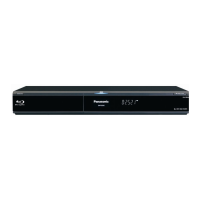
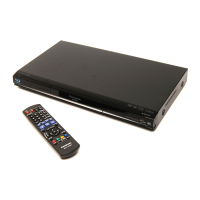
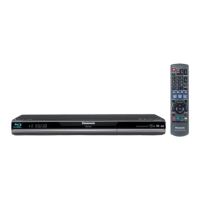
MODEL NUMBER DMP-BD30
SERIAL NUMBER
DATE OF PURCHASE _______________________________
DEALER NAME ____________________________________
DEALER ADDRESS _________________________________
__________________________________________________
TELEPHONE NUMBER ______________________________
Reference 11 Messages/Disc and card handling/Maintenance
Reference
DMP-BD30PP_Book1.book 27 ページ 2007年10月5日 金曜日 午前10時44分










 To Next Page