14
RQT9378
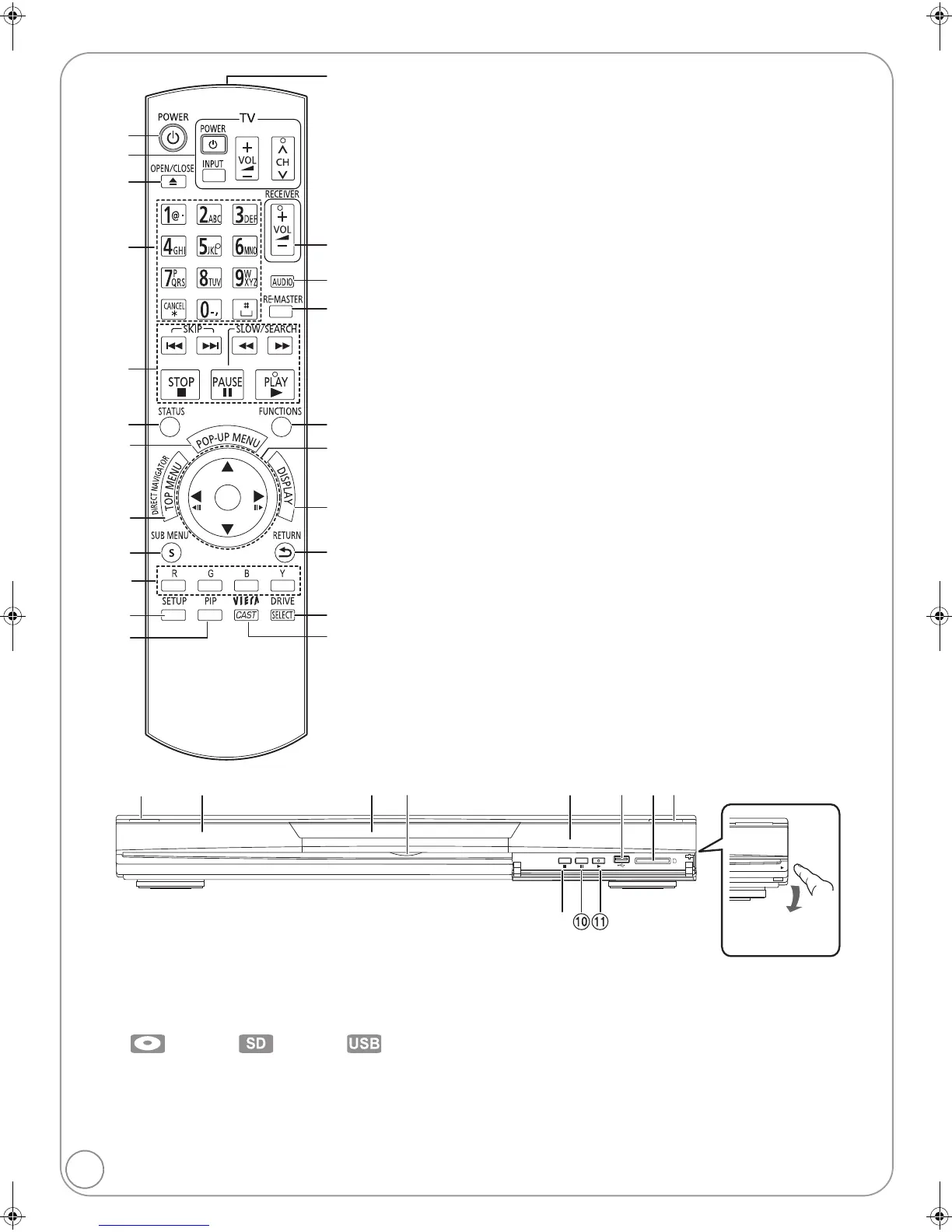
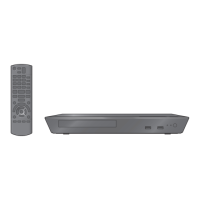
Remote control and unit reference guide
! Turn the unit on and off (> 15)
@ TV operation buttons (> 15)
You can operate the TV through the unit’s remote
control.
[Í TV POWER] : Turn the television on and off
[INPUT] : Input select
[ijVOL] : Adjust the volume
[WXCH] : Channel select
# Open or close the disc tray (> 19)
$ Select title numbers, etc./Enter numbers or
characters (> 18, 20)
(The character buttons may be used when
operating VIERA CAST contents.
B
27)
[CANCEL] : Cancel
% Basic playback control buttons (> 19, 20)
^ Show status messages (> 20)
& Show Pop-up menu (> 19)
* Show Top menu/Direct Navigator (> 19)
( Show sub menu (> 24)
AJ These buttons are used when;
≥Operating a BD-Video disc that includes Java
TM
applications (BD-J). For more information about
operating this kind of disc, please read the
instructions that came with the disc.
≥
Displaying “Title View” and “Album View” screens.
(Only the [R] and [G] buttons,
B
24)
≥Operating contents of VIERA CAST. (> 27)
AA Show Setup menu (> 32)
AB Switch on/off Secondary Video (Picture-in-picture)
(> 22)
AC Transmit the remote control signal
AD Adjust the volume of an amplifier/receiver through
the unit’s remote control.
AE Select audio (> 21)
AF Reproduce more natural audio (> 21)
AG Show FUNCTIONS menu (> 21)
AH Selection/OK, Frame-by-frame (> 20)
AI Show on-screen menu (> 30)
BJ Return to previous screen
BA Select drive (BD/DVD/CD, SD card or USB device)
(> 19)
BB Displays the Home screen of the VIERA CAST
(> 27)
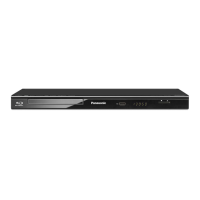
1 POWER button (POWER Í/I) (> 15)
Press to switch the unit from on to standby mode or vice versa. In
standby mode, the unit is still consuming a small amount of power.
2 Display
The indicator blinks when reading data from a disc, a card or a USB
device, or writing data to a card.
3 Disc tray (> 19)
4 [BD80]: SD Card LED
≥It is possible to set the LED to turn on/off. (> 34, SD Card LED
Control)
5 Remote control signal sensor (> 5)
6 USB port (> 19)
7 SD card slot (> 19)
8 Open or close the disc tray (> 19)
9 Stop (> 20)
: Pause (> 20)
; Start play (> 19)
Rear panel terminals (> 10–16)
OK
SD
CARD
PULL-OPEN
Pull to flip down the
front panel.
Disc indicator SD card indicator USB device indicator
DMP-BD80_60PP-RQT9378_ENG.book 14 ページ 2009年1月7日 水曜日 午前10時26分



 To Next Page