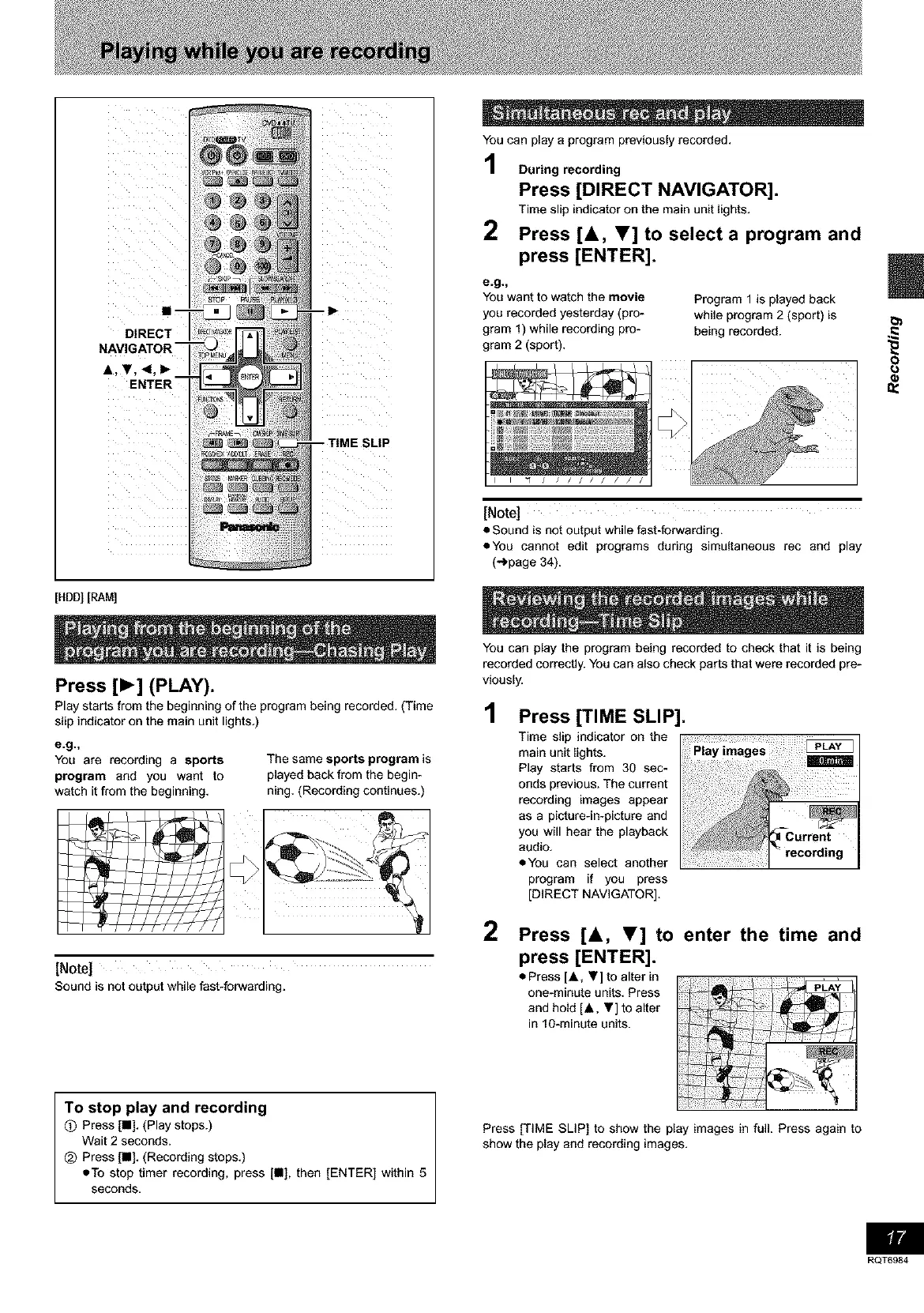
DIRECT
NAVIGATOR
A, V, 4,1_ I
ENTER
[HDD][RAM]
You can play a program previously recorded.
During recording
Press [DIRECT NAVIGATOR].
Time slip indicator on the main unit lights.
2 Press [&, T] to select a program and
press [ENTER].
e.g._
You want to watch the movie
you recorded yesterday (pro-
gram 1) while recording pro-
gram 2 (sport).
Program 1 is played back
while program 2 (sport) is
being recorded.
I "1 / / / / / /
[Note]
• Sound is not output while fast-forwarding.
• You cannot edit programs during simultaneous rec and play
(_page 34).
8
Press [1_] (PLAY).
Play starts from the beginning of the program being recorded. (Time
slip indicator on the main unit lights.)
e.g._
You are recording a sports
program and you want to
watch it from the beginning.
The same sports program is
played back from the begin-
ning. (Recording continues.)
h_
[Note]
Sound is not output while fast-forwarding.
To stop play and recording
Q Press [•]. (Play stops.)
Wait 2 seconds.
_) Press [•]. (Recording stops.)
=To stop timer recording, press [•], then [ENTER] within 5
seconds,
You can play the program being recorded to check that it is being
recorded correctly. You can also check parts that were recorded pre-
viously.
1 Press [TIME SLIP].
Time slip indicator on the
main unit lights.
Play starts from 30 sec-
onds previous. The current
recording images appear
as a picture-in-picture and
you will hear the playback
audio.
• You can select another
program if you press
[DIRECT NAVIGATOR].
2 Press [A, T] to enter the time and
press [ENTER].
• Press [,&, Y] to alter in
one-minute units. Press
and hold [.&. ,] to alter
in 10-minute units.
Press [TIME SLIP] to show the play images in full. Press again to
show the play and recording images.
RQT6984









 To Next Page