Ivcr_l
Switch [DVD. TV] to "DVD" and
Press the numbered buttons (0, 1-9) to select an item.
e.g., "5": [O] '-) [5]
"15": [1] ._ [5]
[DVD_A](DVD-V]
Press [A, V, <1, I_] to select an item and press
[ENTER].
eYou may also be able to use the numbered buttons (O, 1-9) to
select an item.
Other buttons used to operate menus
Read the disc's instructions for further details about operation.
[1_t ][!_1_/1_1_1]: Shows the next menu.
[l<l_][l<</<<]: Shows the previous menu.
(RETURN): Shows the menu screen. [VCD]
[TOP MENU]: Shows the first menu screen. [DVD-A][DVD-VJ
[MENU]: Shows the menu screen. [DVD-V]
[Note]
• Discs continue to rotate while menus are displayed. Press [i]
when you have finished viewing to preserve the unit's motor and
your television screen.
• If "_" appears on the television, the operation is prohibited by
the unit or disc.
• Functions available vary from disc to disc.
[HDD][RAM][DVI3R][DVD-A][DVD-V]IVCP][CD]IMP3]
You can start play from a memorized position even after turning the
unit off.
(When the elapsed play time is displayed)
During play
Press [POSITION MEMORY].
The message "Position Memorized" appears on the televi-
sion.
After switching the unit to standby end back on
Press [_] (PLAY).
Play starts from the memorized position. (The position is
cleared.)
[Note]
[DVD-R][DVI_A] [DVD-VJIVCf._][CD]IMP3]
• The position is cleared when you open the disc tray.
[RAM]
• Positions remain memorized even after the disc tray is opened.
• You cannot mark positions if the disc is write-protected.
(cartridge _page 10, disc _page 36)
For your reference
if you press [hi before switching the unit to standby after pressing
[POSITION MEMORY] to memorize a position, play will resume
from the position you pressed [HI when you press [1_] (PLAY).
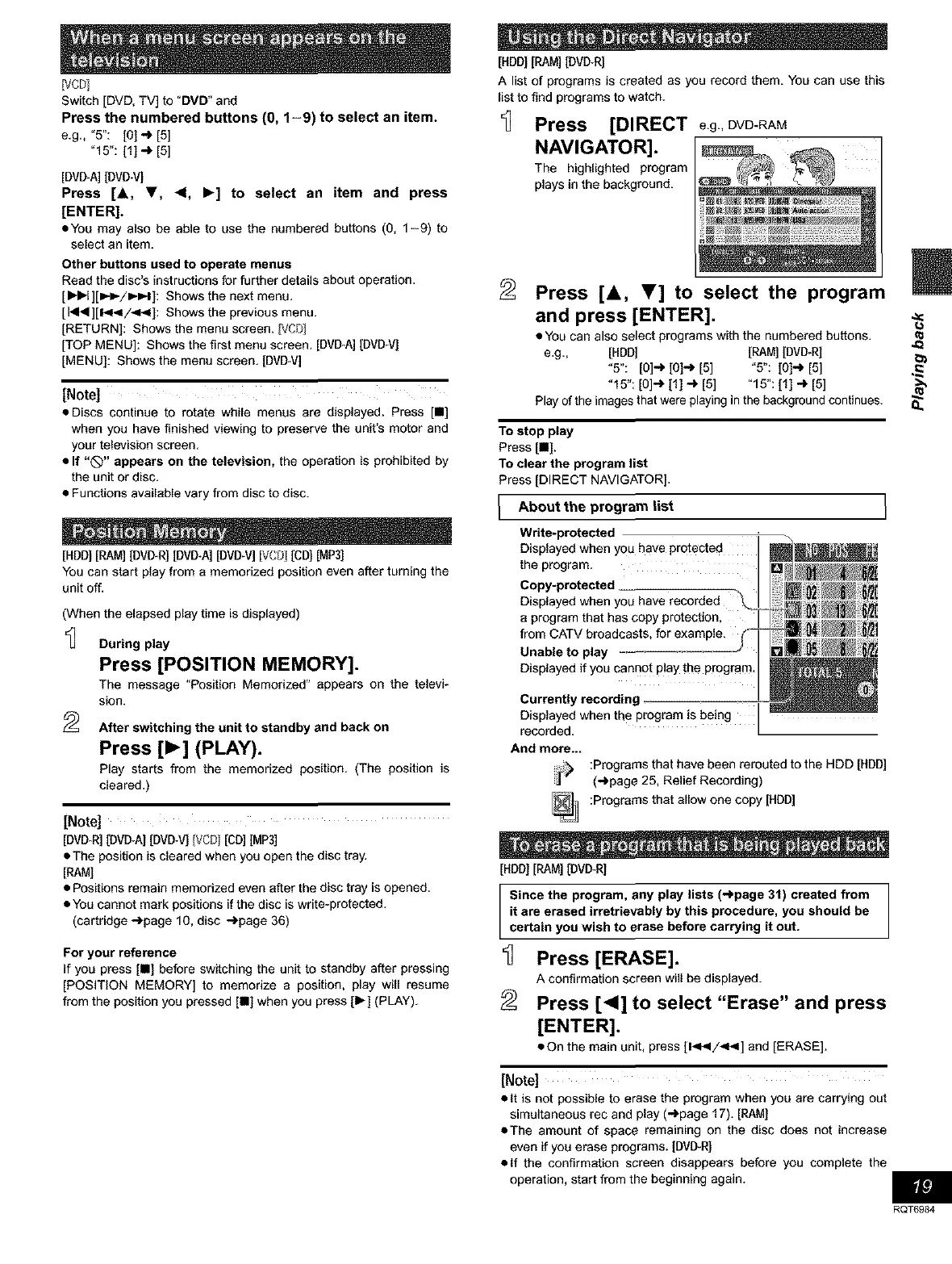
[HDD] [RAM] [DVI_R]
A list of programs is created as you record them. You can use this
list to find programs to watch.
_] Press [DIRECT e.g.,DVD-RAM
NAVIGATOR].
The highlighted program
plays in the background.
Press [&, T] to select the program
and press [ENTER]. -_
• You can also select programs with the numbered buttons. ._
e.g., [HDD] [RAM] [DVD-R]
"5": [O]-* [01.._ [5] °5": [O]'_ [5] ._
"15": [O]_ [1] ._ [5] "15": [1] .-) [5]
Play of the images that were playing in the background continues. 8.
To stop play
Press[n].
To clear the program list
Press [DIRECT NAVIGATOR).
About the list
program
Write-protected
Displayed when you have protected
the program.
Copy-protected _
Displayed when you have recorded
a program that has copy protection, I
from CATV broadcasts, for example.
Unable to play
Displayed if you cannot play the program.
Currently recording -
Displayed when the program is being
recorded.
And more...
Programs that have been rerouted to the HDD [HDD]
(_page 25, Relief Recording)
:Programs that allow one copy [HDD]
[HDD][RAM][DMITRI
Since the program, any play lists (_page 31) created from
it ere erased irretrievably by this procedure, you should be
certain you wish to erase before carrying it out.
Press [ERASE].
A confirmation screen will be displayed.
Press [<] to select "Erase" and press
[ENTER].
• On the main unit, press [1<_1/<_1] and [ERASE].
[Note]
• It is not possible to erase the program when you are carrying out
simultaneous rec and play (_page 17). [RAM]
• The amount of space remaining on the disc does not increase
even if you erase programs. [DVD-R]
• If the confirmation screen disappears before you complete the
operation, start from the beginning again.
RQT6984


 To Next Page
 Loading...