EasyManua.ls Logo

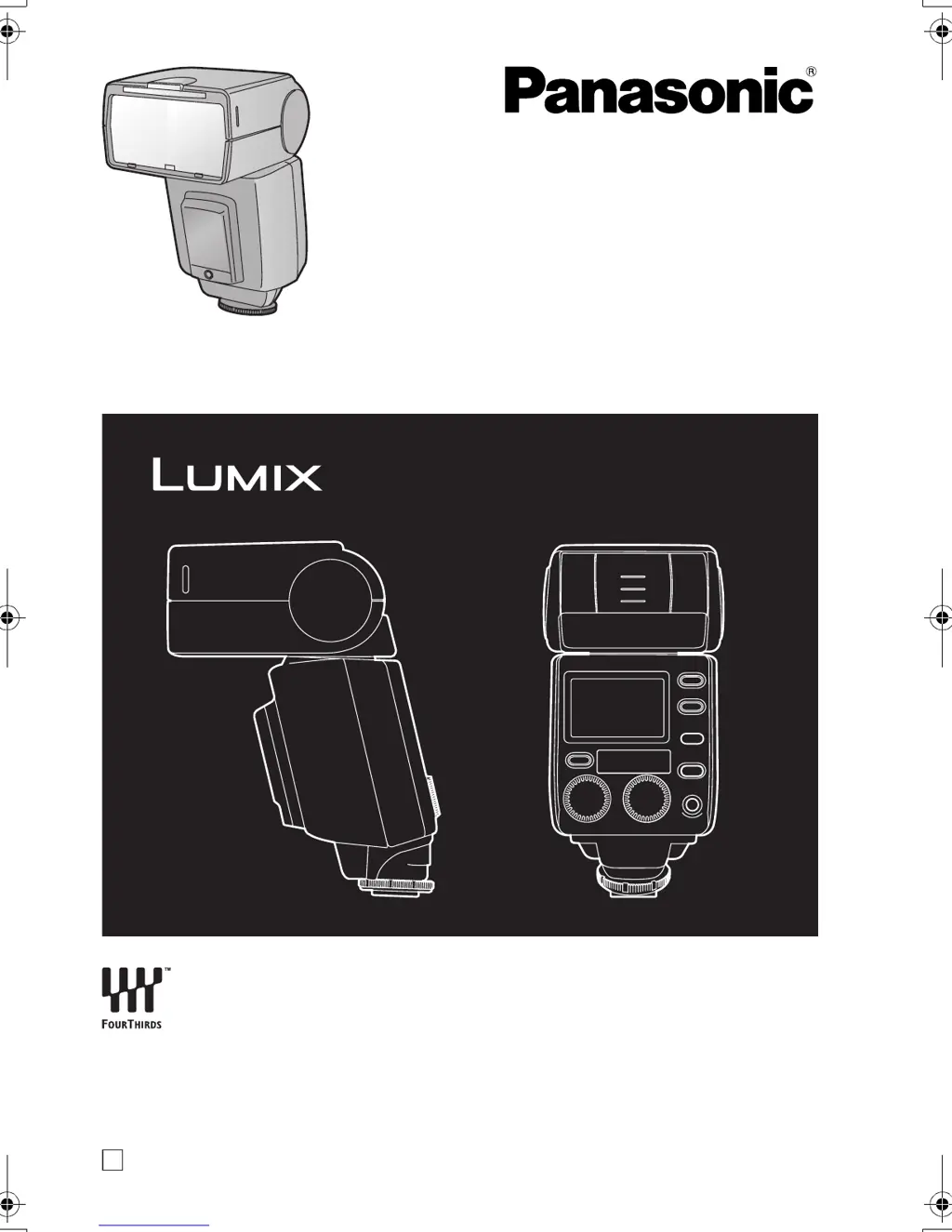
Panasonic DMW-FL500 - User Manual

Panasonic DMW-FL500
148 pages
Print Icon
To Next Page IconTo Next Page
Loading...
E
VQT0Z62
Operating Instructions
Bedienungsanleitung
Manuel d’utilisation
Instrucciones de funcionamiento
Flash
Model No. DMW-FL500
Before use, please read these instructions completely.
Bitte lesen Sie diese Bedienungsanleitung vor der Inbetriebnahme
des Gerätes vollständig durch.
Avant l’utilisation, veuillez lire entièrement ces instructions.
Antes del uso, lea detenidamente, por favor, estas instrucciones.
VQT0Z62.book 1 ページ 2006年6月22日 木曜日 午前11時46分

Table of Contents

Other manuals for Panasonic DMW-FL500

Questions and Answers

  • J
    Jacob AllenAug 14, 2025
    What to do if [ISO] and [F] are flashing on my Panasonic DMW-FL500?
    • S
      seth83Aug 14, 2025
      If [ISO] and [F] are flashing, or the numbers for the ISO sensitivity and aperture are flashing, it means that the ISO sensitivity and aperture of the digital camera are outside the flash working range. To fix this, change the ISO sensitivity and aperture of the digital camera.
  • C
    Crystal ParkerAug 17, 2025
    What to do if I can’t install my Panasonic Flashlight on my digital camera?
    • C
      Caitlin DiazAug 18, 2025
      If you can’t install the unit on your digital camera, it might be because the lock pin is protruding. Turn the lock ring in the opposite direction from [2LOCK] until it stops and retract the pin before proceeding to install the unit on the digital camera.
  • K
    Katherine MurphyAug 21, 2025
    Why won't my Panasonic DMW-FL500 power off?
    • E
      Eric JonesAug 21, 2025
      When the power of a digital camera with communication functions is switched off, the flash is set to the power-saving mode. When the flash is used in combination with a digital camera without communication functions, it is automatically set to the power-saving mode when no operations have been performed for about 60 minutes.
  • R
    Ronald TaylorAug 25, 2025
    Why is the optimum camera to subject distance flashing on my Panasonic Flashlight?
    • M
      Martin ReynoldsAug 25, 2025
      The optimum camera to subject distance flashes because the flash is too close to the subject. To resolve this, take photos at a distance further than 0.6 m (or 0.5 m for close-up photos).
  • C
    chriscummingsAug 28, 2025
    What to do if the display panel is extinguished on my Panasonic Flashlight?
    • A
      Alan AnthonyAug 28, 2025
      If the display panel is extinguished even though the unit’s power is on, it may be because the digital camera’s power-saving function is activated. Push the digital camera’s shutter button halfway down to release the function.
  • K
    Kerri StevensAug 31, 2025
    What to do if I can’t select the flash modes on my Panasonic DMW-FL500?
    • I
      isabel42Aug 31, 2025
      If you can’t select the flash modes even by pushing the [MODE] button, it means that the unit is connected to some digital camera models capable of communication. In this case, you can only select the flash’s mode from the digital camera.
  • L
    lee55Sep 3, 2025
    Why does [ ] not go off on my Panasonic DMW-FL500 Flashlight?
    • D
      David MartinSep 3, 2025
      If [ ] does not go off, it is because the flash head has been set to point downward (7 degrees). Do not use this setting unless you are taking close-ups.
  • L
    Linda CooperSep 6, 2025
    Why does [ ] not go off on my Panasonic DMW-FL500 when using wide panel?
    • R
      Robert HawkinsSep 6, 2025
      If [ ] does not go off and the wide panel is extended, the guide number (GN) is reduced. Pay attention to the camera to subject distance.
  • Y
    yhardySep 10, 2025
    Why I can’t switch to the lighting angle on my Panasonic DMW-FL500?
    • S
      Sandra AguirreSep 10, 2025
      If you can’t switch to the lighting angle, the wide panel may have been damaged. You can use the [ZOOM] button if you set wide panel switching to [OFF].

Summary

Information for Your Safety

Disposal of Electrical and Electronic Equipment

Guidelines for proper disposal of used electrical and electronic products.

Precautions

Supplied Accessories

List and inspection of items included with the flash unit.

Names of Components

Display Panel Symbols and Indicators

Battery Information and Compatibility

Unsupported Battery Types

Details on batteries that are not guaranteed or may cause problems.

Unusable Battery Shapes

Description of battery shapes that cannot be used in the unit.

Battery Handling and Safety

Rechargeable Battery Care

Prolonged Storage of Rechargeable Batteries

Recommendations for storing rechargeable batteries when not in use.

Rechargeable Battery Service Life

Understanding the lifespan and capacity degradation of rechargeable batteries.

Inserting and Removing Batteries

Checking Battery Charge Level

Mounting and Detaching the Flash Unit

Using Flash with Camera Communication

Selecting Flash Modes

Guide to choosing and setting different flash operation modes.

Overview of Flash Modes

Explanation of the available flash modes and their functions.

TTL AUTO Flash Mode

AUTO Flash Mode

ISO and Aperture Combinations for AUTO Mode

Table of compatible ISO sensitivity and aperture settings for AUTO mode.

MANUAL Flash Mode

FP TTL AUTO Flash Mode

Example Photos with High Shutter Speeds

Examples of photographic results using FP TTL AUTO mode.

FP MANUAL Flash Mode

Adjusting Flash Intensity

Using Flash without Camera Communication

Selecting Flash Modes (No Communication)

Guide to choosing and setting flash modes without camera link.

Flash Modes Overview (No Communication)

Explanation of flash modes usable independently of camera.

AUTO Mode (No Communication)

Flash Working Range Chart (AUTO Mode)

MANUAL Mode Calculations

Determining Aperture and Guide Number

Formulas for calculating aperture and guide number in manual mode.

Calculating Optimum Subject Distance

Method to find the ideal distance for manual flash photography.

Other Flash Applications

Bounce Lighting Technique

Using reflected light for softer, more natural portraits.

Close-Range Photography

Manual Lighting Angle Selection

Adjusting the flash head's beam angle for specific shots.

Using the Built-in Wide Panel

Advanced Flash Photography Applications

Red-Eye Reduction Flash

Minimizing red-eye effect in portraits.

Slow Synchronization Flash

Capturing ambient light and subject motion with slow shutter speeds.

Second Curtain Synchronization

Creating motion blur trails with flash at the end of exposure.

Flash Unit Functions Setup

Resetting Function Settings

Procedure to return custom function settings to factory defaults.

Continuous Flash Firing

Continuous Firing Flash Limit

Restrictions on the number of consecutive flashes to prevent overheating.

Flash Firing Capacity Chart

Table showing flash firing limits based on light quantity and speed.

Guide Number (GN) Charts

FP Manual Mode GN Calculations

Adjusting GN for Light Quantity

Formula for adjusting guide numbers based on light quantity ratios.

Troubleshooting Common Issues

Unit and Camera Operational Issues

Answers to common questions regarding unit and camera interaction.

Troubleshooting Panel Display Errors

Cautions for Safe Use

General Unit Handling Precautions

Guidelines for preventing damage from heat, impact, and environment.

Chemical and Maintenance Cautions

Warnings about using chemicals, solvents, and avoiding rubber/PVC.

Operational and Storage Guidelines

Advice on storage locations, overheating, and electrical contacts.

Battery Handling and Disposal

Product Specifications

Panasonic DMW-FL500 Specifications

General IconGeneral
TypeExternal Flash
Recycling TimeApprox. 3 seconds
Power Source4x AA batteries
Guide Number50 (ISO 100, in meters)
CompatibilityCompatible with Panasonic Lumix cameras
Tilt Angle-7° to 90°

Related product manuals