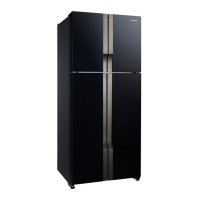
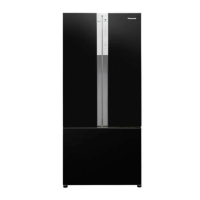
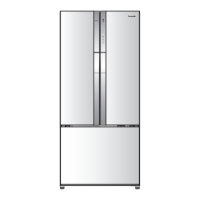
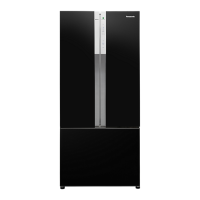
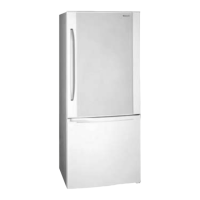
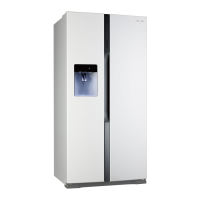
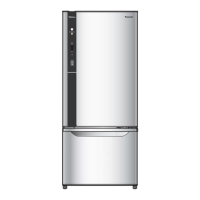
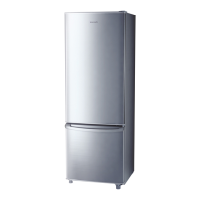
This document provides operating instructions for Panasonic refrigerators, specifically models NR-BX460 (WKVN, WSVN) and NR-BX410 (WKVN, WPVN). It covers safety precautions, installation, operation, maintenance, and troubleshooting.
Function Description
The Panasonic refrigerator is designed for household use, featuring ECONAVI and INVERTER technologies to optimize energy efficiency and cooling performance. It includes a refrigerator compartment, a Prime Fresh case, and a freezer compartment, each with adjustable temperature settings to suit various food storage needs. The refrigerator also incorporates a water dispenser for convenient access to cold water without opening the main door.
Usage Features
Temperature Control:
The refrigerator offers flexible temperature control for its different compartments. For models NR-BX460 (WKVN, WSVN), temperature can be adjusted for the refrigerator and freezer compartments using dedicated [Fridge] and [Freezer] buttons, respectively. The Prime Fresh case can be set to "Prime Fresh +", "Min", "Med", or "Max" levels. For models NR-BX410 (WKVN, WPVN), a [Select] button is used to choose the compartment (Fridge, Prime Fresh, or Freezer), followed by the [Temp. Control] button to select Max, Med, or Min levels. The "Med" setting is generally recommended for normal use.
9-Levels Mode:
Both models feature a "9 levels" mode for fine-tuning temperature. To activate this, set the LED display to "Min" for the desired compartment, then press and hold the [Fridge] or [Temp. Control] button for approximately 10 seconds until the LED returns to "Min". Subsequent presses of the button will cycle through 9 cooling levels, from minimum (step 1) to maximum (step 9).
ECONAVI Operation:
The ECONAVI system is designed to maximize energy efficiency by learning the user's lifestyle patterns, such as door opening frequency and periods of infrequent use. For NR-BX460 models, an ECONAVI lamp and light intensity sensor are present. The system automatically controls operation, especially during dark periods (e.g., overnight), to save energy. ECONAVI is automatically enabled when both freezer and refrigerator compartments are set to "Med" and is not active during "Quick Freezing" mode. The effectiveness of ECONAVI depends on ambient temperature, brightness, door opening frequency, and food storage conditions.
Prime Fresh + Mode:
This mode is ideal for preserving fresh food like meat and fish by partially-freezing them, allowing for easy cutting or slicing. For NR-BX460, activate by pressing the "Prime Fresh" button until "Prime Fresh +" LED turns on. For NR-BX410, use the "Select" button to choose "Prime Fresh" and then "Temp Control" until the "Prime Fresh +" LED turns on. The system automatically stops after a set duration (105 or 150 minutes, depending on ambient temperature) and returns to normal mode. A flashing LED indicates defrosting is in progress, with Prime Fresh + starting after defrosting is complete.
Quick Freezing:
This feature rapidly reduces temperature in the freezer for better food preservation. For NR-BX460, touch the [Freezer] button until the "Blue LED light at Quick Freezing" turns on. For NR-BX410, select [Freezer] via the [Select] button and then press [Temp. Control] until the "Green LED light at Quick Freezing" turns on. Quick Freezing operates for 60 or 150 minutes (depending on ambient temperature) before returning to normal mode. A flashing LED indicates active defrosting, with Quick Freezing starting afterward. During this mode, the freezer temperature control is overridden as the compressor operates at maximum levels.
Food Storage Guidelines:
To maintain food quality, it's recommended to wrap or pack food items before refrigerating or freezing. High-moisture content foods should be sealed to prevent dew and frost. Drinking water and beverages should be sealed to prevent odor transfer. Fruits and vegetables are best stored in the vegetable case to maintain freshness and juiciness. The refrigerator compartment (1°C~6°C) is for daily food and drinks. The vegetable case (3°C~8°C) is for fruits and vegetables. The Prime Fresh case (-5°C~-1°C) is for partially-freezing meat, fish, and processed foods. The freezer compartment (-23°C~-17°C) is for extended storage of frozen or dried foods. Avoid overstuffing compartments to ensure proper cold air circulation. Store warm food and drinks only after they have cooled.
Water Dispenser:
The water dispenser allows access to cold water without opening the refrigerator door. To use, slide the child lock to "UNLOCK", then gently push the lever with a cup. Remember to slide the child lock back to "LOCK" after use. The water tank should only be filled with drinking water, not hot water, beer, soft drinks, or carbonated beverages. The tank capacity is 3 liters, and the water hardness should be 100 mg/L or less.
Ice Making:
To make ice, remove the ice twister, fill it with water up to the "WATER LEVEL" line, and place it back into the ice making compartment. To release ice cubes, twist the ice twister clockwise, and the cubes will drop into the ice box.
Maintenance Features
Cleaning:
Regular cleaning is essential. Disconnect the power plug before cleaning. Wipe interior surfaces and control panels with a soft, damp cloth. For stubborn stains, use a cloth lightly soaked in neutral kitchen detergent, then wipe with a water-dampened cloth. Detachable items like the ice twister, trays, and door shelves should be washed in lukewarm water periodically (ice twister weekly, others every three months). The door gasket should be cleaned at least once a month with a soft damp cloth. Avoid using chemical substances, abrasive cleaners, or hot water, as these can damage the refrigerator's surface.
Removing and Re-installing Components:
- Trays: To remove, lift the back of the tray, pull it forward until unhooked from rails, then tilt and remove. To re-install, push the tray until it locks. Handle glass trays with care as they are heavy.
- Door Shelf/Bottle Shelf: To remove small shelves, tap them upward. For big shelves, slide them upward alternately left and right, then raise slowly. To re-install, set horizontally with the mark [>PS<] on the right and push down until in position.
- Vegetable Case/Prime Fresh Case: To remove, pull the case unit forward until it reaches the stopper, then lift the front slightly and remove. To re-install, insert into supports, raise slightly, and push forward until it reaches the end.
- Water Tank: To remove, pull it up with both hands and tilt it. To re-install, insert the valve tip into the hole, position both sides onto the lock, and push fully under the " " symbol. If the rubber gasket reverses during removal, push it back to its original position. The valve can be removed by rotating counterclockwise for cleaning.
- Hygiene Filter: To replace, open the lid at the right corner, pull the filter upright to get it out of the lock, replace with a new one, and close the lid. The hygiene filter should be replaced every 3 years or as appropriate and can be purchased from an authorized service center.
- Ice Twister and Ice Box: To remove, unhook the protrusion by lifting it upward and pulling both forward. To re-install, push them until they reach the end lock. The ice twister and ice box can be disassembled to increase freezer space.


 To Next Page
 General