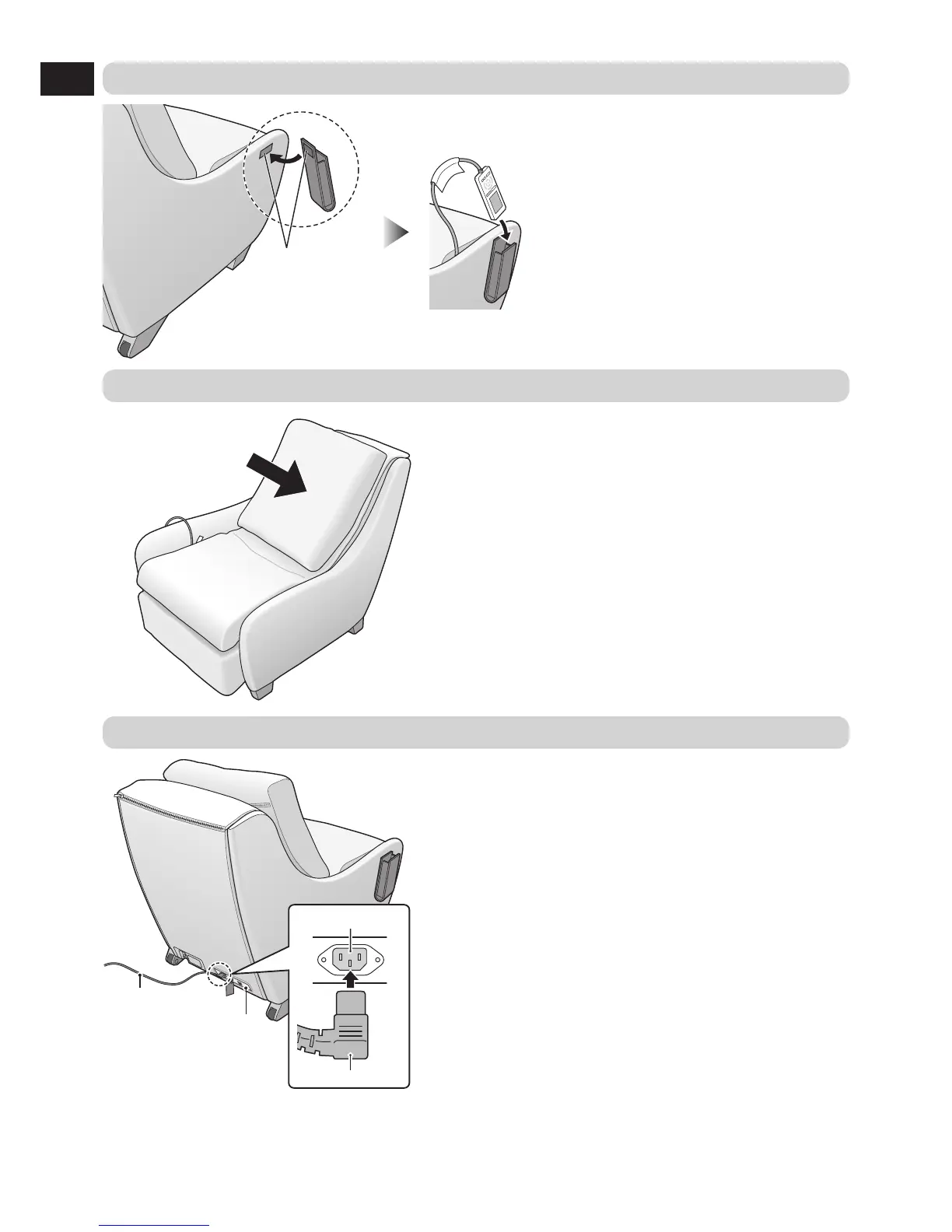
4 Put the backrest cushion in place
5 Connect the power cord to the unit
Power switch section
Power cord
Appliance inlet
Connector
1
Check for dirt and damage on
appliance inlet of the power switch
section and the connector of the
power cord.
2
Insert the connector into the appliance
inlet.
3
Be sure to push the connector in all
the way.


 To Next Page