20
English
To Customize
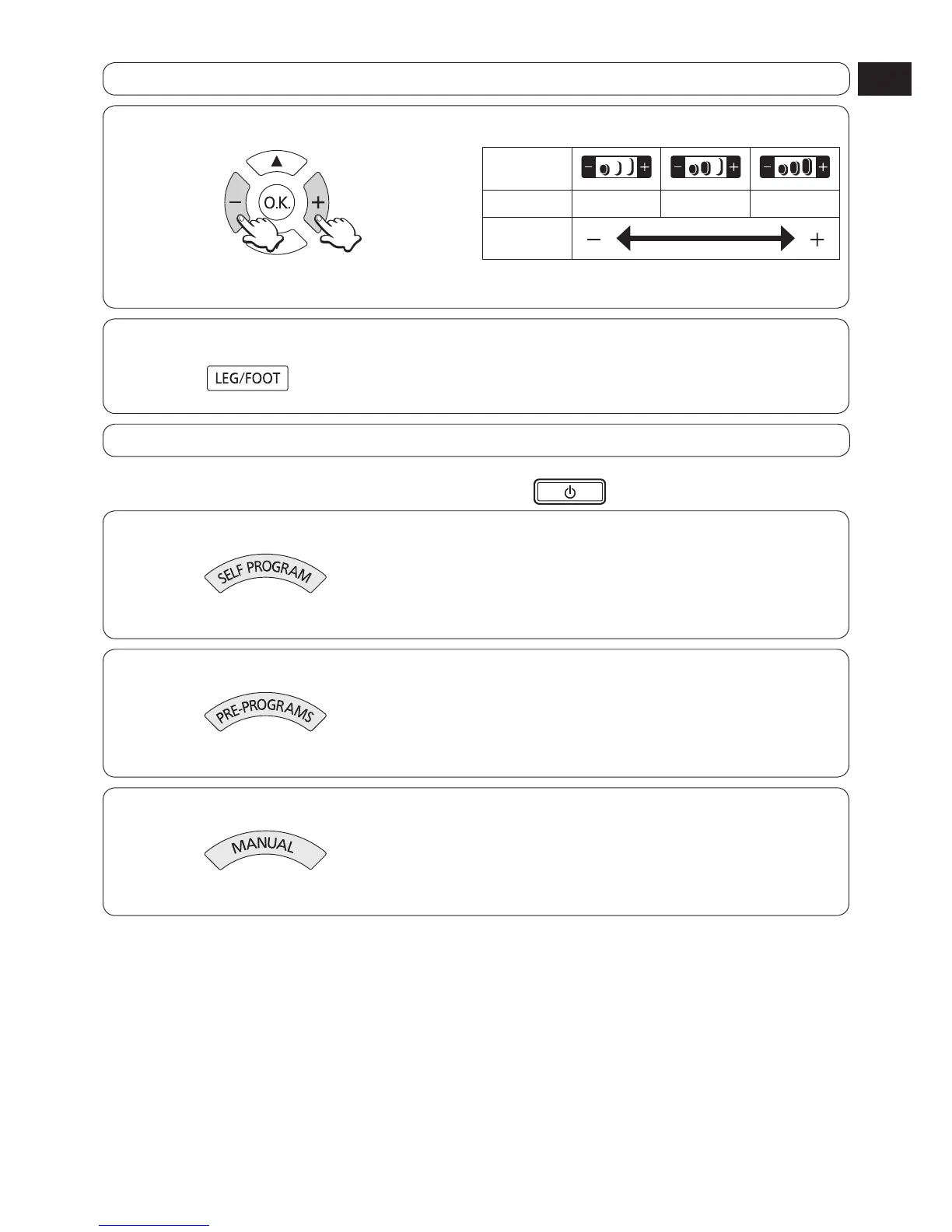
To adjust program intensity
Press the – + adjustment buttons.
Content of
display
Intensity
1 2 3
Adjustment
To use the leg/foot massage simultaneously
Press the button.
(See page 23.)
To change the content of the massage
With Self Program, you cannot set a massage longer than the massage time you first set.
If you set a short time by mistake, end the massage, and then press the
button again and enter new settings.
To select a different program from Self Program
Press the button, and select a different program.
Upper body massage will stop temporarily.
(See page 18.)
To change to Pre-Programs
Press the button and select a program.
Upper body massage will stop temporarily.
(See page 15.)
To change to Manual operation
Press the button.
Action will start immediately.
(See page 21.)
•


 To Next Page