28
English
Fitting
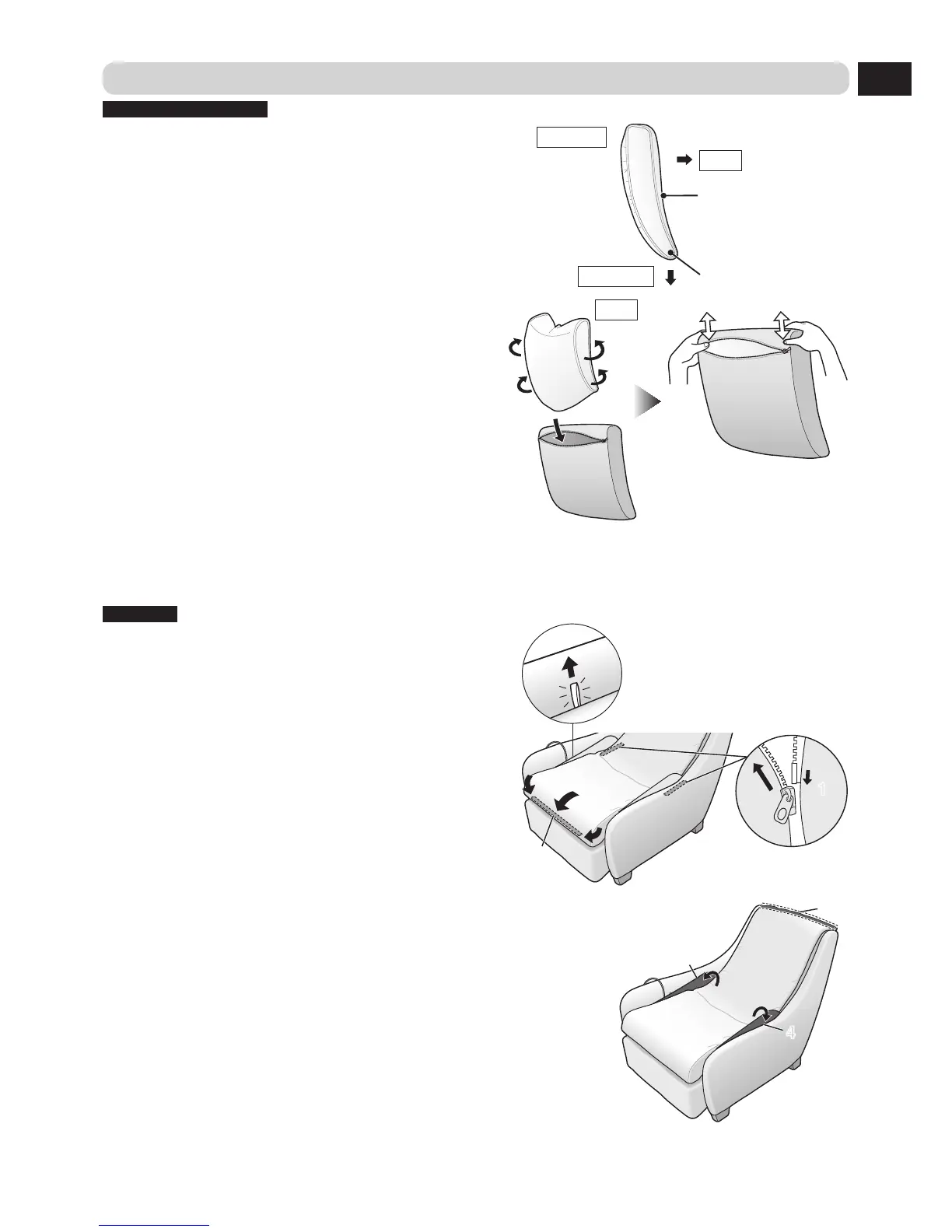
Backrest cushion cover
1 Check the vertical and horizontal orientation of
the cushion.
Side view
Front
Downward
Slight concave
Narrower at end
2 Fold the cushion forwards and insert it into the
zipper opening.
When the cushion is fully
inserted, hold the top corners
of the cover and shake it up
and down a few times.
Front
3 Close the zipper.
4 To ensure the cushion is equally distributed within the cover, pat the front and rear of the
cover a few times.
Back pad
Make sure that the leg/foot massage lock release strap is exposed.
1 Close the zippers located to the sides of the
seat (2 locations).
2 Pull the co
ver over the corners of the cushion
on the seat, and, while gently pulling forward
on the cover, fasten the velcro fastener located
at the bottom section of the seat.


 To Next Page