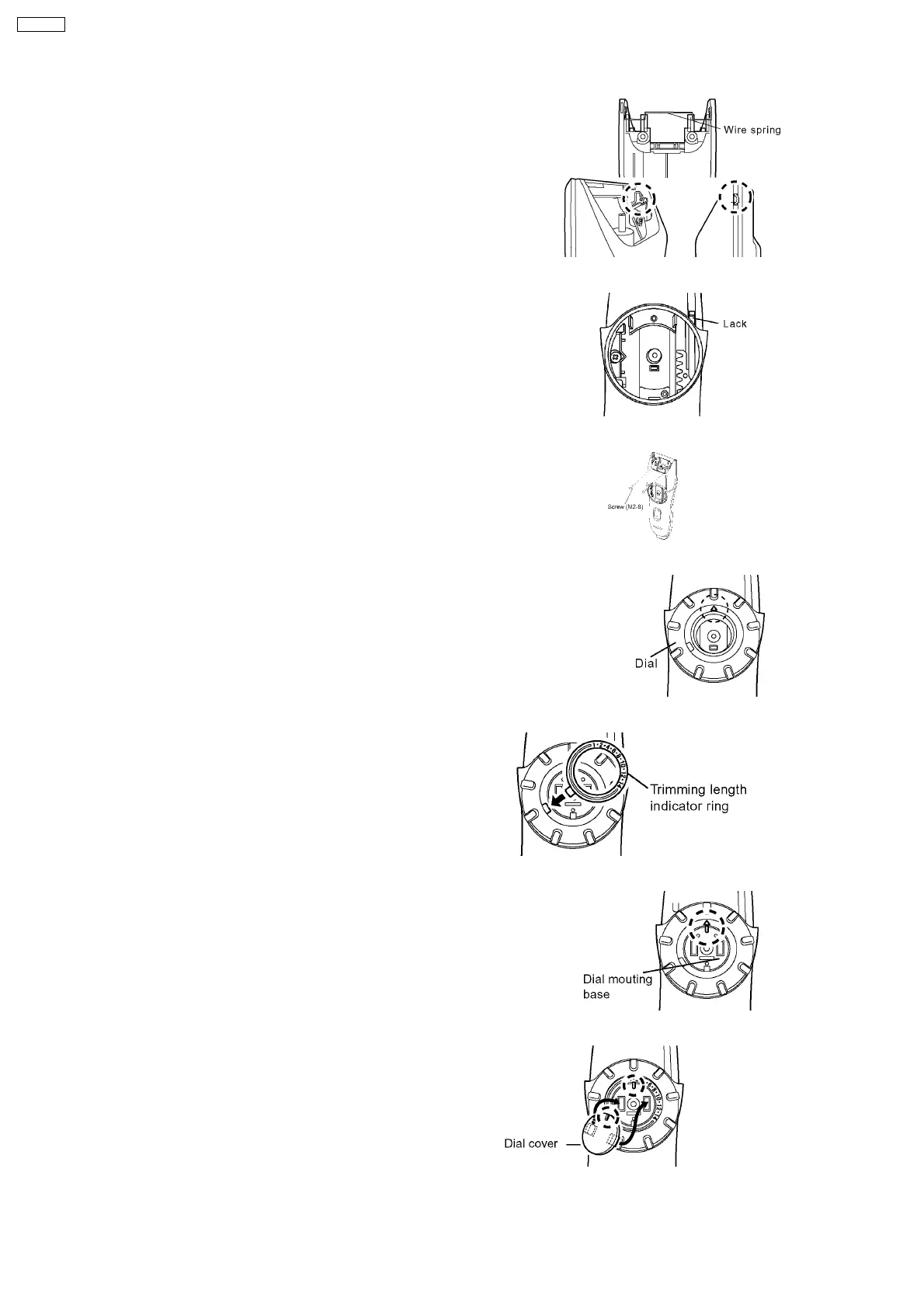
6. Attach the wire spring and the blade springs with the
housing C.
NOTE: Make sure to set the wire spring properly.
7. Attach the lack to the housing C with the lowest position.
8. Set the housing C firmly and tighten two screws.
9. Place the dial with setting the triangle mark on top.
10. Place the trimming length indicator ring with inserting the
projection into the groove of the dial.
11. Set the dial mounting base aligning the projection with the
triangle mark on dial and tighten a screw.
12. Place the dial cover.
13. Attach the bottom cover with a screw.
6
ER217-E2



 To Next Page