20
English
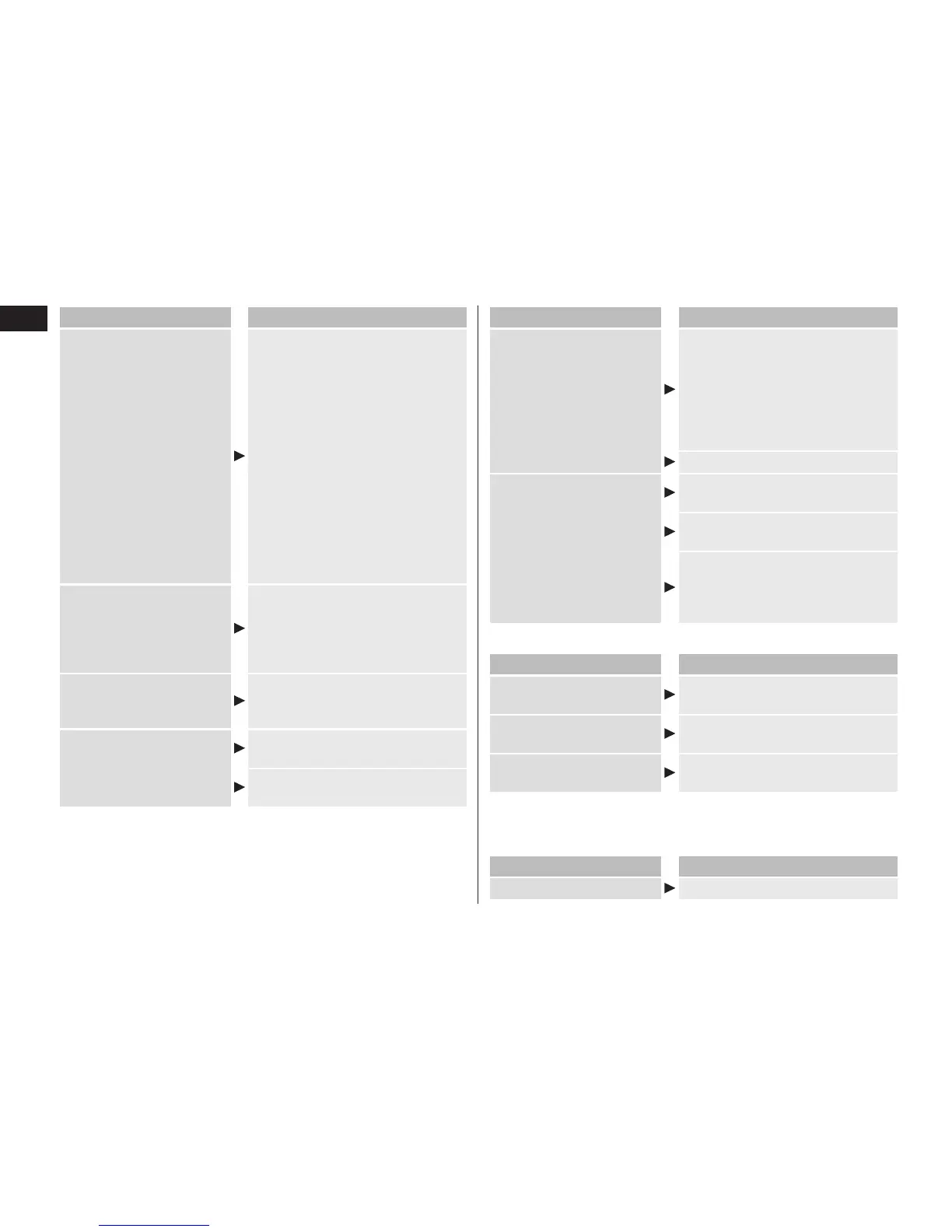
Problem Action
Makes a loud sound.
During cleaning:
The self‑cleaning recharger
makes a loud sound due to the
cleaning of the blades.
After cleaning:
The self‑cleaning recharger
makes a loud sound due to the
removal of water droplets in
order to speed drying.
The sound after cleaning is different
from the sound during cleaning. The
water level has dropped and it is
removing water droplets from the
blades after cleaning. This does not
indicate a problem.
The shaver cannot be
charged.
Gently wipe the metal terminal of
the appliance socket and the
charging terminal of the self‑
cleaning recharger with a cloth or
tissue dampened with water.
The blades are not dry or
are sticky.
The blades may not dry quickly
due to temperature conditions.
Wipe with a soft cloth before shaving.
The blades crack or
deform during cleaning.
Do not insert any foreign objects
into the recharger.
Replace the system outer foil and/
or inner blades. (See page 17.)
Problem Action
The cleaning liquid has
foamed.
If you mix soapy water or hand
soap with the detergent or use
another detergent, the cleaning
liquid will foam. Use the self‑
cleaning recharger after
thoroughly washing and drying
the shaver.
Replace the cleaning liquid.
Cleaning liquid leaked from
the cleaning liquid unit.
Do not press the cleaning liquid unit
removal button during the mode.
Place the self‑cleaning recharger
horizontally.
If you use the self‑cleaning
recharger when the shaver is wet or
when soap or shaving gel is on the
shaver, cleaning liquid may leak.
►When the STATUS lamp glows
Problem Action
It is time to replace the
cleaning liquid.
Pour new water and detergent
into the cleaning liquid unit.
The cleaning liquid unit is
not properly attached.
Properly attach the cleaning liquid
unit.
The self‑cleaning
recharger is tilted.
Place the self‑cleaning recharger
on a horizontal surface.
After performing the above operation, press the SELECT button
and select a mode.
►When all self-cleaning recharger’s lamps blink
Problem Action
Appliance failure
Contact an authorized service center.



 To Next Page