9
English
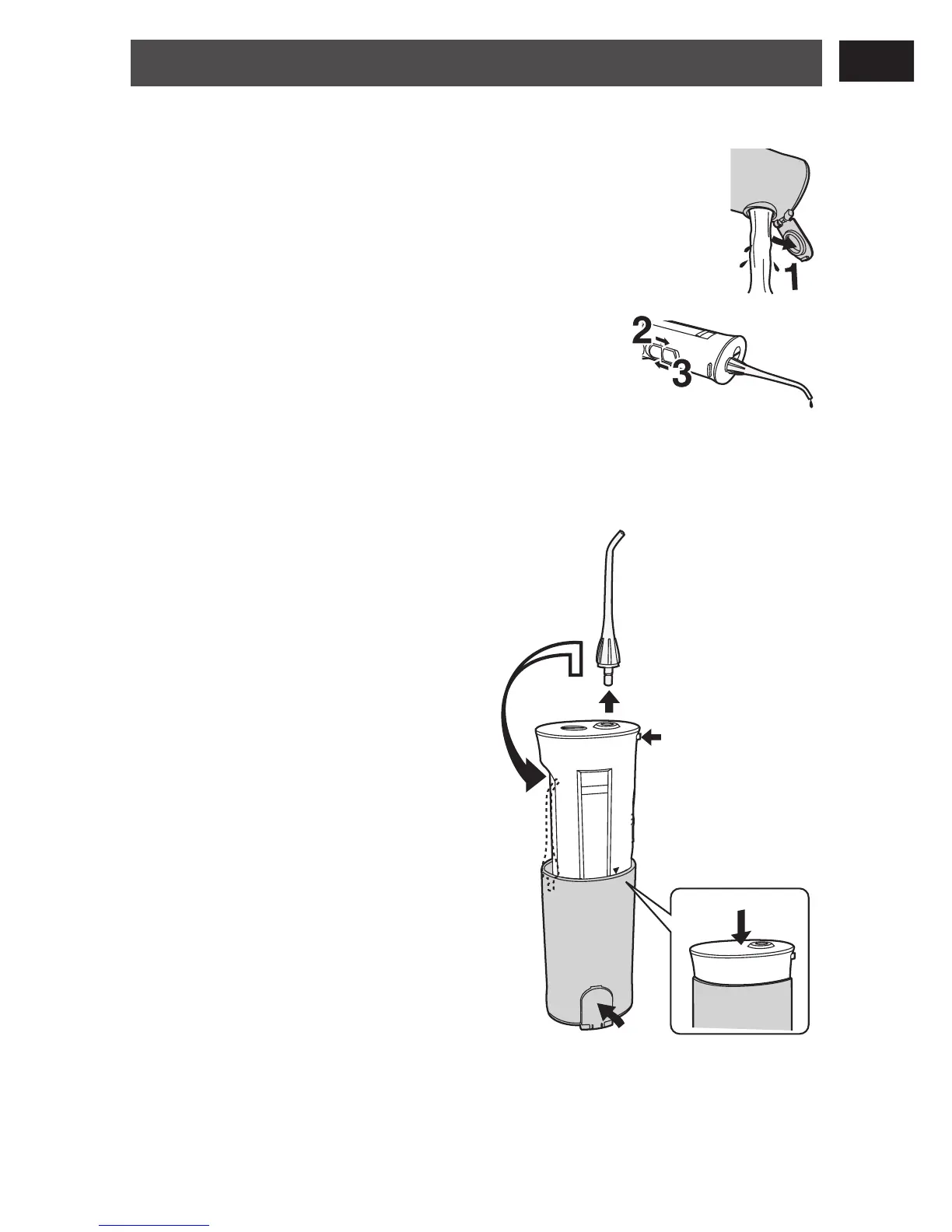
After using the appliance
There is a risk of bacteria propagating, so wash thoroughly and
dry before storing.
1
1
Open the water supply cap and dispose of
the water in the tank.
2
2
Turn the switch to ON, and drain
the water inside the appliance.
Run the appliance for 2 to 3 seconds
until no water comes out.
3
3
Turn the switch to OFF.
•
4
4
Press the nozzle
release button, remove
the nozzle and place it
in the storage
compartment.
5
5
Store the main unit.
Press it in until it clicks.
Watch out not to clamp
your fingers in the upper
part of the tank.
6
6
Close the water supply
cap.
•
•







 To Next Page