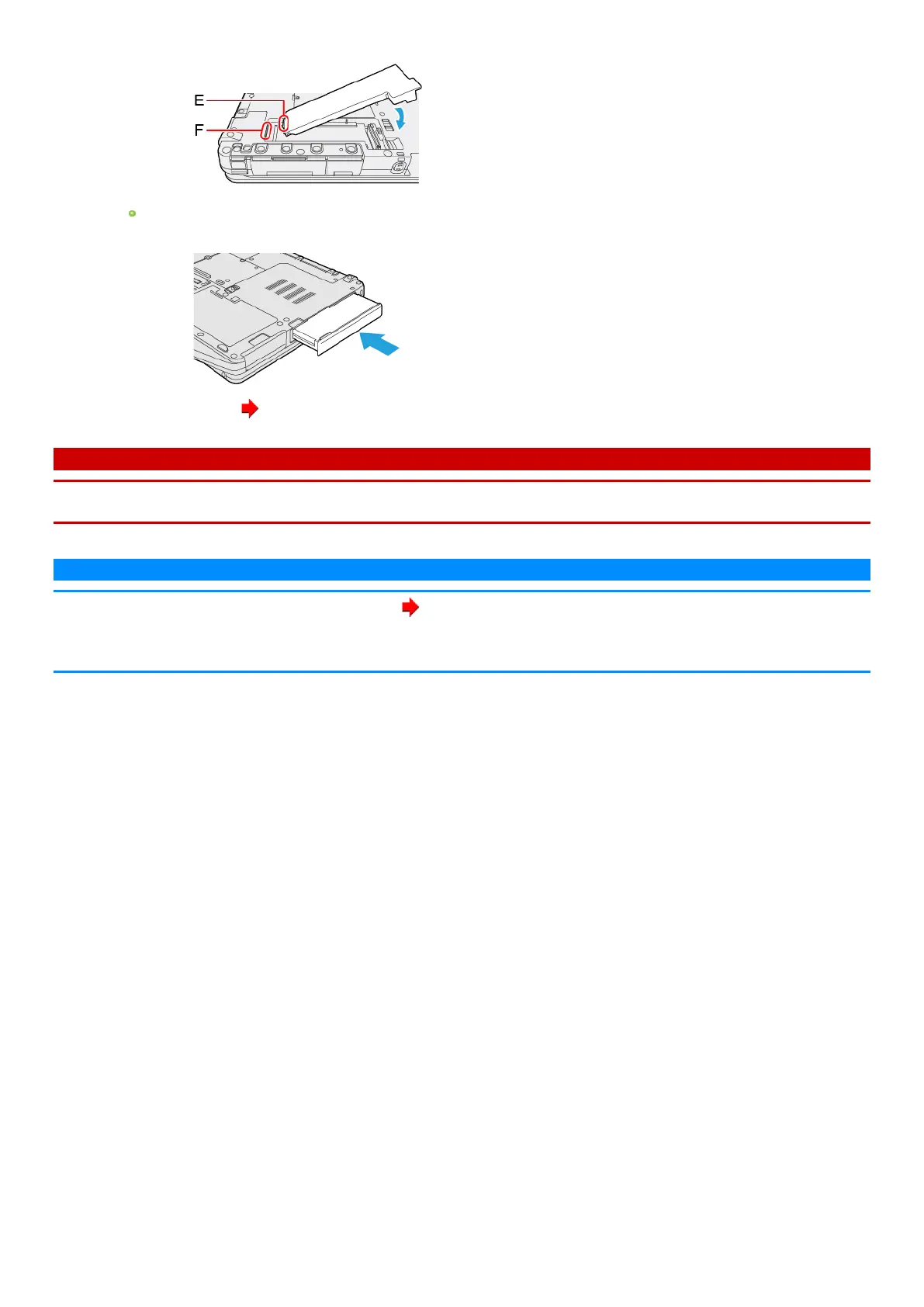
1. Insert the projection part (E) of the SSD packinto the (F) part, and attach it while lowering untilit clicks.
To insert <SSD Pack (FZ-VSD551)>
1. Slide the SSD Pack in parallel with the arrow direction untilit click to the secured position.
4.
Insert the Battery Pack ( Insert the Battery Pack).
IMPORTANT
n Confirm that the latch is surelylocked so that the SSD Pack does not fallwhen you carry the computer.
n Be sure to attach the SSD Packfor use.
N O T E
n
You can erase the data before changing the SSD Pack( Erasing Flash Memory Data).
n You can check that the SSD Pack is recognized or not in the [Information Menu] of the Setup Utility. If the SSD Pack is not recognized, turn off the
computer and insert it again.






 To Previous Page