24 (E)
Setting the menu items
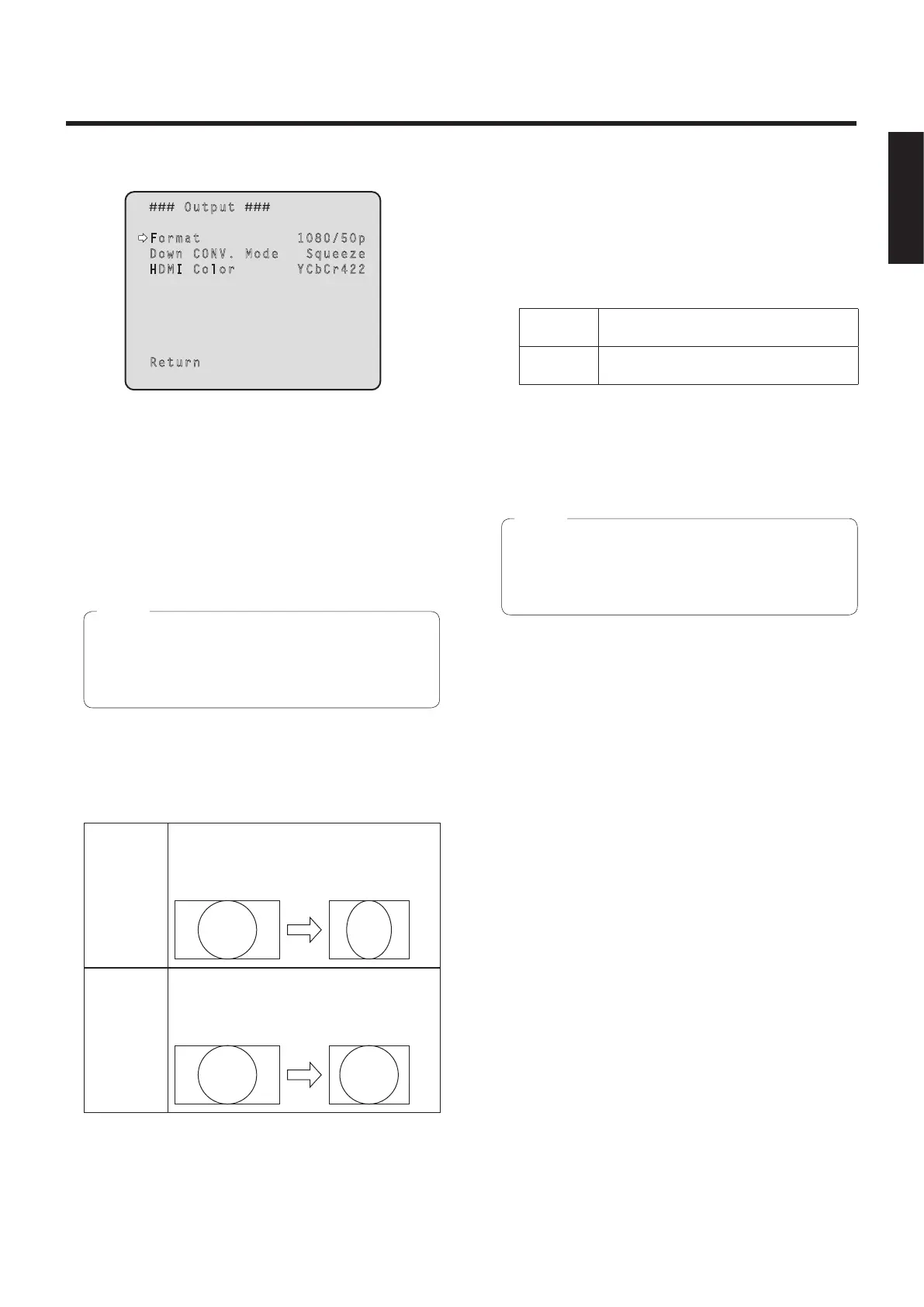
Output screen
Output
Format 1080/50p
Down CONV. Mode Squeeze
HDMI Color YCbCr422
Return
Format [1080/50p, 1080/50i, 1080/25p, 720/50p,
576/50p or 1080/59.94p, 1080/59.94i,
1080/29.97p, 720/59.94p, 480/59.94p]
You can display and change the recording format.
To change the format, you must perform the settings
using the service switches.
For details on how to set the service switches, refer to
“Parts and their functions” (in the <Basics>).
For details on how to change the format, refer to
“Changing the format” (page 25).
Do not change the factory settings when this unit
is connected to the HD visual communications
system. If the settings are changed, video output
may be disabled.
Note
Down CONV. Mode
[Squeeze, SideCut]
The down-conversion mode is selected here.
Squeeze
When the 4:3 aspect ratio has been set
for the monitor screen, the images are
squeezed horizontally and extended
vertically changing the view of the angle.
SideCut
With the vertical height serving as the
reference, the parts which extend beyond
this at the two sides are cropped changing
the view of the angle.
HDMI Color
[RGB‑NOR, RGB‑ENH, YCbCr422, YCbCr444]
Set here is the HDMI color output.
When an HDMI monitor is used, use “YCbCr422”
under normal circumstances.
In cases where, for instance, HDMI (RGB) signals are
converted and output to a DVI monitor, the settings
required will differ depending on the color gradation
supported by the monitor.
RGB-NOR The RGB output signals are output in
the 16 to 235 range.
RGB-ENH The RGB output signals are output in
the 0 to 255 range.
If the black parts of the images appear overexposed
when “RGB-NOR” has been selected, use the “RGB-
ENH” setting instead.
Conversely, if the images are displayed with a loss of
dark detail when “RGB-ENH” has been selected, use
the “RGB-NOR” setting instead.
If an HDMI Color setting which is not supported by
the monitor has been specified, the HDMI Color
setting may be changed automatically.
(The menu display will remain unchanged.)
Note
Return
Use this to return to the previous menu.
ENGLISH



 To Next Page