EasyManua.ls Logo

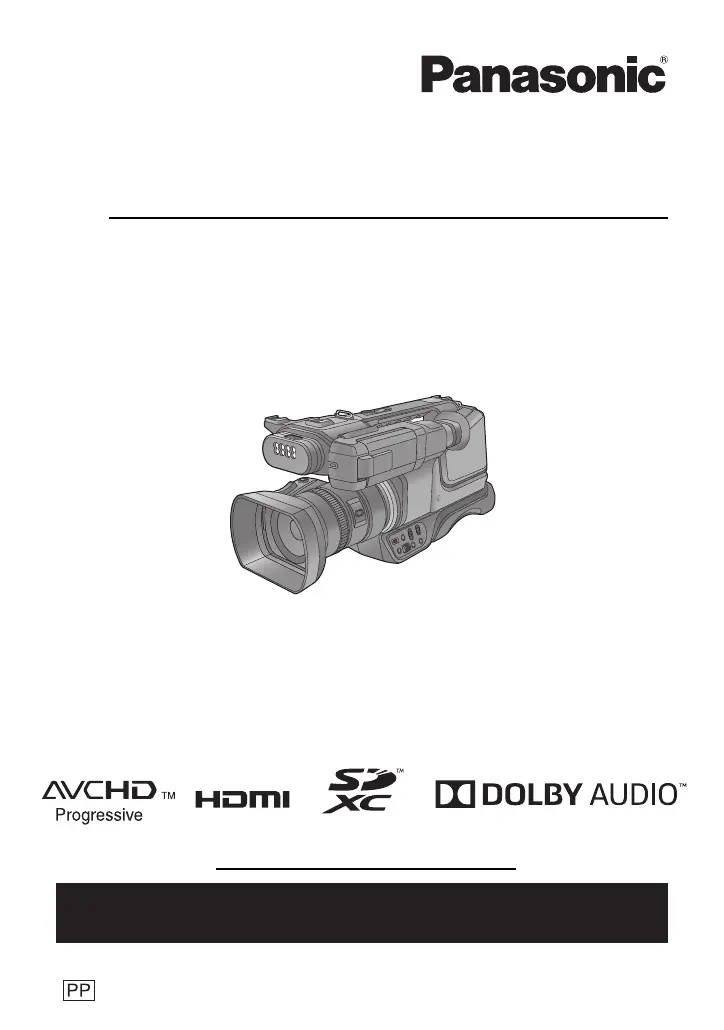
Panasonic HC-MDH3 - User Manual

Panasonic HC-MDH3
160 pages
Print Icon
To Next Page IconTo Next Page
Loading...
Owner’s Manual
High Definition Video Camera
Model No. HC-MDH3
Please read these instructions carefully before using this product, and save this manual for future
use.
DVQP1612ZA
F0418AR0
Register online at http://shop.panasonic.com/support (U.S. customers only)
If you have any questions, visit :
U.S.A. : http://shop.panasonic.com/support
Canada : www.panasonic.ca/english/support

Table of Contents

Other manuals for Panasonic HC-MDH3

Questions and Answers

Summary

Safety Precautions

Important Safety Instructions

Battery Handling and Storage

Battery Usage Precautions

Important warnings about handling the unit, its handle, and cords.

Battery Storage and Care

Guidelines for storing the lithium-ion battery and handling terminals.

Preparation

Recording to SD Card

Instructions for recording motion and still pictures to an SD card.

Names and Functions of Main Parts

Camera Body Overview

Identification and description of main camera parts and their functions.

Camera Controls and Indicators

Detailed description of buttons, switches, and indicators on the camera.

Power Supply

Battery Compatibility

Information on compatible battery packs and warnings about counterfeits.

Inserting and Removing Battery

Procedure for safely inserting and removing the battery pack.

Charging the Battery

Battery Charging Procedure

Steps for connecting the AC adaptor and charging the battery.

Preparation of SD Cards

Compatible Memory Cards

Information on SDHC and SDXC memory cards compatible with the unit.

Inserting and Removing SD Card

SD Card Insertion;Removal

Step-by-step guide for inserting and removing SD cards.

Turning the Unit On;Off

Using the Touch Screen

Touch Screen Operation

Instructions for operating the touch screen using touch and slide gestures.

Using the Menu Screen

Recording

Formatting Media

Recording Motion Picture

Starting and Stopping Recording

Steps to start and stop motion picture recording using the mode switch and button.

Recording Still Pictures

Capturing Still Pictures

How to record still pictures, including using USER buttons.

Using the Zoom

Zoom Magnification and Controls

How to use the zoom lever, i.Zoom, and multi-manual ring for zooming.

Manual Recording

Switching to Manual Mode

How to switch to Manual Mode using the iA/MANUAL/FOCUS switch.

Manual Adjustments (Focus, Iris, Zoom)

Using the multi-manual ring for focus, zoom, and iris adjustments.

Manual Adjustments (Gain, WB, Shutter)

Using manual icon and jog dial for gain, white balance, and shutter speed.

Focus Adjustment

Manual Focus Operation

Using the multi-manual ring to adjust focus in Manual Mode.

One Push AF

Push AF Operation

Iris Adjustment

Manual Iris Mode Operation

How to switch to Manual Iris Mode and adjust iris using the multi-manual ring.

Backlight Compensation

Gain Adjustment

Manual Gain Adjustment

Using the jog dial to adjust gain in Manual Gain Mode.

White Balance Adjustment

Manual White Balance Mode

Switching to Manual WB Mode and rotating jog dial for adjustment.

Fine-Tuning White Balance

Auto White Balance Adjustment

Procedure for setting WB according to recording scene using Ach or Bch.

Manual Shutter Speed

Manual Shutter Mode Operation

How to switch to Manual Shutter Mode and adjust speed with jog dial.

Audio Input

Adjusting Audio Input Level

How to set audio input level to Auto or Manual using jog dial.

Setting the Time Code

USER Button Configuration

Setting USER Buttons

Assigning functions to USER buttons 1-7 from available functions.

Using Assigned USER Buttons

How to activate functions assigned to USER buttons.

USER Button Function Details

Focus Assist Functions

Details on Focus Assist 1 and its availability in Intelligent Auto Mode.

Area Mode Effects

Setting Area Mode

Selecting effects like focus, iris, or luminance for a touched subject.

Flash Band Compensation

PRE-REC Function

Super Slow Recording

Enabling Super Slow Recording

How to enable Super Slow Recording for slow motion pictures.

White Balance and Menu Access

White Balance Control via USER Button

Switching WB modes and performing WB adjustment with USER buttons.

Using Operation Icons

Accessing and Using Icons

How to touch and operate icons on the recording screen.

Image Stabilizer Function

Image Stabilizer On;Off

Switching the Image Stabilizer (Hybrid O.I.S.) on and off.

Using the Jog Dial

Selecting and Setting Menu Items

Navigating menus and selecting items using the jog dial.

Jog Dial Function Selection

Functions for Recording Screen

Functions controllable via jog dial on the recording screen (Gain, Shutter, WB, etc.).

Jog Dial Function Switching

Switching Functions for Recording

Setting the function to be used with the jog dial in the recording screen.

Playback Operations

Motion and Still Picture Playback

Steps to set playback mode and select media/recording format.

Motion Picture Playback Operations

Skip, Slow-motion, and Frame-by-frame Playback

Using operation icons for skip, slow-motion, and frame-by-frame playback.

Useful Functions

Creating Still Pictures from Motion Pictures

Saving frames from motion pictures as still pictures.

Playing Back by Date

Editing Operations

Deleting Scenes and Still Pictures

Procedures for deleting scenes or still pictures from the unit.

Protecting Scenes and Still Pictures

Copying Between SD Cards

Copying Process

Steps to copy files between SD cards inserted in the unit.

Linking to External Devices

Connecting Remote Control

Connecting a remote control to CAM REMOTE terminals for focus/iris and zoom.

Connecting to a TV

Connecting the Unit to a TV

Procedure for connecting the unit to a TV via HDMI or AV cables.

Setting External Output Resolution

Output Resolution Options

Selecting output resolution (SYSTEM, 1080p, 1080i, DOWN CONV.) for external devices.

Importing to PC

PC Connection for Editing

Connecting the unit to a PC via SD card for editing.

Copying;Playing Back with External Media

Preparing for Copying;Playback

Connecting external media devices and formatting requirements.

Connecting to External Media Device

Steps for connecting to USB HDD or flash memory.

External Media Formatting

Differential Copy

Copy Selected Files

Playing Back External Media

Playback Procedure

Connecting to external media and playing back copied content.

Using the Menu System

Camera Setup Overview

Accessing and navigating the Camera Setup menu.

Camera Setup Options

Exposure and White Balance Adjustment

Adjusting exposure and fine-tuning color temperature for Ach/Bch WB.

Recording Modes (MP4, MOV, AVCHD)

Selecting motion picture recording modes.

Recording Format Settings

Understanding REC FORMAT

Explanation of Size, Resolution, Frame Rate, and Bit Rate in REC FORMAT.

User Switch Configuration

Assigning Functions to USER Buttons

Setting functions for USER buttons 1-3 and USER button icons 4-7.

Switch Settings

Super Gain and AGC Limit

Setting Super Gain value and AGC Limit for Auto Gain Mode.

Slow Shutter Function

Focus Assist and Display Settings

Area Mode Effects

Setting Area Mode effects for subjects you touch.

Recording Setup

Media Selection

Selecting SD card slots for recording motion or still pictures.

2-Slot Recording Functions

Setting Relay or Simultaneous recording using two SD cards.

2-Slot Recording Methods

Relay Recording

Continuously recording on SD cards sequentially when capacity runs out.

Simultaneous Recording

Recording the same motion picture on two SD cards at once.

Interval Recording

Advanced Recording Functions

Super Slow Recording

Enabling/disabling Super Slow Recording.

PRE-REC Function

Recording image/audio before pressing the start/stop button.

Output Setup

External Device Output Settings

Changing image output resolution for external devices.

Display Information Settings

LCD and Viewfinder Adjustments

Adjusting LCD monitor brightness/color and viewfinder brightness/color.

Focus Assist Display Settings

EVF;LCD Detail and Peak Level

Adjusting EVF/LCD detail and emphasis strength for easier focusing.

Other Functions

Media Formatting and Status

Formatting SD cards/external media and checking media status.

System Initialization and Settings

Initial Set (Reset to Default)

Resetting all menu settings to their default values.

Video Setup

Scene Protection

Protecting scenes from accidental deletion.

Picture Setup

Protecting Still Pictures

Protecting still pictures from accidental deletion.

Copy Operations

Differential Copy

Copying all recorded scenes/pictures not previously copied.

Display Indications

Recording Status Icons

Explanation of icons displayed during recording (Time Code, Mode, etc.).

Messages and Error Indicators

Recording;Playback Messages

Major confirmation and error messages during recording/playback.

Messages and Error Indicators

Thumbnail and Menu Operation Messages

Messages related to thumbnail and menu operations like no data or card errors.

Warning Indications

System Error Warnings

Information on system errors, status indicator, and solutions.

Copying and External Media Warnings

Warnings related to copying between media and external device connection.

Warning Indications

Battery and Card Status Warnings

Warnings for low battery, full card, recording errors, and card errors.

Troubleshooting

Power Issues

Troubleshooting steps for power-related problems like unit not turning on.

Troubleshooting

Indication and Recording Problems

Troubleshooting issues with function display, recording stops, and focus.

Playback and Deletion Issues

Troubleshooting playback errors and problems deleting scenes/pictures.

Audio and Image Quality Issues

Troubleshooting problems with audio recording and image color/brightness.

Connection and Recognition Issues

Troubleshooting TV connection and SD card recognition problems.

Recording Function Compatibility

Recording Modes and Recordable Time

Approximate Number of Recordable Pictures

Specifications

Recording Format and Compression

Information on recording formats like MOV, MP4, AVCHD, and compression.

Motion Picture Recording Details

Specifications for recording method, format, resolution, and bit rates.

Lens and Zoom Specifications

Specifications for the lens, F value, focal length, and zoom capabilities.

White Balance and Shutter Speed

Settings for white balance adjustment and shutter speed range.

Specifications

Super Slow Recording and Image Stabilizer

Details on Super Slow Recording frame rates and image stabilizer function.

Panasonic HC-MDH3 Specifications

General IconGeneral
ModelHC-MDH3
LensFixed
Backlight CompensationYes
Resolution1920 x 1080
Video Resolution1920 x 1080
White BalanceAuto
GainAuto, Manual
Video CompressionAVCHD
Frame Rate30 fps
Audio CompressionDolby Digital (2ch)
Power Supply12V DC
Operating Humidity20% - 80%
Recording FormatMP4
Audio RecordingDolby Digital (2ch)

Related product manuals