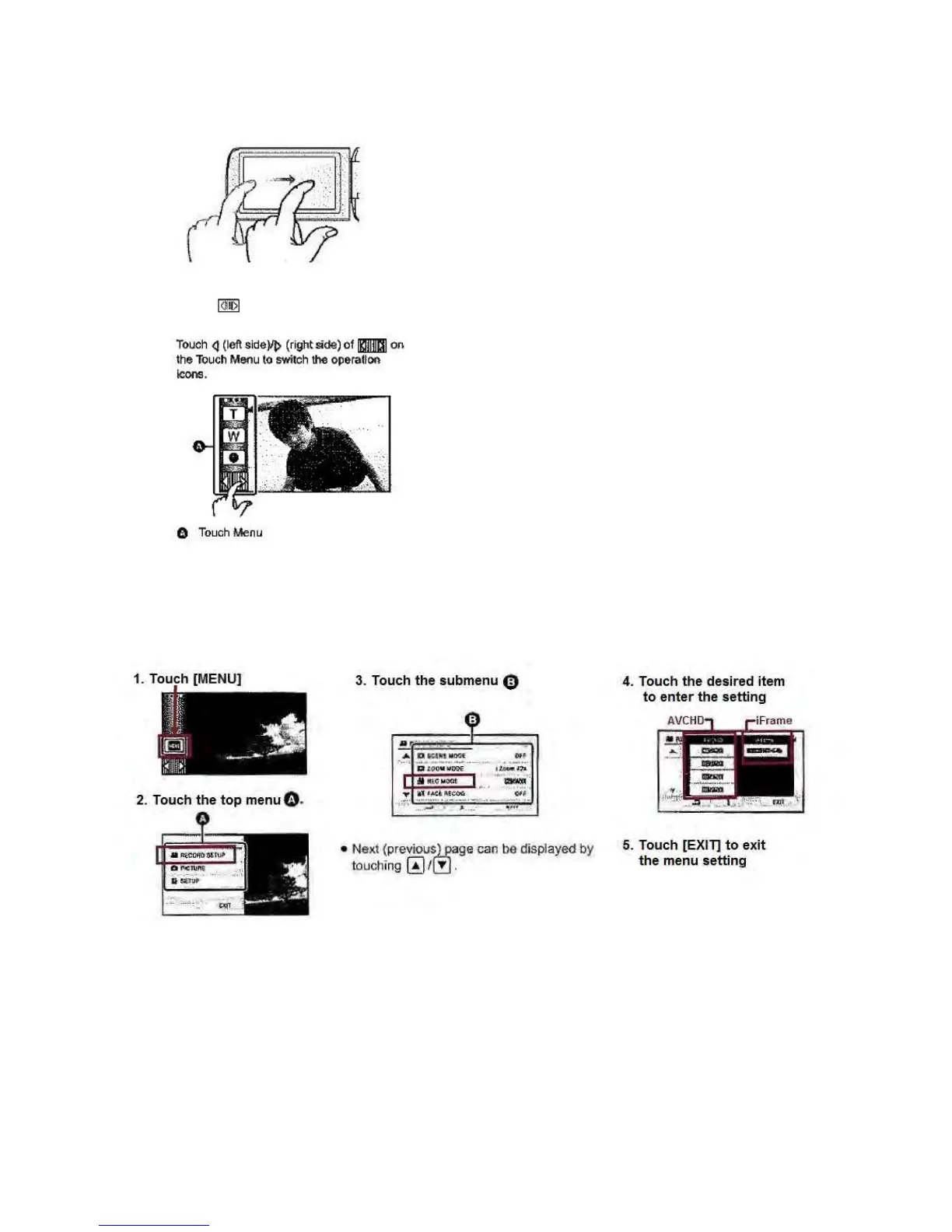
Move finger while pressing on touch screen to slide
Touch to display the Touch Menu
3) Selecting the recording format (AVCHD or iFrame)
You can select either AVCHD or iFrame recording formats to record motion pictures. To select recording
format, follow the instructions below:
What is the difference between these two formats?
AVCHD – with this format you can record high definition images suitable for viewing on a large
format TV or saving to a disc.
iFrame – with this format you can view and edit with a MAC (iMovie 11). With iMovie you are
able to import motion pictures in iFrame faster than with AVCHD. In addition, you can make the
file size of the imported motion picture smaller than with AVCHD.









 To Next Page