EasyManua.ls Logo

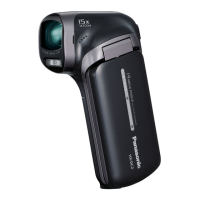
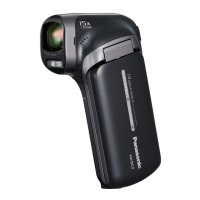
Panasonic HX-DC3 - User Manual

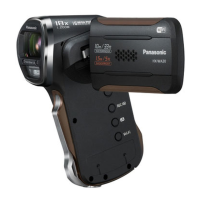
Panasonic HX-DC3
163 pages
Print Icon
To Next Page IconTo Next Page
Loading...
Owners Manual
Dual Camera
Model No. HX-DC3
Please read these instructions carefully before using this product, and
save this manual for future use.
until
2013/1/21
VQT4U88
Register online at www.panasonic.com/register
(U.S. customers only)

Table of Contents

Other manuals for Panasonic HX-DC3

Questions and Answers

  • T
    Tina MendozaAug 20, 2025
    What to do if my Panasonic Camcorder won't turn on or operate normally?
    • M
      Mary McclureAug 20, 2025
      Remove the battery or AC adapter, wait about a minute, and then reconnect them. After another minute, try turning the unit on again. Note that doing this while the media is being accessed may damage the data. If the issue persists, disconnect the power and contact customer support.
  • C
    Corey TurnerAug 22, 2025
    Why is there no video or audio output from my Panasonic Camcorder to the TV?
    • T
      Tracey WhiteAug 22, 2025
      Please read the operating instructions of your TV and select the channel that matches the input used for the connection. Change the [TV ASPECT] setting to match the aspect ratio of the TV.
  • R
    Ryan HowardAug 25, 2025
    Why does my Panasonic HX-DC3 Camcorder battery run down quickly?
    • J
      jeremy43Aug 25, 2025
      The battery might need recharging, or the AC adapter needs to be connected. In cold environments, battery life decreases. Also, ensure the battery is correctly inserted, paying attention to its orientation.
  • D
    Diana HahnAug 26, 2025
    What to do if my Panasonic HX-DC3 displays an error message?
    • V
      Victoria DelacruzAug 26, 2025
      Check the following: remove and reinsert the SD card, remove and reinsert the battery, and try a different SD card. If the message persists after these steps, disconnect the power and contact customer support.
  • M
    Michael CopelandAug 28, 2025
    How to fix out of focus image on Panasonic HX-DC3 Camcorder?
    • T
      taylorrodneyAug 28, 2025
      Hold down the power button until the LCD monitor turns off, then turn the power back on. If the [FOCUS] is set to (MANUAL), do the same, then reconfigure the Manual Focus.
  • P
    Pamela JenningsAug 30, 2025
    What to do if my Panasonic HX-DC3 Camcorder stops recording arbitrarily?
    • S
      smithsherryAug 30, 2025
      Ensure you are using an SD card suitable for motion picture recording. The recordable time may be reduced due to data writing speed deterioration or repeated recording and deletion. Try formatting the SD card or built-in memory using the unit.
  • V
    vwangSep 1, 2025
    Why is my Panasonic Camcorder turning off automatically?
    • S
      Seth EdwardsSep 1, 2025
      The camcorder might be turning off automatically because the ECONOMY function activates after approximately 5 minutes of inactivity to save power. If you are not using VIERA Link, disable it in the settings.
  • D
    djonesSep 3, 2025
    Why is the high temperature warning icon blinking on my Panasonic HX-DC3 Camcorder?
    • G
      Gene WhiteSep 3, 2025
      The battery or internal temperature is too high. Allow the unit to cool down before using it again.
  • C
    Courtney PhamSep 5, 2025
    Why is the high temperature warning icon displayed on my Panasonic Camcorder?
    • M
      martineznicholeSep 5, 2025
      The battery or unit's internal temperature is too high. Allow the unit to cool down before attempting to record again.
  • D
    donnaelliottSep 7, 2025
    How to fix noise in Panasonic HX-DC3 Camcorder recording image?
    • M
      Marie FreemanSep 7, 2025
      If the [ISO] setting is too high, it can cause noise in recorded images. Try lowering the ISO sensitivity setting.

Summary

Read this first

Handling built-in memory

Points for using built-in memory, including backup and status indicators.

Preparation

Power supply

Provides information on using the battery and AC adapter.

Recording to a card

Explains how to record motion pictures, stills, and audio to an SD card.

Inserting;removing an SD card

Guides on how to insert and remove SD cards from the unit safely.

Charging the battery

Basic

Recording motion pictures

Detailed steps for starting, pausing, and stopping motion picture recording.

Recording still pictures

Instructions on how to capture still pictures using the camera.

[FORMAT]

Advanced (Recording)

Using the zoom

Explains how to use the zoom lever and the zoom bar for magnification control.

Image Stabilizer

How to enable the image stabilizer to minimize blur from camera shake.

Burst recording

Captures a sequence of still pictures rapidly, ideal for fast-moving subjects.

Recording panorama still pictures

Guides on creating panoramic still images by panning the unit.

[CREATIVE CONTROL]

[SCENE MODE]

RECORDING MENU 2

[SELF TIMER]

RECORDING MENU 3

[ISO]

[FOCUS MODE]

[FACE FRAMING]

AF lock

Exposure compensation

Manual recording

Setting the focus and recording

Advanced (Playback)

Deleting files;folders

Provides methods for deleting individual files, multiple files, or entire folders.

Watching Video;Pictures on your TV

Guides on connecting the camera to a TV for viewing recorded content.

Playback using VIERA Link

Enables remote control of the camera via a compatible TV's remote control.

Creating still picture from motion picture

Cutting out a section of a panorama still picture

Zooming in on a still picture during playback (Playback zoom)

[EDIT VIDEO]

Protecting a file

Connecting with an HDMI mini cable

TV format setting

Copy;Dubbing

With a PC

Use as a card reader

Using the unit as a web camera

Starting HD Writer VE 3.0

Using the Eye-Fi card

Others

Troubleshooting

Provides solutions for common issues that are not considered malfunctions.

Cautions for use

Important warnings and precautions for safe and proper operation.

Power

Recording

Playback

With other products

With a PC

Cautions for use

About the battery

About the AC adaptor

About status indicator during charging

About the SD card

Approximate number of recordable pictures

Panasonic HX-DC3 Specifications

General IconGeneral
Video Resolution1920 x 1080
Sensor TypeMOS
Optical Zoom12x
LCD Screen Size3.0 inches
Digital Zoom700x
Display TypeLCD
Supported Flash MemorySD, SDHC, SDXC
Video FormatAVCHD, MP4
Image StabilizerOptical
Storage MediaSD Card
Battery TypeLithium-ion
Optical Sensor Size1/2.33 inches

Related product manuals