EasyManua.ls Logo

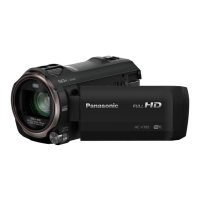
Panasonic HC-V770 - User Manual

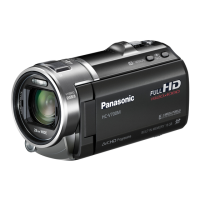
Panasonic HC-V770
256 pages
Print Icon
To Next Page IconTo Next Page
Loading...
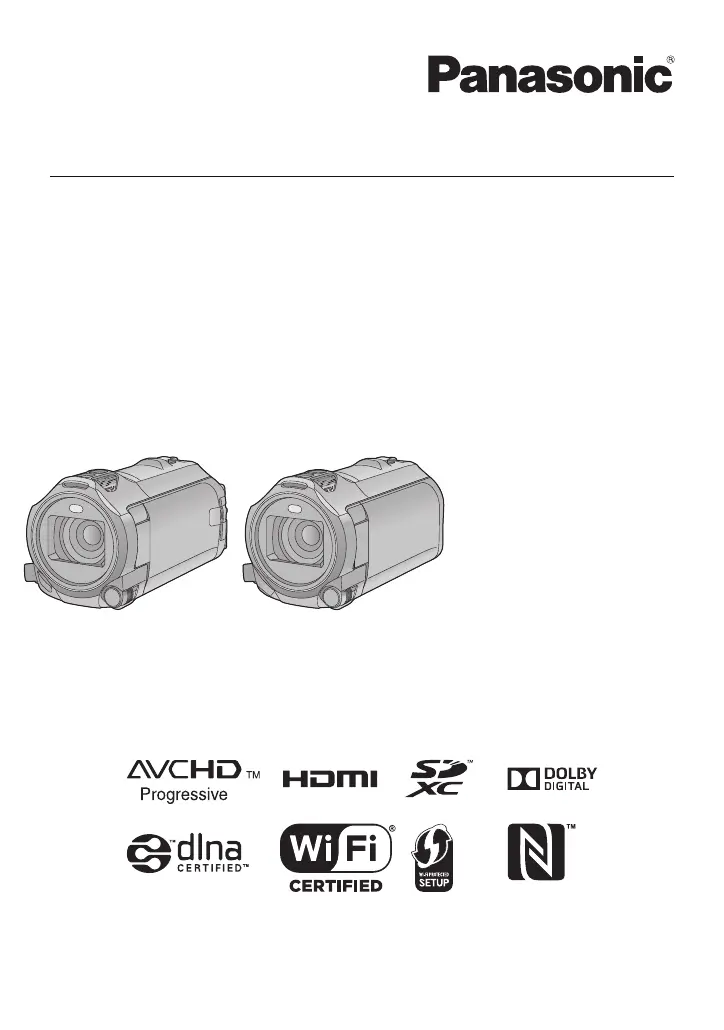
Operating Instructions
High Definition Video Camera 4K Video Camera
Model No.
HC-V770
Model No.
HC-WX970
HC-V770M HC-WX970M
HC-V760 HC-VX870
HC-VX870M
Please read these instructions carefully before using this product,
and save this manual for future use.
SQW0252
until
2015/1/28

Table of Contents

Other manuals for Panasonic HC-V770

Questions and Answers

  • C
    Christopher MaldonadoSep 1, 2025
    How to fix USB connection issues with Panasonic HC-V770 Camcorder?
    • B
      Betty TuckerSep 1, 2025
      If your Panasonic Camcorder isn't detected by the PC when connected via USB, try re-inserting the SD card into the unit and reconnect the USB cable. Also, try a different USB terminal on your PC, check the operating environment, and restart both the PC and the unit before reconnecting the USB cable.
  • A
    apinedaAug 25, 2025
    Why is my Panasonic Camcorder not detected by the PC when connected via USB?
    • J
      Jose WardAug 25, 2025
      If your Panasonic Camcorder is not detected by your PC when connected via USB cable: * Re-insert the SD card into the unit, then reconnect the supplied USB cable. * Try a different USB terminal on your PC. * Check the operating environment. After restarting the PC and the camcorder, reconnect the USB cable.
  • V
    Vanessa GibsonSep 23, 2025
    How to operate my Panasonic HC-V770 Camcorder from a smartphone using [Link to Cell]?
    • M
      Michelle LarsenSep 23, 2025
      To use [Link to Cell] with your Panasonic Camcorder, install the smartphone app 'Image App' on your smartphone.
  • M
    Mrs. Taylor Anderson MDSep 6, 2025
    When connected by the USB cable, why is my Panasonic Camcorder not detected by the other devices?
    • B
      Bethany WilliamsSep 6, 2025
      When connecting your Panasonic Camcorder via USB cable, if it is only connected to the battery, reconnect it using the AC adapter.
  • M
    mary68Sep 12, 2025
    Why does my Panasonic HC-V770 have strange colors indoors?
    • W
      williamhermanSep 12, 2025
      If you're experiencing strange color balance in your Panasonic Camcorder images when recording in places like a gymnasium, adjust the White Balance setting to (Indoor mode 2). If the image is still not clear, switch to (Manual adjustment mode).
  • W
    Whitney HamiltonSep 3, 2025
    Why does my Panasonic HC-V770 stop recording on its own?
    • J
      Jerome SellersSep 3, 2025
      If your Panasonic Camcorder arbitrarily stops recording, ensure you are using an SD card suitable for motion picture recording. The recordable time may be reduced due to data writing speed deterioration or repeated recording and deletion. Format the SD card or built-in memory using the unit. If [AGS] is [ON], record in the normal horizontal position or set [AGS] to [OFF].
  • B
    Benjamin CarlsonAug 29, 2025
    Why is the battery indicator inaccurate on my Panasonic HC-V770 Camcorder?
    • J
      Julia HumphreyAug 29, 2025
      If the remaining battery indication on your Panasonic Camcorder isn't displaying correctly, it's because the indication is an approximation. To recalibrate, fully charge the battery, then fully discharge it, and then charge it again.
  • B
    Brittany GregorySep 13, 2025
    Why does my Panasonic HC-V770 Camcorder arbitrarily stop recording?
    • J
      Joshua RiceSep 13, 2025
      If your Panasonic Camcorder stops recording unexpectedly, ensure you are using an SD card suitable for motion picture recording. The recordable time may also be reduced due to data writing speed issues or repeated recording and deletion; try formatting the SD card using the unit. If [AGS] is [ON], record in the normal horizontal position or set [AGS] to [OFF].
  • D
    dixonwilliamSep 8, 2025
    What to do if the remaining battery indication is not displayed properly on my Panasonic HC-V770 Camcorder?
    • M
      matthewsmichaelSep 8, 2025
      The remaining battery capacity indication on your Panasonic Camcorder is an approximation. If the remaining battery capacity indication is not displayed correctly, fully charge the battery, discharge it completely, and then charge it again.
  • D
    Danielle HaydenAug 27, 2025
    Why are images or sounds not output even when my Panasonic HC-V770 is connected to the TV by the HDMI micro cable?
    • J
      Jesus RuizAug 27, 2025
      If you're not getting images or sounds when your Panasonic Camcorder is connected to the TV via HDMI, ensure the HDMI micro cable is correctly and fully inserted.

Summary

Read this first

Handling of built-in memory

Guidelines for using built-in memory, including data backup and access lamp indication.

About Condensation (When the lens or the LCD monitor is fogged up)

Explains condensation causes and prevention methods for the lens or LCD.

Cards that you can use with this unit

SD Memory Card, SDHC Memory Card and SDXC Memory Card

Details on compatible SD card types and specifications.

Definitions of terms used in the manual

Clarifies abbreviations and symbols used throughout the operating instructions.

Preparation

Names and Functions of Main Parts

Identifies and explains the main physical components of the camera.

Power supply

Information on compatible batteries and how to insert/remove them.

Turning the unit on;off

Methods for powering the unit on and off using the power button or LCD monitor.

Setting date and time

Steps to set the camera's internal clock and world time.

Basic

Recording motion pictures

Steps to start, pause, and stop motion picture recording, including screen indications.

Recording still pictures

How to take still pictures in Still Picture Recording Mode, including focus indication.

Motion picture;Still picture playback

Steps for selecting media and formats to play back recorded content.

Advanced (Recording)

Recording with the Sub Camera (Twin Camera)

Using the sub camera to record two images simultaneously.

Changing the Recording Mode

Guide to switching between different recording modes like Intelligent Auto, Manual, etc.

Advanced (Playback)

Wi-Fi

Details on using the Wi-Fi function for various remote operations and transfers.

Wi-Fi

Setting Up a Wi-Fi Connection

Instructions for setting up Wi-Fi connections via access points or direct smartphone connections.

Wireless Twin Camera function

How to use the unit as a wireless sub camera via Wi-Fi.

With a PC

What you can do with a PC

Overview of PC connectivity and software usage for data management.

Others

Troubleshooting

Provides solutions for common problems encountered during operation.

Cautions for use

Important safety and usage precautions to prevent damage or malfunction.

Panasonic HC-V770 Specifications

General IconGeneral
Sensor typeMOS BSI
Total megapixels12.76 MP
Optical sensor size1/2.3 \
Effective megapixels (image)6.03 MP
Filter size49 mm
Digital zoom1500 x
Optical zoom20 x
Image stabilizerYes
Focal length range4.08 - 81.6 mm
Interchangeable lens-
Image stabilizer typeHybrid Image Stabilization (HIS)
Maximum aperture number3.6
Minimum aperture number1.8
Focal length (35mm film equivalent)29.5 - 612 mm
Camera file systemDCF, Exif 2.2
Camcorder media typeMemory card
Disc types supportedNo
Compatible memory cardsSD, SDHC, SDXC
Internal storage capacity- GB
Focus adjustmentAuto/Manual
Shoe mounting point typeCold shoe
Camera shutter speed1/2 - 1/8000 s
Shutter speed (photo)1/2 - 1/2000 s
Shutter speed (video)1/25 - 1/8000 s
Display diagonal3 \
Display resolution (numeric)460800 pixels
Camcorder typeHandheld camcorder
Minimum illumination1 lx
On Screen Display (OSD) languagesARA, CHI (SIMPL), CHI (TR), ENG, PER, THA
Product colorBlack
Video resolutions960 x 540, 1280 x 720, 1920 x 1080, 3840 x 2160 pixels
Maximum frame rate50 fps
Supported video modes1080p, 2160p, 540p, 720p
Video formats supportedAVCHD, H.264, MP4
Maximum video resolution1920 x 1080 pixels
Bitrate at maximum video resolution72 Mbit/s
Image formats supportedJPG
Maximum image resolution6528 x 3672 pixels
Still image resolution(s)6528 x 3672, 4736 x 2664, 1920 x 1080, 5472 x 3648, 3984 x 2656, 1728 x 1152, 4896 x 3672, 3264 x 2448, 640 x 480
Audio systemDolby Digital 2.0/5.1
Audio formats supportedAAC
USB 2.0 ports quantityUSB 2.0 ports have a data transmission speed of 480 Mbps, and are backwards compatible with USB 1.1 ports. You can connect all kinds of peripheral devices to them.
Component video (YPbPr/YCbCr) out1
USB 3.2 Gen 1 (3.1 Gen 1) Type-A ports quantity0
Wi-Fi standards802.11b, 802.11g, Wi-Fi 4 (802.11n)
Battery voltage3.6 V
Battery capacity1940 mAh
Video recording time1 h
Cables includedDC, HDMI, USB
Bundled softwareHD Writer AE 5.2
Weight and Dimensions IconWeight and Dimensions
Depth139 mm
Width65 mm
Height73 mm
Weight353 g

Related product manuals