EasyManua.ls Logo

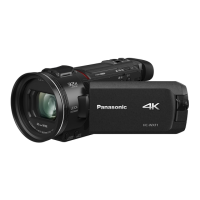
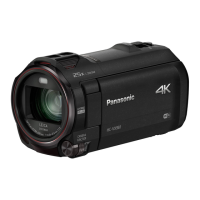
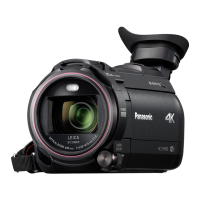
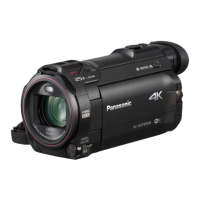
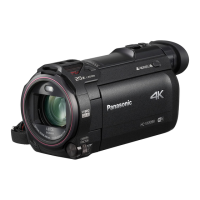
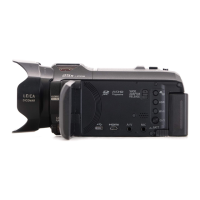
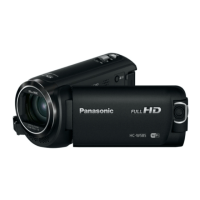
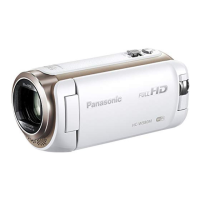
Panasonic HC-WX970HC-V770M - User Manual

Panasonic HC-WX970HC-V770M
256 pages
Print Icon
To Next Page IconTo Next Page
Loading...
Operating Instructions
High Definition Video Camera 4K Video Camera
Model No.
HC-V770
Model No.
HC-WX970
HC-V770M HC-WX970M
HC-V760 HC-VX870
HC-VX870M
Please read these instructions carefully before using this product,
and save this manual for future use.
SQW0252
until
2015/1/28

Table of Contents

Other manuals for Panasonic HC-WX970HC-V770M

Questions and Answers

  • R
    Randall WoodSep 7, 2025
    What to do if the SD card from my Panasonic HC-WX970HC-V770M is not recognised in another device?
    • J
      Justin RobinsonSep 7, 2025
      If the SD card from your Panasonic Camcorder is not recognized in another device, ensure that the device is compatible with the capacity and type of SD card (SD Memory Card/SDHC Memory Card/SDXC Memory Card) you are using. Refer to the device's operating instructions for compatibility details.
  • C
    Carla ChavezAug 25, 2025
    Why is my Panasonic HC-WX970HC-V770M not detected by the PC when connected via USB?
    • P
      Parker MeadowsAug 25, 2025
      If your Panasonic Camcorder is not detected by your PC when connected via USB cable: * Re-insert the SD card into the unit, then reconnect the supplied USB cable. * Try a different USB terminal on your PC. * Check the operating environment. After restarting the PC and the camcorder, reconnect the USB cable.
  • M
    Megan NicholsonAug 25, 2025
    Why are images or sounds not output when my Panasonic HC-WX970HC-V770M Camcorder is connected to a TV?
    • J
      Juan BoyerAug 26, 2025
      If the images or sounds are not output even when your Panasonic Camcorder is correctly connected to a TV, or if the images appear squeezed horizontally: * Consult your TV's operating instructions to select the channel that corresponds to the input used for the connection. * Adjust the [TV ASPECT] setting to match the aspect ratio of your TV. * Note that during playback mode, audio is not output from the camcorder itself; adjust the sound on the TV.
  • J
    justin55Sep 16, 2025
    What to do if I cannot use [DLNA Play] on my Panasonic Camcorder?
    • C
      Carolyn WhitneySep 16, 2025
      To use [DLNA Play] on your Panasonic Camcorder, ensure that the television is compatible with DLNA and consult the TV's instructions. Verify that the wireless access point and the camcorder are properly connected. If there are still problems, move closer to the wireless access point and reconnect.
  • S
    Steven WilsonSep 23, 2025
    Why doesn't my Panasonic HC-WX970HC-V770M recognize the SD card?
    • D
      daniel76Sep 23, 2025
      If your Panasonic Camcorder is not recognizing an inserted SD card, and the SD card was formatted on a PC, use the camcorder to format the SD card. (l 40)
  • R
    Rebecca EdwardsSep 12, 2025
    How to fix VIERA Link if it does not work on my Panasonic HC-WX970HC-V770M Camcorder?
    • J
      Jessica MillerSep 12, 2025
      To resolve VIERA Link issues with your Panasonic Camcorder: * Connect with a HDMI micro cable (supplied). * Go to MENU, then [SETUP] # [VIERA Link] # [ON]. * Turn the unit off and then back on again.
  • A
    Angela Torres DDSSep 2, 2025
    What to do if my Panasonic HC-WX970HC-V770M displays 'ERROR OCCURRED'?
    • S
      scottmorrisSep 3, 2025
      If your Panasonic Camcorder displays the error message, it has detected an error. Restart the unit by turning it off, and then on again. If the unit is not turned off and on, it will be turned off in about 1 minute. If the error persists after restarting, repair is needed. Detach the power connected, and consult the dealer who you purchased this unit from. Do not attempt to repair the unit by yourself.
  • W
    Walter KimSep 3, 2025
    What to do if my Panasonic HC-WX970HC-V770M won't operate even when turned on?
    • M
      Mr. Glenn GravesSep 3, 2025
      If your Panasonic Camcorder is on but not operating, remove the battery or AC adapter, wait about a minute, and reconnect it. Wait another minute, then turn the unit on again. Note that doing this while the media is being accessed may damage the data on the media. If normal operation isn't restored, detach the power connected, and consult the dealer who you purchased this unit from.
  • J
    Jeff ColeSep 23, 2025
    Why does my Panasonic HC-WX970HC-V770M image flicker or have color issues indoors?
    • J
      Joy JohnsonSep 23, 2025
      If you're seeing color or brightness changes, or horizontal bars in the image, or if the LCD monitor flickers indoors with your Panasonic Camcorder, it's likely due to recording under fluorescent, mercury, or sodium light. This is not a malfunction. In Motion Picture Recording Mode, use Intelligent Auto Mode/Intelligent Auto Plus Mode or set the shutter speed to 1/100 in 50 Hz areas, or 1/125 in 60 Hz areas. In FULL HD Slow Motion Mode, setting the shutter speed to 1/100 seconds reduces the intensity of the problem.
  • Q
    qcoxAug 29, 2025
    Why does my Panasonic HC-WX970HC-V770M turn off automatically?
    • D
      Dawn DouglasAug 29, 2025
      If your Panasonic Camcorder is turning off automatically, it might be due to the VIERA Link feature. If you're not using VIERA Link, disable it in the settings by setting [VIERA Link] to [OFF].

Panasonic HC-WX970HC-V770M Specifications

General IconGeneral
Optical Zoom20x
LCD Monitor Resolution460, 800 dots
Touch PanelYes
Recording MediaSD/SDHC/SDXC Memory Card
MicrophoneStereo
Wi-Fi StandardIEEE 802.11b/g/n
Wi-FiYes
NFCYes
Sensor Size1/2.3 inch
LCD Monitor Size3.0 inch
Recording FormatAVCHD, MP4
Video Compression FormatMPEG-4 AVC/H.264
Audio Recording FormatDolby Digital (2ch), AAC (2ch)
HDMIYes
USBYes (Micro USB)
Video Resolution1920 x 1080

Related product manuals