EasyManua.ls Logo

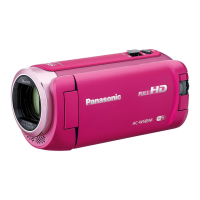
Panasonic HC-W850 - User Manual

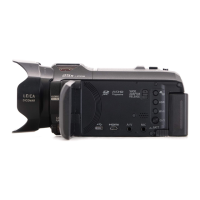
Panasonic HC-W850
220 pages
Print Icon
To Next Page IconTo Next Page
Loading...
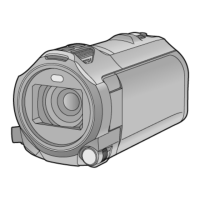
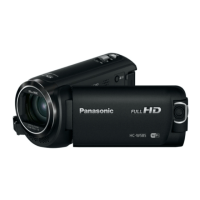
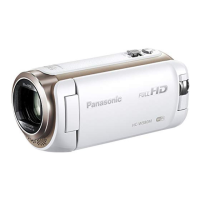
Owners Manual
High Definition Video Camera
Model No.
HC-W850
HC-V750
Please read these instructions carefully before using this product,
and save this manual for future use.
SQT0155
until
2014/1/28
Register online at www.panasonic.com/register (U.S. customers only)

Table of Contents

Other manuals for Panasonic HC-W850

Questions and Answers

  • C
    Corey MorganSep 6, 2025
    How to troubleshoot if I cannot operate my Panasonic HC-W850 from a smartphone using [Remote Ctrl]?
    • R
      Richard HudsonSep 6, 2025
      To operate your Panasonic Camcorder from a smartphone using [Remote Ctrl], install the smartphone app “Image App” on your smartphone.
  • J
    Janet MurphyAug 25, 2025
    Why are images or sounds not output even when my Panasonic HC-W850 is correctly connected to a TV?
    • B
      Brenda SmithAug 25, 2025
      If you're not getting images or sounds from your Panasonic Camcorder when connected to a TV, make sure you've selected the correct channel on your TV that matches the input used for the connection. Also, adjust the [TV ASPECT] setting to match the aspect ratio of your TV. Note that during playback mode, audio is not output from the camcorder itself, so adjust the sound on the TV.
  • R
    Roy SnyderAug 25, 2025
    Why my Panasonic HC-W850 cannot be turned on or the battery runs down quickly?
    • A
      Alex NelsonAug 26, 2025
      If your Panasonic Camcorder cannot be turned on, does not stay on long enough, or the battery runs down quickly, try the following: Charge the battery again to ensure it is sufficiently charged. In cold places, the battery usage time becomes shorter. The battery has a limited life. If the operating time is still too short even after fully charging the battery, it likely needs to be replaced.
  • T
    tgomezSep 15, 2025
    How to use [DLNA Play] on my Panasonic HC-W850 Camcorder?
    • J
      Jasmine CastilloSep 15, 2025
      To use [DLNA Play] on your Panasonic Camcorder, make sure the television is compatible with DLNA, and refer to the television's instructions. Ensure that the wireless access point and the device are properly connected. If necessary, move closer to the wireless access point and reconnect. If a connection cannot be made between this device and a DLNA-compatible device, try to reconnect and ensure they connect properly.
  • S
    Scott BishopSep 23, 2025
    Why won't live broadcast screen display on Panasonic HC-W850 Camcorder?
    • R
      Richard PerrySep 23, 2025
      To view the live broadcast screen on your Panasonic Camcorder, ensure that the “LUMIX CLUB” Login ID and Password have been entered correctly. Use a PC or smartphone to verify that the USTREAM account registration is complete. If issues persist, retry the live broadcast after a short wait.
  • J
    Jamie WilsonSep 12, 2025
    What to do if my Panasonic Camcorder is not detected by other devices when connected by the USB cable?
    • A
      Andrew OwensSep 12, 2025
      If your Panasonic Camcorder is connected to other devices using only the battery, reconnect using the AC adapter.
  • L
    Lisa BeckerSep 2, 2025
    What to do if scenes cannot be deleted on my Panasonic HC-W850?
    • A
      Alexandra JohnsonSep 2, 2025
      If you are unable to delete scenes on your Panasonic Camcorder, release the protect setting. Any scenes/still pictures where the thumbnails are displayed as cannot be deleted. If the scenes/still pictures are unnecessary, format the media to erase the data.
  • M
    Michael KruegerSep 2, 2025
    Why are images or sounds not output even when my Panasonic HC-W850 is connected to the TV by the HDMI mini cable?
    • S
      Stephanie HallSep 2, 2025
      If you're not getting images or sounds when your Panasonic Camcorder is connected to the TV via HDMI mini cable, first check if the HDMI mini cable is connected correctly. Ensure the HDMI mini cable is fully inserted.
  • B
    burnskatrinaSep 22, 2025
    Why no image/sound from Panasonic Camcorder via HDMI?
    • S
      Scott WrightSep 22, 2025
      If the HDMI mini cable is connected to your Panasonic Camcorder and TV, but you're not getting any images or sounds, verify that the HDMI mini cable is correctly and fully inserted into both devices.
  • K
    Kristen ZunigaAug 28, 2025
    What to do if the SD card is inserted in another device and it is not recognised?
    • C
      christina64Aug 29, 2025
      If an SD card from your Panasonic Camcorder isn't recognized in another device, ensure that the device is compatible with the capacity or type of SD card (SD Memory Card/SDHC Memory Card/SDXC Memory Card) that you inserted.

Panasonic HC-W850 Specifications

General IconGeneral
BrandPanasonic
ModelHC-W850
CategoryCamcorder
LanguageEnglish

Related product manuals