EasyManua.ls Logo

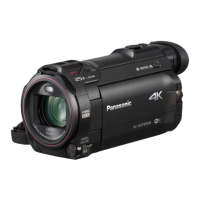
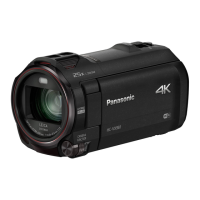
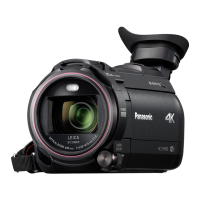
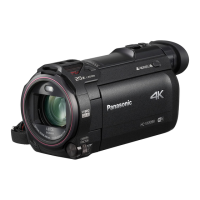
Panasonic HC-WXF995M - User Manual

Panasonic HC-WXF995M
270 pages
Print Icon
To Next Page IconTo Next Page
Loading...
Operating Instructions
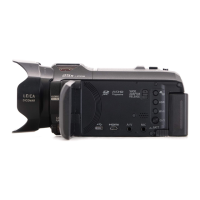
4K Video Camera
Model No.
HC-WXF995
HC-WXF995M
HC-VXF995
HC-VX985
HC-VX985M
Please read these instructions carefully before using this product, and save this manual for future
use.
DVQP1262ZA
until
2017/02/28

Table of Contents

Other manuals for Panasonic HC-WXF995M

Questions and Answers

  • M
    melissawilsonSep 23, 2025
    How to delete scenes on Panasonic Camcorder?
    • A
      andersonjamesSep 23, 2025
      To delete scenes from your Panasonic Camcorder, release the protect setting. Any scenes/still pictures where the thumbnails are displayed as cannot be deleted. If the scenes/still pictures are unnecessary, format the media to erase the data.
  • E
    Erin PerryAug 23, 2025
    Why Panasonic Camcorder won't turn on or battery drains fast?
    • E
      Eric SmithAug 23, 2025
      If your Panasonic Camcorder cannot be turned on, does not stay on long enough, or the battery runs down quickly, try the following: * Charge the battery again to ensure it is sufficiently charged. * Keep in mind that in cold places, the battery usage time becomes shorter. * If the operating time is still too short even after fully charging the battery, it may be worn out and need replacement.
  • J
    John RodriguezAug 25, 2025
    What to do if Panasonic Camcorder is not detected by PC via USB?
    • E
      Eduardo McbrideAug 25, 2025
      If your Panasonic Camcorder is not detected by the PC when connected by the USB cable: * Re-insert the SD card into the unit, then reconnect the supplied USB cable. * Try a different USB terminal on your PC. * Check the operating environment of your PC. * Restart your PC and the camcorder, then reconnect the USB cable.
  • D
    David MorenoAug 27, 2025
    What to do if my Panasonic Camcorder is on but not operating normally?
    • M
      mathewhaynesAug 27, 2025
      If your Panasonic Camcorder is on but not functioning correctly, remove the battery or AC adapter, wait about a minute, and then reconnect it. Wait another minute before turning the unit back on. If this doesn't restore normal operation, the unit may require repair.
  • M
    michellevaldezAug 27, 2025
    What to do if Panasonic HC-WXF995M is on but not working?
    • K
      Katie ScottAug 28, 2025
      If your Panasonic Camcorder unit cannot be operated even though it is turned on, or it does not operate normally: * Remove the battery or AC adapter, wait about 1 minute, and then reconnect it. * Wait another minute, then turn the unit on again. * If normal operation is still not restored, disconnect the power and consult the dealer from whom you purchased the unit.
  • M
    Mr. Timothy LewisSep 18, 2025
    Why does Panasonic HC-WXF995M Camcorder image flicker or show bars indoors?
    • L
      Lauren JohnsSep 18, 2025
      If you are experiencing colour or brightness changes, horizontal bars, or flickering on the LCD monitor of your Panasonic Camcorder, it may be due to recording under fluorescent, mercury, or sodium light. In Motion Picture Recording Mode, record in Intelligent Auto Mode/Intelligent Auto Plus Mode or set the shutter speed according to the power supply frequency. Note that in Still Picture Recording Mode, this will not affect the recorded image. Setting the shutter speed to 1/100 seconds may reduce the intensity of the problem.
  • J
    Jonathan BoydSep 15, 2025
    Why can't I copy scenes from Panasonic Camcorder SD card via USB?
    • T
      travisjohnsonSep 15, 2025
      If you cannot copy scenes on the SD card by connecting your Panasonic Camcorder to other equipment with the USB cable: * The other equipment might not have recognized the SD card. * Unplug the USB cable once, and reconnect it.
  • E
    Emily BlackSep 16, 2025
    Why does my Panasonic HC-WXF995M turn off automatically?
    • K
      Krystal PhamSep 16, 2025
      If the unit turns off when you turn off the power to the TV using the TV remote control, the VIERA Link is at work. If you are not using the VIERA Link, set [VIERA Link] to [OFF].
  • D
    Debra PerezSep 6, 2025
    Why Panasonic HC-WXF995M has no sound or picture on TV?
    • J
      jennifercrossSep 6, 2025
      If your Panasonic Camcorder is correctly connected to a TV, but you are not getting images or sounds, or the images are squeezed horizontally: * Refer to your TV's operating instructions and select the channel that matches the input used for the connection. * Change the [TV ASPECT] setting to match the aspect ratio of your TV. * Note: Audio during playback mode is not output from the unit when connected to a TV.
  • D
    Darius SuttonSep 4, 2025
    What to do if Panasonic HC-WXF995M Camcorder doesn't recognize SD card?
    • J
      John Cooper Jr.Sep 4, 2025
      If the SD card inserted in your Panasonic Camcorder is not recognized, it may be because the SD card was formatted on a PC. Use this unit to format SD cards.

Panasonic HC-WXF995M Specifications

General IconGeneral
BrandPanasonic
ModelHC-WXF995M
CategoryCamcorder
LanguageEnglish

Related product manuals