EasyManua.ls Logo

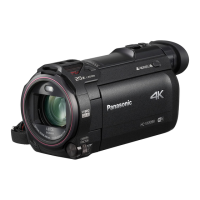
Panasonic HC-W570 - User Manual

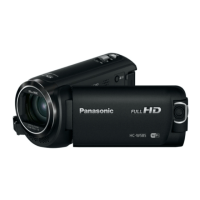
Panasonic HC-W570
221 pages
Print Icon
To Next Page IconTo Next Page
Loading...
Owners Manual
High Definition Video Camera
Model No.
HC-W570
Please read these instructions carefully before using this product,
and save this manual for future use.
SQW0220
until
2015/1/22
Register online at www.panasonic.com/register (U.S. customers only)

Table of Contents

Other manuals for Panasonic HC-W570

Questions and Answers

  • M
    Melissa KingSep 13, 2025
    What to do when the USB cable is disconnected, and an error message appears on the PC with Panasonic HC-W570?
    • N
      Nathan ClarkSep 13, 2025
      To disconnect the USB cable safely from your Panasonic Camcorder, double-click the icon in the task tray and follow the instructions on the screen. This will prevent error messages from appearing on your PC.
  • R
    Rodney MartinAug 25, 2025
    Why my Panasonic HC-W570 Camcorder cannot be turned on or the battery runs down quickly?
    • Y
      ymullinsAug 25, 2025
      If your Panasonic Camcorder cannot be turned on, does not stay on long enough, or the battery runs down quickly, try these steps: * Charge the battery again to ensure it is sufficiently charged. * Keep in mind that in cold environments, battery life may be shorter. * If the operating time remains short even after a full charge, the battery may be worn out and needs to be replaced.
  • C
    Connie BennettAug 25, 2025
    Why is my Panasonic Camcorder not detected by the PC when connected by the USB cable?
    • P
      Paul RomeroAug 26, 2025
      If your Panasonic Camcorder is not detected by the PC when connected by USB cable, try the following: * Re-insert the SD card into the unit, then reconnect the supplied USB cable. * Try a different USB terminal on your PC. * Ensure your operating environment meets the specified requirements. * Restart your PC and turn on the camcorder before reconnecting the USB cable.
  • A
    adrian78Sep 23, 2025
    Why does my Panasonic HC-W570 Camcorder image have color or brightness changes?
    • T
      tracygrossSep 23, 2025
      If the color or brightness of the image changes, you see horizontal bars, or the LCD monitor flickers indoors on your Panasonic Camcorder, record in Intelligent Auto Mode/Intelligent Auto Plus Mode in Motion Picture Recording Mode. Alternatively, set the shutter speed to 1/100 in areas where the power supply frequency is 50 Hz, or to 1/125 in areas of 60 Hz.
  • K
    Kimberly PooleSep 14, 2025
    Why can't I use [DLNA Play] on my Panasonic HC-W570 Camcorder?
    • A
      Austin CameronSep 14, 2025
      If you cannot use [DLNA Play] on your Panasonic Camcorder, ensure the following: * The television is compatible with DLNA. * The wireless access point and the device are properly connected. * Try approaching the wireless access point and reconnecting. If a connection still cannot be made, try to reconnect and ensure they connect properly.
  • A
    Amanda HaleSep 23, 2025
    I have forgotten the Login ID or Password for the “LUMIX CLUB” of Panasonic HC-W570, what to do?
  • B
    bscottSep 6, 2025
    Why doesn't VIERA Link work on my Panasonic HC-W570 Camcorder?
    • U
      uthomasSep 7, 2025
      If you are experiencing issues with VIERA Link on your Panasonic Camcorder, ensure the following: * Connect the camcorder with a HDMI mini cable. * In the camcorder's settings, go to MENU, then touch [SETUP] # [VIERA Link] # [ON]. * Turn the camcorder off and then back on again. Also, check the VIERA Link settings on the connected devices and ensure they are properly configured.
  • J
    John MeyerSep 7, 2025
    What to do if the SD card from my Panasonic HC-W570 Camcorder is not recognized in another device?
    • J
      jacksonchristopherSep 7, 2025
      If the SD card inserted in your Panasonic Camcorder is not recognized by another device, ensure that the device is compatible with the capacity or type of SD card (SD Memory Card/SDHC Memory Card/SDXC Memory Card) that you inserted. Refer to the operating instructions of the device for details.
  • J
    Justin ClineSep 23, 2025
    What to do if my Panasonic HC-W570 Camcorder displays 'Error occurred' message?
    • J
      Jennifer PearsonSep 23, 2025
      If your Panasonic Camcorder displays the message “ERROR OCCURRED. PLEASE TURN UNIT OFF, THEN TURN ON AGAIN,” restart the unit by turning it off and then on again. If the error message continues to appear after restarting, repair is needed. Disconnect the power and consult the dealer from whom you purchased the unit. Do not attempt to repair it yourself.
  • S
    Sharon WhiteAug 31, 2025
    Why does the Panasonic HC-W570 image change color or brightness, or show horizontal bars?
    • J
      Jennifer BuchananAug 31, 2025
      If the color or brightness of the image changes, or you see horizontal bars, or the LCD monitor flickers indoors on your Panasonic Camcorder, in Motion Picture Recording Mode, record in Intelligent Auto Mode/Intelligent Auto Plus Mode or set the shutter speed to 1/100 in areas where the power supply frequency is 50 Hz, or 1/125 in areas of 60 Hz.

Summary

Read This First

Recording Formats

Explains AVCHD, MP4, and iFrame recording formats for motion pictures.

Condensation Handling

Explains condensation causes and how to resolve fogging on lens or LCD.

Camera Preparation

Names and Functions of Main Parts

Identifies and describes the main external parts of the camera.

Power Supply and Charging

Discusses compatible batteries, charging methods, and times.

SD Card Usage

Explains compatible SD cards and managing them.

Basic Unit Operation

How to turn the unit on/off and select modes.

Basic Operations

Recording Motion Pictures

Step-by-step guide to record motion pictures.

Recording Still Pictures

Step-by-step guide to record still pictures.

Playback Operations

Guides on playing back motion and still pictures.

Using Menus and Settings

Navigating menus, touch screen, and date/time settings.

Advanced Recording

Zoom and Level Shot Function

Using zoom controls and the level shot for stability.

Twin Camera Functions

Using Sub Camera for simultaneous recording and backup.

Recording Modes and Manual Controls

Selecting modes and adjusting focus, WB, shutter speed manually.

Touch Functions and Image Stabilization

Using touch controls and stabilizing images.

Advanced Playback

Highlight Playback and Editing

Creating highlight reels, marking favorites, and manual editing.

Scene Management

Deleting, dividing, protecting, and converting scenes.

TV Playback and VIERA Link

Connecting to TV and controlling playback via VIERA Link.

Copying, Dubbing, and File Transfer

USB HDD Operations

Copying and playing back media using a USB HDD.

Dubbing to External Devices

Dubbing content to Blu-ray recorders or video devices.

Eye-Fi Card Usage

Wireless transfer of media using an Eye-Fi card.

Wi-Fi Connectivity

Wi-Fi Function Overview

General information and precautions for using Wi-Fi.

Smartphone Integration

Using Link to Cell, Baby Monitor, Home Cam functions.

Network Connections

DLNA Play, Copy to PC, Live Cast setup.

Wi-Fi Setup and Troubleshooting

Connecting to networks, direct connections, and problem solving.

PC Connectivity

HD Writer LE 3.0 Software

Software for PC data management and editing.

PC Installation and Connection

Installing software and connecting the unit to a PC.

Troubleshooting and Cautions

Error Messages and Recovery

Lists common error messages and recovery procedures.

General Troubleshooting

Solutions for common problems like power, recording, playback.

Safety and Maintenance Cautions

General safety, battery, SD card, and LCD care.

Technical Specifications and Accessories

Recording Modes and Times

Approximate recordable times for different modes and formats.

Optional Accessories

Information on optional accessories like suction cup and pan tilt cradle.

Remote Pan Tilt Cradle Operation

Configuring and using the remote pan tilt cradle for automated recording.

Panasonic HC-W570 Specifications

General IconGeneral
Sensor typeMOS BSI
Total megapixels2.51 MP
Optical sensor size1/5.8 \
Effective megapixels (image)2.2 MP
Digital zoom150 x
Optical zoom50 x
Image stabilizerYes
Focal length range2.06 - 103 mm
Interchangeable lens-
Image stabilizer typeHybrid Image Stabilization (HIS)
Maximum aperture number4.2
Minimum aperture number1.8
Focal length (35mm film equivalent)28 - 1740 mm
Camcorder media typeMemory card
Disc types supportedNo
Compatible memory cardsSD, SDHC, SDXC
Internal storage capacity- GB
Focus adjustmentAuto/Manual
Camera shutter speed0.04 - 0.000125 s
Shutter speed (photo)0.5 - 0.0005 s
Display diagonal3 \
Display resolution (numeric)460800 pixels
Camcorder typeHandheld camcorder
Minimum illumination4 lx
Supported aspect ratios16:9
Product colorBlack
Video formats supportedAVCHD, H.264, MPEG4
Maximum video resolution1920 x 1080 pixels
Image formats supportedJPG
Maximum image resolution4224 x 2376 pixels
Still image resolution(s)4224 x 2376, 1920 x 1080, 3408 x 2272, 1728 x 1152, 3136 x 2352, 640 x 480
Audio systemDolby Digital 2.0
USB 2.0 ports quantity1
Wi-Fi standards802.11b, 802.11g, Wi-Fi 4 (802.11n)
Battery capacity1940 mAh
Battery life (max)- h
Weight and Dimensions IconWeight and Dimensions
Depth60 mm
Width129 mm
Height62 mm
Weight266 g

Related product manuals