EasyManua.ls Logo

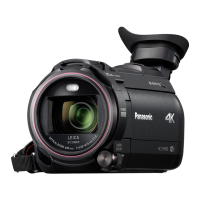
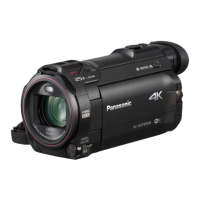
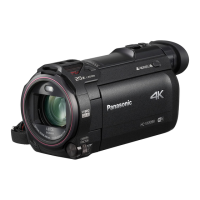
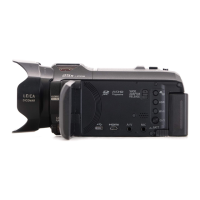
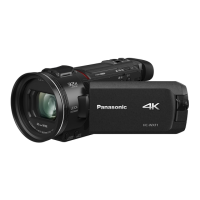
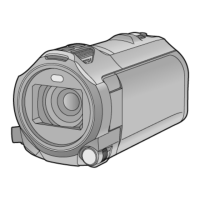
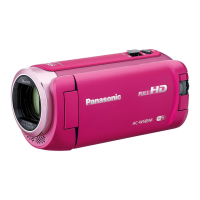
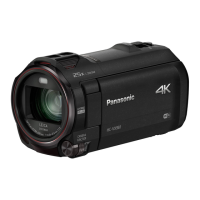
Panasonic HC-WXF991 - User Manual

Panasonic HC-WXF991
262 pages
Print Icon
To Next Page IconTo Next Page
Loading...
Owners Manual
4K Video Camera
Model No.
HC-WXF991
HC-VX981
Please read these instructions carefully before using this product,
and save this manual for future use.
SQW0527
until
2016/2/29
Register online at http://shop.panasonic.com/support (U.S. customers only)

Table of Contents

Other manuals for Panasonic HC-WXF991

Questions and Answers

  • Q
    qjamesSep 8, 2025
    Why doesn't my Panasonic HC-WXF991 Camcorder recognize the SD card?
    • D
      Darrell CobbSep 9, 2025
      If your Panasonic Camcorder does not recognize the SD card, and the SD card is formatted on a PC, format the SD card using the camcorder.
  • P
    pittscarlosAug 23, 2025
    Why does my Panasonic HC-WXF991 Camcorder keep stopping recording?
    • D
      Donald WadeAug 23, 2025
      If your Panasonic Camcorder stops recording unexpectedly, ensure you are using an SD card suitable for motion picture recording. If the card's data writing speed has deteriorated, format the SD card using the unit. Also, if [AGS] is [ON], record in the normal horizontal position or set [AGS] to [OFF].
  • W
    William BanksAug 25, 2025
    Why is there no sound or picture when connecting my Panasonic HC-WXF991 to the TV?
    • T
      Tracy FoxAug 25, 2025
      If your Panasonic Camcorder is connected to a TV but you are not getting any image or sound output, or the image appears squeezed, ensure you have selected the correct input channel on your TV as described in your TV's operating instructions. You may also need to adjust the [TV ASPECT] setting on your camcorder to match the TV's aspect ratio. Note that audio during playback is output from the TV, not the camcorder, so adjust the sound on the TV.
  • J
    Joseph HoganAug 27, 2025
    What to do if my Panasonic HC-WXF991 is not operating normally?
    • P
      peter48Aug 27, 2025
      If your Panasonic Camcorder is on but not responding, remove the battery or AC adapter, wait about a minute, and then reconnect it. Wait another minute before turning the unit back on. If normal operation is still not restored, detach the power connected, and consult the dealer who you purchased this unit from.
  • C
    curtiswillieAug 27, 2025
    How to fix auto focus on Panasonic Camcorder?
    • T
      Theodore RileyAug 27, 2025
      If the Auto Focus function on your Panasonic Camcorder isn't working, switch to Intelligent Auto Mode or Intelligent Auto Plus Mode. If you're recording a scene that's difficult to focus on in Auto Focus Mode, switch to Manual Focus Mode and adjust the focus manually.
  • J
    Jacob JonesSep 22, 2025
    Why does the image color or brightness change on my Panasonic Camcorder, or why do I see horizontal bars?
    • P
      Patricia WoodSep 22, 2025
      Changes in color or brightness, or the appearance of horizontal bars in the image, can occur when recording under fluorescent, mercury, or sodium lighting. This is not a malfunction. In Motion Picture Recording Mode, use Intelligent Auto Mode/Intelligent Auto Plus Mode, or adjust the shutter speed: when [REC FORMAT] is set to [24p], set the shutter speed to 1/50 seconds (50 Hz areas) or 1/60 seconds (60 Hz areas); when [REC FORMAT] is set to a setting other than [24p], set to 1/100 seconds (50 Hz) or 1/60 seconds (60 Hz). This issue does not affect Still Picture Recording Mode. Setting the shutter speed to 1/120 seconds can reduce the problem in FULL HD Slow Motion Mode and Slow & Quick Video Mode (WXF991).
  • A
    Alyssa MartinSep 16, 2025
    What to do if my Panasonic HC-WXF991 does not operate normally?
    • J
      Jennifer DunlapSep 16, 2025
      If your Panasonic Camcorder is not operating normally, remove the battery or AC adapter, wait about 1 minute, and then reconnect it. Wait another minute before turning the unit on again. Note that doing this while the media is being accessed might damage the data. If this doesn't restore normal operation, it is recommended to detach the power connected, and consult the dealer who you purchased this unit from.
  • T
    Thomas VegaSep 18, 2025
    What to do if “ERROR OCCURRED. PLEASE TURN UNIT OFF, THEN TURN ON AGAIN.” is displayed on my Panasonic HC-WXF991?
    • A
      Ana WolfeSep 18, 2025
      If you see the error message “ERROR OCCURRED. PLEASE TURN UNIT OFF, THEN TURN ON AGAIN.” on your Panasonic Camcorder, the unit has detected an error. Try restarting the unit by turning it off and then on again. If the unit is not turned off and on, it will turn off automatically in about 1 minute. If the error message continues to appear after restarting, repair is needed. It is recommended to detach the power connected, and consult the dealer who you purchased this unit from. Do not attempt to repair the camcorder yourself.
  • K
    kennethreedSep 7, 2025
    Why is the color balance off on my Panasonic HC-WXF991?
    • D
      Dana HubbardSep 7, 2025
      If the color balance of images from your Panasonic Camcorder appears strange when recording in places like a gymnasium, which have multiple light sources, set the White Balance setting to (Indoor mode 2). If you still cannot record clearly with (Indoor mode 2), set it to (Manual adjustment mode).
  • S
    Shawn DeanSep 4, 2025
    Why does my Panasonic Camcorder image flicker indoors?
    • J
      James WillisSep 4, 2025
      If the color or brightness of the image changes, or horizontal bars appear when recording with your Panasonic Camcorder under fluorescent, mercury, or sodium light, try recording in Intelligent Auto Mode/Intelligent Auto Plus Mode. Alternatively, adjust the shutter speed. When [REC FORMAT] is set to [24p]: Set to 1/50 seconds in areas where the power supply frequency is 50 Hz, or 1/60 seconds in areas where the frequency is 60 Hz. When [REC FORMAT] is set to a setting other than [24p]: Set to 1/100 seconds in areas where the power supply frequency is 50 Hz, or 1/60 seconds in areas where the frequency is 60 Hz. Setting the shutter speed to 1/120 seconds reduces the intensity of the problem in FULL HD Slow Motion Mode or Slow & Quick Video Mode (For the WXF991).

Panasonic HC-WXF991 Specifications

General IconGeneral
Sensor TypeMOS
Video Resolution4K (3840 x 2160)
Optical Zoom20x
Digital Zoom60x / 1500x
StabilizationHybrid O.I.S.+
Wi-FiYes
LensLEICA DICOMAR
Intelligent Zoom40x
Focal Length4.08 - 81.6 mm
Image StabilizerHybrid O.I.S.+
FocusAuto / Manual
Recording MediaSD/SDHC/SDXC Memory Card
Recording FormatAVCHD, MP4
MicrophoneStereo
NFCYes
Frame Rate60p, 30p, 24p
External Microphone InputYes
Headphone JackYes
Battery TypeLithium-ion
LCD Screen3.0 inch
Total Pixels8.29 Megapixels
Effective Pixels (Motion Image)8.57 MP
Effective Pixels (Still Image)8.29 Megapixels
Aperturef/1.8 - f/3.6
Viewfinder0.24 inch
Video Recording Mode4K, FHD, HD
Audio Recording FormatDolby Digital (2ch)
SpeakerYes
HDMIYes
USBUSB 2.0
Audio RecordingDolby Digital (2ch)
HDMI OutputYes (Micro HDMI)
USB PortYes
35 mm Film Camera Equivalent (Motion Image)29.5 - 590 mm

Related product manuals