EasyManua.ls Logo

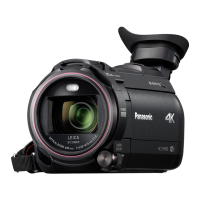
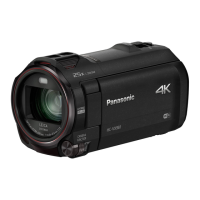
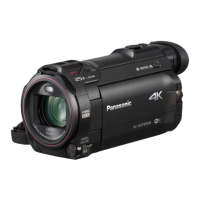
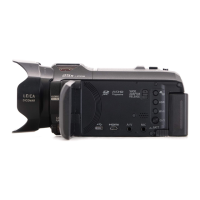
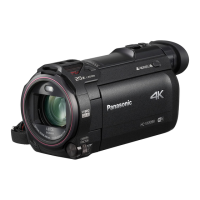
Panasonic HC-WXF990M - User Manual

Panasonic HC-WXF990M
267 pages
Print Icon
To Next Page IconTo Next Page
Loading...
Operating Instructions
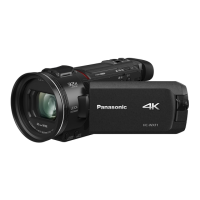
4K Video Camera
Model No.
HC-WXF990
HC-WXF990M
HC-VXF990
HC-VX980
HC-VX980M
Please read these instructions carefully before using this product,
and save this manual for future use.
SQW0540
until
2016/2/29

Table of Contents

Questions and Answers

  • B
    Bridget GonzalezAug 16, 2025
    What to do if my Panasonic HC-WXF990M Camcorder is not detected by PC when connected by USB cable?
    • P
      Paul HayesAug 16, 2025
      Try re-inserting the SD card into the camcorder and reconnecting the USB cable. You can also try a different USB port on your PC. Restarting both the PC and the camcorder before reconnecting the USB cable may also resolve the issue.
  • C
    Cory YoungAug 19, 2025
    What to do if my Panasonic HC-WXF990M turns off automatically?
    • T
      thompsonlindaSep 12, 2025
      If the camcorder turns off when you turn off the TV using the TV remote, the VIERA Link feature is likely enabled. If you are not using VIERA Link, disable it in the settings by setting [VIERA Link] to [OFF].
  • T
    Travis PhillipsAug 22, 2025
    What to do if my Panasonic HC-WXF990M Camcorder stops recording arbitrarily?
    • P
      Paul ReedAug 22, 2025
      Ensure you are using an SD card suitable for motion picture recording. Format the SD card or built-in memory using the camcorder, as the recordable time may have decreased due to data writing speed deterioration or repeated recording and deletion. If [AGS] is [ON], record in the normal horizontal position or set [AGS] to [OFF].
  • J
    Jason HudsonAug 25, 2025
    What to do if my Panasonic HC-WXF990M Camcorder displays ERROR OCCURRED. PLEASE TURN UNIT OFF, THEN TURN ON AGAIN?
    • L
      Lisa HaysAug 25, 2025
      This message indicates that the camcorder has detected an error. Try restarting the unit by turning it off and then on again. If the message continues to appear after restarting, repair is needed.
  • D
    dmorganAug 27, 2025
    How to fix Panasonic HC-WXF990M auto focus if it does not work?
    • A
      Amy BurkeAug 27, 2025
      Switch to Intelligent Auto Mode or Intelligent Auto Plus Mode. If you're recording a scene that's difficult to focus on in Auto Focus Mode, try using Manual Focus Mode to adjust the focus.
  • M
    Meagan PhillipsAug 30, 2025
    What to do if my Panasonic Camcorder cannot be operated though it is turned on?
    • C
      Cindy KramerAug 30, 2025
      Remove the battery or AC adapter, wait about a minute, and then reconnect it. After another minute, turn the camcorder on again.
  • S
    Stephanie CarterSep 2, 2025
    Why is the color balance strange on my Panasonic Camcorder when recording in a gymnasium?
    • M
      Mark JonesSep 2, 2025
      When recording in a location with multiple light sources like a gymnasium, adjust the White Balance setting to (Indoor mode 2). If the image is still unclear, switch to (Manual adjustment mode).
  • Y
    yharveySep 4, 2025
    How to fix remaining battery indication if it is not displayed properly on my Panasonic Camcorder?
    • N
      nicholasbeasleySep 4, 2025
      The battery capacity indication is only an estimate. If it's incorrect, fully charge the battery, allow it to discharge completely, and then charge it fully again.
  • C
    Christina HunterSep 7, 2025
    What to do if error message appears when the USB cable is disconnected from my Panasonic Camcorder?
    • T
      Tyler HudsonSep 7, 2025
      To safely disconnect the USB cable, locate the icon in the task tray on your PC, select it, and then choose the model number of your camcorder to disconnect the USB cable.
  • J
    Justin HoodSep 10, 2025
    What to do if I cannot operate my Panasonic HC-WXF990M Camcorder from smartphone using [Remote Ctrl]?
    • C
      Craig FarmerSep 10, 2025
      Install the smartphone app “Image App” on your smartphone.

Panasonic HC-WXF990M Specifications

General IconGeneral
Sensor typeMOS BSI
Total megapixels18.91 MP
Optical sensor size1/2.3 \
Effective megapixels (movie)8.29 MP
3DNo
Camcorder typeHandheld camcorder
Minimum illumination0 lx
On Screen Display (OSD)Yes
On Screen Display (OSD) languagesARA, CHI (SIMPL), CHI (TR), ENG, HIN, PER, THA
Product colorBlack
Supported video modes720p, 1080p, 2160p
Video formats supportedAVC, AVCHD, H.264, MP4, MPEG4
Maximum video resolution3840 x 2160 pixels
Filter size49 mm
Optical zoom20 x
Focal length range4.09 - 81.6 mm
Interchangeable lens-
Image stabilizer typeHybrid Image Stabilization (HIS)
Maximum aperture number3.6
Minimum aperture number1.8
Maximum focal length (35mm film equiv)626 mm
Minimum focal length (35mm film equiv)30.8 mm
Focus adjustmentAuto/Manual
Camera shutter speed1/2 – 1/2000 s
Camcorder media typeMemory card
Compatible memory cardsSD, SDHC, SDXC
Internal storage capacity64 GB
Image formats supportedJPEG XR
Maximum image resolution6784 x 3816 pixels
Still image resolution(s)6784 x 3816, 6016 x 3384, 5472 x 3648, 5216 x 3912, 4992 x 2808, 3984 x 2656, 3808 x 2856, 3840 x 2160, 1920 x 1080, 640 x 480
Battery voltage3.6 V
Battery capacity1940 mAh
Battery life (max)1.05 h
Video recording time45 h
Display diagonal3 \
Viewfinder typeElectronic
Viewfinder screen size0.24 \
USB 2.0 ports quantity1
Wi-Fi standards802.11b, 802.11g, Wi-Fi 4 (802.11n)
Cables includedMicro-HDMI, USB
Weight and Dimensions IconWeight and Dimensions
Depth163 mm
Width68 mm
Height78 mm
Weight405 g

Related product manuals