EasyManua.ls Logo

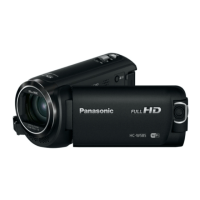
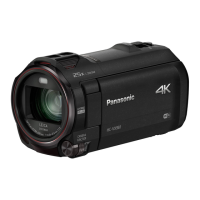
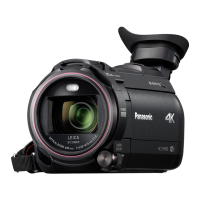
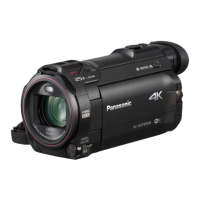
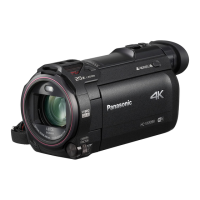
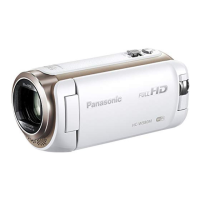
Panasonic HC-W580M - User Manual

Panasonic HC-W580M
248 pages
Print Icon
To Next Page IconTo Next Page
Loading...
Operating Instructions
High Definition Video Camera
Model No.
HC-W580
HC-W580M
HC-V380
Please read these instructions carefully before using this product,
and save this manual for future use.
SQW0521
until
2016/2/4

Table of Contents

Other manuals for Panasonic HC-W580M

Questions and Answers

  • A
    Amber LynchSep 23, 2025
    Why can't I see the PDF operating instructions for HD Writer LE 3.1 for Panasonic HC-W580M Camcorder?
    • F
      farmersharonSep 23, 2025
      You will need Adobe Acrobat Reader 5.0 or later or Adobe Reader 7.0 or later to read the PDF operating instructions for HD Writer LE 3.1.
  • J
    jennifer09Aug 25, 2025
    What to do if my Panasonic Camcorder won't operate even when it's turned on?
    • K
      Kimberly AustinAug 25, 2025
      If your Panasonic camcorder is on but not operating correctly, remove the battery or AC adapter, wait about 1 minute, and then reconnect it. After another minute, turn the unit on again. Note that performing this while the media is being accessed may damage the data on the media. If normal operation is still not restored, detach the power connected.
  • L
    Laura WillisAug 25, 2025
    Why does my Panasonic HC-W580M battery run down quickly or not turn on?
    • J
      Jessica BoydAug 26, 2025
      If your Panasonic camcorder won't turn on, doesn't stay on long, or the battery runs down quickly, charge the battery again to ensure it is sufficiently charged.
  • S
    Shari BrooksAug 27, 2025
    Why my Panasonic HC-W580M Camcorder doesn't turn on or the battery drains fast?
    • M
      marymorenoAug 27, 2025
      If your Panasonic Camcorder cannot be turned on, does not stay on long enough, or the battery runs down quickly, try charging the battery again to ensure it is sufficiently charged. Note that in cold environments, battery life may be shorter. Also, batteries have a limited lifespan. If the operating time remains too short even after a full charge, the battery is likely worn out and needs replacement.
  • U
    ubarkerAug 27, 2025
    What to do if Panasonic HC-W580M Camcorder is on but not working?
    • D
      Danielle WaltersAug 27, 2025
      If your Panasonic Camcorder cannot be operated even when turned on, or if it is not operating normally, remove the battery or AC adapter, wait about 1 minute, and then reconnect it. Wait another minute, and then turn the unit on again. Note that doing this while the media is being accessed may damage the data. If normal operation is still not restored, disconnect the power and consult the dealer from whom you purchased the unit.
  • L
    Lee WoodSep 13, 2025
    Why is the remaining battery indication not displayed properly on my Panasonic HC-W580M Camcorder?
    • A
      Amy GraySep 14, 2025
      The remaining battery capacity indication is an approximation. If the remaining battery capacity indication is not displayed correctly, fully charge the battery, discharge it, and then charge it again.
  • M
    Marc CohenSep 12, 2025
    What to do if my Panasonic HC-W580M Camcorder cannot be operated though it is turned on?
    • C
      Carrie SanchezSep 12, 2025
      Remove the battery or AC adaptor, wait about 1 minute, and then reconnect. Wait another minute before turning the unit on again. If normal operation is still not restored, detach the power and consult the dealer from whom you purchased the unit.
  • L
    Lucas WaltersSep 12, 2025
    Why does my Panasonic Camcorder arbitrarily stop recording?
    • K
      Kelsey ClineSep 12, 2025
      Use an SD card that can be used for motion picture recording. The recordable time may have shortened due to the deterioration of the data writing speed or repeated recording and deletion. Format the SD card or built-in memory using the unit. If [AGS] is [ON], record in the normal horizontal position or set [AGS] to [OFF].
  • J
    Justin SmithSep 4, 2025
    Why does the color or brightness change, or why do I see horizontal bars on the image of my Panasonic Camcorder?
    • T
      Terri HallSep 4, 2025
      Changes in color or brightness, or the appearance of horizontal bars in the image, can occur when recording under fluorescent, mercury, or sodium lighting. This is not a malfunction. In Motion Picture Recording Mode, use Intelligent Auto Mode/Intelligent Auto Plus Mode or set the shutter speed to 1/60 in areas where the power supply frequency is 60 Hz, or 1/100 in areas of 50 Hz. Note that in Still Picture Recording Mode, this will not affect the recorded image.
  • S
    sierra80Sep 2, 2025
    What to do if the SD card is not recognised when inserted in my Panasonic HC-W580M Camcorder?
    • F
      Felicia RiosSep 2, 2025
      If the SD card is formatted on a PC, it may not be recognised by this unit. Use this unit to format SD cards.

Panasonic HC-W580M Specifications

General IconGeneral
Sensor TypeMOS
LensLEICA DICOMAR
Optical Zoom50x
Intelligent Zoom90x
LCD MonitorYes
LCD Screen Size3.0-inch
LCD Screen Resolution460, 800 dots
Touch ScreenYes
Recording MediaSD/SDHC/SDXC Memory Card
Audio Recording SystemDolby Digital 2ch
Built-in FlashNo
External Microphone InputYes
Headphone JackYes
Wi-FiYes
NFCYes
Battery TypeLithium-ion
Digital Zoom (Alternative)2000x
Focal Length (35mm equivalent) Motion Image29.5-590mm
Focal Length (35mm equivalent) Still Image28-560mm
ApertureF1.8-3.6
Image StabilizerHybrid O.I.S.+
Recording FormatAVCHD / MP4
Video Resolution1920 x 1080
MicrophoneStereo
SpeakerBuilt-in
Standard Illumination1400 lx
Minimum Illumination1 lux (Low Light Mode)
White BalanceAuto
Shutter Speed1/25 - 1/8000
Still Picture Recording Size1920 x 1080
Power SupplyBattery, AC Adapter
HDMI OutputYes
USB PortYes
Sensor Size1/5.8-inch

Related product manuals