EasyManua.ls Logo

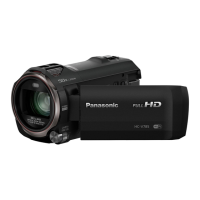
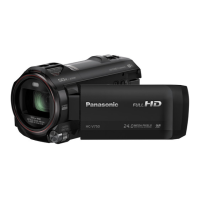
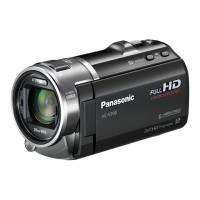
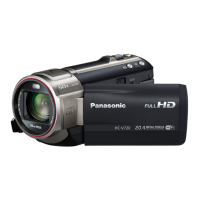
Panasonic HC-V777 - User Manual

Panasonic HC-V777
256 pages
Print Icon
To Next Page IconTo Next Page
Loading...
Operating Instructions
High Definition Video Camera 4K Video Camera
Model No.
HC-V770
Model No.
HC-WX970
HC-V777 HC-WX979
HC-V770M HC-WX970M
HC-V760 HC-VX870
HC-VX878
HC-VX870M
Please read these instructions carefully before using this product,
and save this manual for future use.
SQW0248
until
2015/1/28

Table of Contents

Other manuals for Panasonic HC-V777

Questions and Answers

  • A
    Adrian HeathSep 16, 2025
    What to do if my Panasonic Camcorder shows 'Error occurred'?
    • B
      Brandon RodgersSep 16, 2025
      If your Panasonic Camcorder displays the error message “ERROR OCCURRED. PLEASE TURN UNIT OFF, THEN TURN ON AGAIN,” it has detected an error. Try restarting the unit. If the error persists after restarting, detach the power connected, and consult the dealer who you purchased this unit from. Do not attempt to repair the unit by yourself.
  • C
    Cheryl HughesAug 25, 2025
    What to do if my Panasonic Camcorder images or sounds are not output even when correctly connected to a TV?
    • A
      Amy SullivanAug 25, 2025
      If images or sounds are not output when your Panasonic Camcorder is connected to a TV, consult your TV's operating instructions to select the correct channel that matches the input used for the connection. Also, adjust the [TV ASPECT] setting to match the aspect ratio of your TV. Note that during playback mode, audio is not output from the camcorder, so adjust the sound on the TV itself.
  • K
    Kristopher DonaldsonAug 25, 2025
    How to fix a Panasonic Camcorder that won't turn on or has short battery life?
    • K
      Kimberly StokesAug 26, 2025
      If your Panasonic Camcorder doesn't turn on, doesn't stay on long, or the battery drains quickly, ensure the battery is fully charged. In cold environments, battery life decreases. Batteries have a limited lifespan; if it still drains quickly after a full charge, it likely needs replacing.
  • Z
    ztravisAug 26, 2025
    Why is there no image or sound when my Panasonic HC-V777 Camcorder is connected to the TV?
    • A
      Alyssa AustinAug 27, 2025
      If your Panasonic Camcorder is connected to a TV but you're not getting any images or sound, first consult your TV's operating instructions to select the correct input channel. If the images appear squeezed horizontally, adjust the [TV ASPECT] setting on the camcorder to match the TV's aspect ratio. Note that during playback, sound levels are controlled by the TV, not the camcorder.
  • S
    Sherry MillsSep 18, 2025
    Why doesn't the auto focus work on my Panasonic Camcorder?
    • B
      Brandon MartinezSep 18, 2025
      If the Auto Focus function on your Panasonic Camcorder isn't working, switch to Intelligent Auto Mode or Intelligent Auto Plus Mode. If you're recording a scene that's hard to focus on in Auto Focus Mode, use Manual Focus Mode to adjust the focus.
  • E
    Erica BrownSep 23, 2025
    Why doesn't my Panasonic HC-V777 Camcorder recognize the SD card?
    • D
      Darren JordanSep 23, 2025
      If your Panasonic Camcorder is not recognizing an inserted SD card, and the SD card was formatted on a PC, use the camcorder to format the SD card. (l 40)
  • M
    Michael JosephSep 8, 2025
    How to fix Auto Focus function if it does not work on my Panasonic HC-V777?
    • J
      Julia WardSep 8, 2025
      If the Auto Focus function is not working on your Panasonic Camcorder, switch to Intelligent Auto Mode or Intelligent Auto Plus Mode. If you are trying to record a scene that is difficult to focus on in Auto Focus Mode, use the Manual Focus Mode to adjust the focus.
  • E
    Erik WolfSep 9, 2025
    What to do if the remaining battery indication is not displayed properly on my Panasonic HC-V777 Camcorder?
    • D
      Daniel GreeneSep 9, 2025
      The remaining battery capacity indication on your Panasonic Camcorder is an approximation. If the remaining battery capacity indication is not displayed correctly, fully charge the battery, discharge it completely, and then charge it again.
  • L
    Lori NguyenSep 3, 2025
    What to do if my Panasonic HC-V777 Camcorder won't operate even when turned on?
    • D
      David JonesSep 3, 2025
      If your Panasonic Camcorder is on but not operating, remove the battery or AC adapter, wait about a minute, and reconnect it. Wait another minute, then turn the unit on again. Note that doing this while the media is being accessed may damage the data on the media. If normal operation isn't restored, detach the power connected, and consult the dealer who you purchased this unit from.
  • J
    Jeremy CarrSep 1, 2025
    Why does my Panasonic HC-V777 battery run down quickly?
    • M
      Michelle DukeSep 1, 2025
      If your Panasonic Camcorder battery drains fast, ensure it is fully charged. In cold environments, battery life decreases. Batteries have a limited lifespan; if the operating time remains short after a full charge, the battery is likely worn and requires replacement.

Summary

Read this first

About the recording format for recording motion pictures

Explains recording formats like AVCHD, 4K MP4, MP4, and iFrame.

Handling of built-in memory

Guidelines for using built-in memory, including data backup and access lamp precautions.

About Condensation (When the lens or the LCD monitor is fogged up)

Explains how condensation occurs and how to prevent it.

Cards that you can use with this unit

For the purposes of these operating instructions

Preparation

Names and Functions of Main Parts

Identifies and describes the main physical components of the video camera.

Power supply and Card Handling

Covers battery management, charging, and SD card insertion/removal.

Basic Operations and Settings

Explains unit on/off, mode selection, touch screen usage, and date/time setup.

Basic Operations

Recording Fundamentals

Covers camera positioning, selecting media, and recording motion/still pictures.

Playback and Menu Navigation

Explains how to play back content and use the device's menu systems.

Advanced Recording Features

Zooming and Stabilization

Explains zoom usage and the Level Shot function for stabilization.

Twin Camera and Backup Recording

Details on using the sub camera and backup recording features.

Recording Modes and Manual Control

Covers changing recording modes, manual settings, and specific modes like HDR and Slow Motion.

Advanced Playback Features

Basic Playback and Editing

Covers playback operations, creating still pictures, and deleting/dividing scenes.

Playback Organization and Conversion

Includes playback by date, highlight playback, and converting files to MP4.

Media Management and TV Output

Details scene protection, copying, and connecting to a TV.

Copy;Dubbing

Copying between SD card and Built-in Memory

Instructions for copying data between SD card and built-in memory.

Copying;playing back with a USB HDD

Steps for copying and playing back data using a USB HDD.

Dubbing with a Blu-ray disc recorder, video device, etc.

Information on dubbing recorded content to other devices.

Using the Eye-Fi card

Details on using an Eye-Fi card for data transfer.

Wi-Fi Functions

Setup and Connection

Covers general Wi-Fi usage, setup, and connecting to networks/smartphones.

Remote Control and Monitoring

Details on using Remote Ctrl, Baby Monitor, and Home Monitor functions.

Content Playback and Transfer

Covers DLNA playback, copying to PC, and Live Cast broadcasting.

Smartphone App Installation

Guide to installing the required smartphone application.

With a PC

HD Writer AE 5.2 Software

Information about the PC software for copying and editing data.

Operating Environment and Installation

System requirements and steps for installing/uninstalling HD Writer AE 5.2.

Connecting to a PC

How to connect the camera to a PC for data transfer.

Using with Mac (mass storage)

Instructions for connecting and transferring files on a Mac computer.

Other Information and Precautions

Indications and Messages

Explains screen indicators and common error/confirmation messages.

Troubleshooting and Cautions

Lists common problems, their solutions, and general safety precautions.

Data and Accessory Information

Covers SD card disposal, personal info, copyright, recording times, and optional accessories.

Remote Pan Tilt Cradle Operation

Instructions for connecting and using the optional pan tilt cradle.

Panasonic HC-V777 Specifications

General IconGeneral
Sensor typeBSI
Total megapixels24 MP
Optical sensor size1/2.3 \
Effective megapixels (movie)12.76 MP
Digital zoom50 x
Optical zoom20 x
Image stabilizerYes
Interchangeable lensNo
Camcorder media typeMemory card
Compatible memory cardsSD, SDHC, SDXC
Internal storage capacity- GB
Display diagonal3 \
Display resolution (numeric)460800 pixels
Viewfinder typeNot available
Camcorder typeHandheld camcorder
Minimum illumination2 lx
On Screen Display (OSD) languagesCZE, DEU, ENG, ESP, FRE, ITA, POL, SWE, TUR
Product colorWhite
Video resolutions960 x 540, 1280 x 720, 1920 x 1080 pixels
Video formats supportedAVC, AVCHD, H.264
Maximum video resolution1920 x 1080 pixels
Maximum image resolution6528 x 3672 pixels
Still image resolution(s)4736 x 2664, 1920 x 1080, 5472 x3648, 3984 x 2656, 1728 x 1152
Audio formats supportedAAC, MP4
PictBridge-
USB 2.0 ports quantity1
Wi-Fi standards802.11b, 802.11g, Wi-Fi 4 (802.11n)
Charging sourceUSB
Battery capacity1940 mAh
Battery life (max)- h
Weight and Dimensions IconWeight and Dimensions
Depth139 mm
Width73 mm
Height65 mm
Weight353 g

Related product manuals