EasyManua.ls Logo

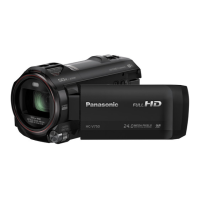
Panasonic HC-V787 - User Manual

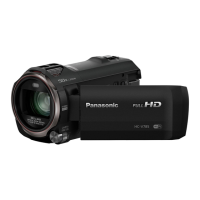
Panasonic HC-V787
198 pages
Print Icon
To Next Page IconTo Next Page
Loading...
Operating Instructions
High Definition Video Camera
Model No.
HC-V785
HC-V787
Please read these instructions carefully before using this product, and save this manual for future
use.
DVQP2599ZA
F0122MZ0
until
2022/01/20

Table of Contents

Other manuals for Panasonic HC-V787

Questions and Answers

  • D
    Dawn SanfordAug 10, 2025
    What to do if my Panasonic HC-V787 does not operate normally?
    • C
      Christopher RobinsonAug 10, 2025
      If your Panasonic Camcorder isn't working right even when it's on, try this: Take out the battery or AC adapter, wait about a minute, and then plug it back in. Wait another minute, and then turn the camcorder on again. Note that doing this while the camcorder is accessing media may damage the data. If it still doesn't work, unplug the power and contact the dealer where you bought the camcorder.
  • L
    lloydjasmineAug 18, 2025
    Why does my Panasonic HC-V787 battery run down so quickly?
    • T
      Timothy SolisAug 18, 2025
      If your Panasonic Camcorder won't turn on, doesn't stay on, or the battery drains fast, try these things: First, fully charge the battery. Keep in mind that batteries don't last as long in cold places. Also, batteries have a limited lifespan. If it still drains quickly after a full charge, it might be time for a new battery.
  • C
    Cindy MorenoAug 26, 2025
    What to do if my Panasonic Camcorder displays 'Error occurred'?
    • H
      hallkristinAug 26, 2025
      If your Panasonic Camcorder displays the error message “ERROR OCCURRED. PLEASE TURN UNIT OFF, THEN TURN ON AGAIN,” it means the unit has detected an error. Try turning the camcorder off and then on again to restart it. If you don't turn it off and on, it will turn off automatically in about a minute. If the error keeps showing up after restarting, it needs repair. Disconnect the power and contact the dealer where you bought it. Do not attempt to repair it yourself.
  • M
    Matthew MillerSep 1, 2025
    Why does the LCD monitor flicker indoors on my Panasonic Camcorder?
    • X
      xtaylorSep 2, 2025
      If you notice changes in color or brightness, horizontal bars, or flickering on the LCD monitor of your Panasonic Camcorder, especially indoors, it might be due to the lighting. When recording under fluorescent, mercury, or sodium light, this is not a malfunction. In Motion Picture Recording Mode, use Intelligent Auto Mode/Intelligent Auto Plus Mode, or set the shutter speed to 1/100 in 50 Hz areas, or 1/125 in 60 Hz areas. This won't affect still pictures. In FULL HD Slow Motion Mode, setting the shutter speed to 1/100 seconds reduces the intensity of the problem.

Summary

Read this first

Preparation

Names and Functions of Main Parts

Identifies and describes the main physical parts and controls of the video camera.

Power supply

Instructions on using and charging the battery, and compatible battery models.

Basic

Recording motion pictures

Step-by-step guide to start, pause, and stop motion picture recording.

Recording still pictures

Instructions on how to capture still pictures using the camera.

Advanced (Recording)

Changing the Recording Mode

How to switch between Intelligent Auto, Creative Control, Manual, and other modes.

Manual recording

Instructions for adjusting settings like focus, white balance, and shutter speed manually.

Advanced (Playback)

Deleting scenes;still pictures

Procedures for deleting unwanted recorded scenes or still pictures.

Wi-Fi

Wi-Fi function

Overview of Wi-Fi usage, security risks, and compatibility requirements.

Setting Up a Wi-Fi Connection

Steps for connecting the unit to a wireless access point or smartphone via Wi-Fi.

Wireless Twin Camera

Wireless Twin Camera function

Describes using a smartphone as a secondary camera for simultaneous recording.

Others

Troubleshooting

Provides solutions for common problems encountered with the unit's power, recording, and playback.

Cautions for use

Important safety and usage precautions to prevent damage or malfunction.

Panasonic HC-V787 Specifications

General IconGeneral
Sensor TypeMOS
Sensor Size1/2.3 inch
Optical Zoom20x
Digital Zoom50x
Lens Focal Length4.08 - 81.6 mm
LCD Screen Resolution460, 800 dots
TouchscreenYes
Video Resolution1920 x 1080
Zoom MicrophoneYes
Storage MediaSD/SDHC/SDXC Memory Card
Wi-FiYes
NFCYes
Battery TypeLithium-ion
Weight0.5 kg
ApertureF1.8 - F3.6
Image StabilizationHybrid OIS
Minimum Illumination1 lux
LCD Monitor Size3.0 inches
Recording FormatAVCHD / MP4
Audio RecordingDolby Digital (2ch)
MicrophoneStereo
HDMI OutputYes
USB PortYes

Related product manuals