EasyManua.ls Logo

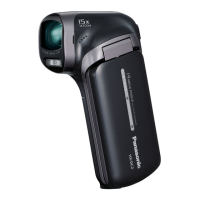
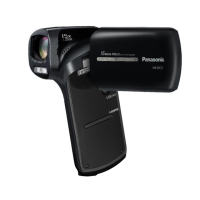
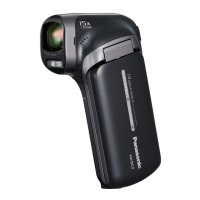
Panasonic HX-DC1 - User Manual

Panasonic HX-DC1
206 pages
Print Icon
To Next Page IconTo Next Page
Loading...
1AG6P1P6280--(S)
Owners Manual
Dual Camera
Model No.HX-DC10
HX-DC1
Before connecting, operating or adjusting this product, please read the instructions completely.
For USA and Puerto Rico assistance, please call: 1-800-211-PANA(7262) or,
contact us via the web at: http://www.panasonic.com/contactinfo
P
VQT3M88

Table of Contents

Other manuals for Panasonic HX-DC1

Questions and Answers

  • A
    Amber GordonAug 19, 2025
    How to fix Panasonic HX-DC1 when it has no power?
    • M
      michael36Aug 20, 2025
      If your Panasonic Camcorder has no power, there could be several reasons: * The battery pack may be dead. Try recharging it, replacing it with a fully charged one, or connecting the AC adapter. * The battery pack might not be inserted correctly. Ensure it's properly inserted. * The battery pack could be too hot. Allow it to cool down. * The camcorder may have switched to sleep mode. Turn it on again.
  • A
    Anthony WilliamsAug 22, 2025
    Why is my Panasonic HX-DC1 Camcorder image too dark?
    • J
      jonesrichardAug 22, 2025
      If the image on your Panasonic Camcorder is too dark, it might be due to a few reasons. First, check if your finger or another object is blocking the flash. If so, hold the camera correctly, ensuring the flash isn't obstructed. Also, confirm that the subject is within the flash's operational range. If the subject is lit from behind, set the flash mode to m. Finally, if there is not enough light, consider adjusting the ISO sensitivity setting.
  • C
    Christian RobertsonAug 25, 2025
    Why is the image too bright on my Panasonic HX-DC1 Camcorder?
    • M
      Michelle ArmstrongAug 25, 2025
      If your Panasonic Camcorder image is too bright, the flash mode might be set to m. Select a different flash mode. Alternatively, the subject may be too bright, so use the exposure compensation function. Also, the ISO sensitivity setting could be incorrect, so set the ISO sensitivity to =.
  • J
    joshuacarpenterAug 26, 2025
    What to do if Panasonic HX-DC1 Camcorder doesn't capture image when pressing [O] or [@] button?
    • M
      Mary JohnsonAug 26, 2025
      If your Panasonic Camcorder is not capturing an image when you press the [O] or [@] button, ensure that the power is turned on. If the camera has switched to sleep mode, turn it on. If it was turned off, press the power button. Also, if the maximum number of images or video recording time has been reached, install a new card or delete unnecessary images.
  • S
    Sharon TateAug 27, 2025
    Why does the flash not operate on my Panasonic HX-DC1?
    • W
      William BradleyAug 27, 2025
      If the flash on your Panasonic Camcorder isn't working, it could be because the flash mode is set to . Change the flash mode to k or m. Alternatively, the battery pack might be dead, so try recharging it, replacing it with a fully charged one, or connecting the AC adapter.
  • G
    gregory09Aug 29, 2025
    Why are the colors of the images captured indoors not correct with my Panasonic Camcorder?
    • C
      Christy RuizAug 30, 2025
      If the images captured indoors with your Panasonic Camcorder have incorrect colors, it could be due to the ambient lighting. Try setting the flash mode to . Another potential cause is an incorrect white balance setting. Ensure you set the white balance correctly.
  • R
    rachel45Aug 31, 2025
    Why is the image not in focus on my Panasonic HX-DC1 Camcorder?
    • M
      Mrs. Jill CalderonSep 1, 2025
      If your Panasonic Camcorder image is not in focus, the subject might be too close to the camera. Capture the image with the subject within the appropriate distance/range and select the correct focus setting. Alternatively, the camera may have moved when the [O] button was pressed (camera shake). Hold the camera correctly, slowly press the [O] button halfway to lock the focus, and then fully press it to capture the image. Lastly, the lens could be dirty, so try cleaning it.
  • A
    arnoldrebeccaSep 3, 2025
    Why does the digital zoom not work on my Panasonic Camcorder?
    • G
      garciarebeccaSep 3, 2025
      If the digital zoom on your Panasonic Camcorder isn't working, the digital zoom setting might be set to . Set the digital zoom setting to .
  • K
    Kristen RiceSep 4, 2025
    What to do if the icon appears and shooting is not possible on my Panasonic HX-DC1 Camcorder?
    • K
      Kelsey JohnsonSep 4, 2025
      If you see the icon on your Panasonic Camcorder and can't shoot, the camera's internal temperature is likely too high. Stop shooting and allow the camera to cool down before using it again.
  • S
    Stephen BennettSep 6, 2025
    Why is there noise in the captured image on my Panasonic HX-DC1 Camcorder?
    • J
      Jonathan HughesSep 7, 2025
      If there is noise in the captured image with your Panasonic Camcorder, the ISO sensitivity setting may be too high. Try setting the ISO sensitivity to a lower setting.

Panasonic HX-DC1 Specifications

General IconGeneral
BrandPanasonic
ModelHX-DC1
CategoryCamcorder
LanguageEnglish

Related product manuals