EasyManua.ls Logo

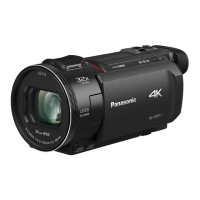
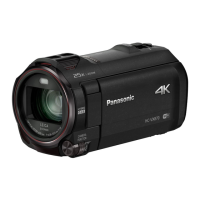
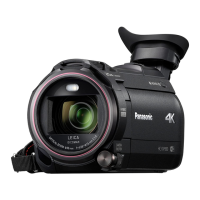
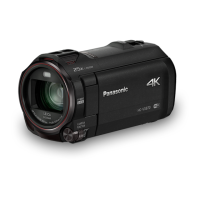
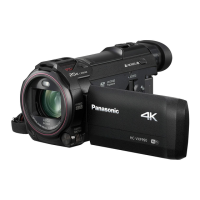
Panasonic HC-VX1 - User Manual

Panasonic HC-VX1
288 pages
Print Icon
To Next Page IconTo Next Page
Loading...
Operating Instructions
High Definition Video Camera 4K Video Camera
Model No.
HC-V800
Model No.
HC-WXF1
HC-V808 HC-WXF1M
HC-VXF1
HC-VXF11
HC-VX1
HC-VX11
Please read these instructions carefully before using this product, and save this manual for future
use.
DVQP1585ZA
F0218SQ0
until
2018/03/30
HC-WXF1-VXF1-VX1-V800EBEP-DVQP1585_eng.book 1 ージ 018年2月22日 木曜日 午後12時30

Table of Contents

Other manuals for Panasonic HC-VX1

Questions and Answers

  • S
    Scott LongSep 4, 2025
    Why does my Panasonic Camcorder battery run down so quickly?
    • B
      Bianca PruittSep 4, 2025
      If your Panasonic Camcorder battery is running down quickly, try these steps: First, fully charge the battery, keeping in mind that cold environments can shorten battery life. If the operating time remains short after a full charge, the battery may be worn out and require replacement. If charging doesn't solve the issue, remove the battery or AC adapter, wait about a minute, reconnect, and then turn the unit on again. If the issue persists, disconnect the power and consult the dealer from whom you purchased the unit.
  • P
    Priscilla GuerreroSep 18, 2025
    Why does the color or brightness change on my Panasonic HC-VX1, or why do I see horizontal bars?
    • S
      shelly18Sep 18, 2025
      Changes in color or brightness, horizontal bars, or LCD flickering can occur due to shutter speed settings. In Motion Picture Recording Mode, use Intelligent Auto Mode/Intelligent Auto Plus Mode, or adjust the shutter speed. When [REC FORMAT] is set to [24p]: Set to 1/50 seconds (50 Hz power areas) or 1/60 seconds (60 Hz power areas). For other [REC FORMAT] settings: Set to 1/100 seconds (50 Hz) or 1/60 seconds (60 Hz). Setting the shutter speed to 1/120 seconds reduces the intensity of the problem in FULL HD Slow Motion Mode and Slow & Quick Video Mode. Note that these settings do not affect Still Picture Recording Mode.
  • W
    whitekevinSep 16, 2025
    What to do if my Panasonic HC-VX1 Camcorder cannot be operated even when it is turned on?
    • M
      Michael WalshSep 16, 2025
      If your Panasonic camcorder is on but not operating correctly, try removing the battery or AC adapter, wait about a minute, and then reconnect it. Wait another minute before turning the unit on again. If this doesn't restore normal operation, detach the power connected, and consult the dealer who you purchased this unit from.
  • G
    Gabriel SmithSep 14, 2025
    What to do if Panasonic Camcorder displays “ERROR OCCURRED. PLEASE TURN UNIT OFF, THEN TURN ON AGAIN.”?
    • M
      Michelle BarnesSep 15, 2025
      This message indicates that the unit has automatically detected an error. You should restart the unit by turning it off and then on again. If the error message continues to appear even after restarting, repair is needed. In that case, detach the power and consult the dealer from whom you purchased the unit. Do not attempt to repair the unit by yourself.
  • Y
    yrodriguezSep 12, 2025
    How to use Remote Ctrl on my Panasonic HC-VX1 with a smartphone?
    • W
      William CaseySep 12, 2025
      To operate your Panasonic Camcorder from a smartphone using [Remote Ctrl], install the smartphone app “Image App” on your smartphone.
  • P
    Patricia ThomasSep 12, 2025
    Why is the color off when recording with my Panasonic HC-VX1 indoors?
    • K
      Kenneth RobertsonSep 12, 2025
      If the color balance of images appears strange when recording with your Panasonic Camcorder in places like a gymnasium, set the White Balance setting to (Indoor mode 2). If you still cannot record clearly, set it to (Manual adjustment mode).
  • J
    Justin MaysSep 9, 2025
    How to fix the auto focus on my Panasonic HC-VX1?
    • G
      greerjenniferSep 9, 2025
      If the Auto Focus function on your Panasonic Camcorder is not working, switch to Intelligent Auto Mode or Intelligent Auto Plus Mode. If you are trying to record a scene that is difficult to focus on in Auto Focus Mode, switch to Manual Focus Mode and adjust the focus manually.
  • J
    James RichmondSep 7, 2025
    Why does my Panasonic HC-VX1 keep stopping recording?
    • J
      Jacob FrazierSep 7, 2025
      If your Panasonic Camcorder is arbitrarily stopping recording, ensure you are using an SD card suitable for motion picture recording. If the data writing speed has deteriorated, or after repeated recording and deletion, format the SD card or the built-in memory using the unit. Also, if [AGS] is [ON], record in the normal horizontal position or set [AGS] to [OFF].
  • J
    jennifer58Sep 5, 2025
    Why is the battery indicator wrong on my Panasonic HC-VX1 Camcorder?
    • B
      Brett WilsonSep 5, 2025
      If the remaining battery indication on your Panasonic Camcorder is not displaying correctly, fully charge the battery, discharge it completely, and then charge it again. Keep in mind that the remaining battery capacity indication is only an approximation.
  • R
    Ryan HarrisonAug 21, 2025
    How to fix a Panasonic HC-VX1 Camcorder that won't operate?
    • A
      ashleysanchezAug 21, 2025
      If your Panasonic Camcorder is not operating correctly or is unresponsive even when turned on, try removing the battery or AC adapter, waiting about a minute, and then reconnecting it. Wait another minute before turning the unit on again. If the problem persists, disconnect the power and consult the dealer from whom you purchased the camcorder.

Summary

Read this first

Preparation

Names and Functions of Main Parts

Identifies and describes the main external parts and controls of the video camera, including lens, buttons, and terminals.

Power supply

Details battery compatibility, insertion/removal, charging procedures, and important notes regarding battery usage and safety.

Basic

Recording motion pictures

Guides users on how to start, pause, and stop motion picture recording, including screen indications and recording modes.

Recording still pictures

Explains the process of taking still pictures, including focus indication, half-press, and full-press operations.

Motion picture;Still picture playback

Details how to play back recorded motion pictures and still pictures, including media selection and thumbnail navigation.

Advanced (Recording)

Recording with the Sub Camera (Twin Camera)

Explains how to use the sub camera for simultaneous recording, including rotating the camera and adjusting its angle.

Changing the Recording Mode

Describes how to switch between various recording modes like Intelligent Auto, Creative Control, HDR Movie, and Scene Modes.

Advanced (Playback)

Playback Operations

Details various playback operations such as skip, slow-motion, frame-by-frame, and direct playback using on-screen icons.

Deleting scenes;still pictures

Provides instructions on how to delete scenes or still pictures, either individually, in batches, or from the thumbnail display.

Wi-Fi

With a PC

Others

Troubleshooting

Offers solutions for common problems encountered with the unit, covering power, operation, and image issues.

Cautions for use

Outlines important safety precautions and general advice for using the unit, handling, cleaning, and environmental considerations.

Panasonic HC-VX1 Specifications

General IconGeneral
Sensor TypeBSI MOS Sensor
LensLeica Dicomar Lens
Optical Zoom24x
Image StabilizationHybrid O.I.S.
4K Video RecordingYes
LCD Screen Size3.0-inch
TouchscreenYes
Built-in Wi-FiYes
LCD Screen Resolution460, 800 dots
Storage MediaSD/SDHC/SDXC Memory Card
Recording FormatMP4
Battery TypeLithium-ion
Video Resolution3840 x 2160
Frame Rate60 fps (Full HD)
Audio RecordingDolby Audio (2-channel)
MicrophoneStereo
SpeakerYes
HDMI OutputYes
USB InterfaceUSB 2.0
Dimensions (W x H x D)68 x 77 x 142 mm
Sensor Size1/2.5 inch

Related product manuals