EasyManua.ls Logo

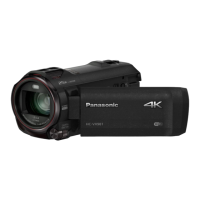
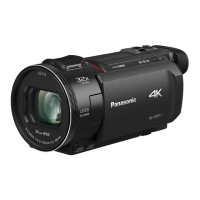
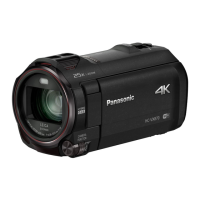
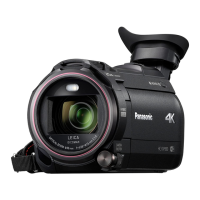
Panasonic HC-VX980M - User Manual

Panasonic HC-VX980M
267 pages
Print Icon
To Next Page IconTo Next Page
Loading...
Operating Instructions
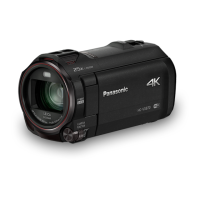
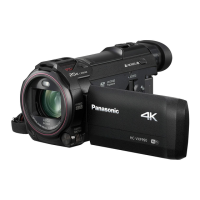
4K Video Camera
Model No.
HC-WXF990
HC-WXF990M
HC-VXF990
HC-VX980
HC-VX980M
Please read these instructions carefully before using this product,
and save this manual for future use.
SQW0540
until
2016/2/29

Table of Contents

Other manuals for Panasonic HC-VX980M

Questions and Answers

  • A
    Amber YoungSep 10, 2025
    What to do if error message appears when the USB cable is disconnected from my Panasonic HC-VX980M?
    • N
      nicolemorrisSep 10, 2025
      To safely disconnect the USB cable, locate the icon in the task tray on your PC, select it, and then choose the model number of your camcorder to disconnect the USB cable.
  • S
    Sarah McknightAug 22, 2025
    Why my Panasonic HC-VX980M Camcorder cannot be turned on or the battery runs down quickly?
    • S
      Stacy KellyAug 23, 2025
      If your Panasonic Camcorder cannot be turned on, does not stay on long enough, or the battery runs down quickly, try charging the battery again to ensure it is sufficiently charged. Keep in mind that in cold environments, the battery usage time may decrease. Batteries also have a limited lifespan. If the operating time remains too short even after a full charge, the battery is likely worn out and needs replacement.
  • G
    Gail ParkerAug 25, 2025
    How to fix a Panasonic HC-VX980M Camcorder that won't turn on or has short battery life?
    • Z
      zjacksonAug 25, 2025
      If your Panasonic Camcorder won't turn on, doesn't stay on long, or the battery drains quickly, ensure the battery is fully charged. In cold environments, battery life decreases. Batteries have a limited lifespan; if it still drains quickly after a full charge, it likely needs replacing.
  • M
    markmarshallAug 26, 2025
    What to do if my Panasonic HC-VX980M Camcorder turns off automatically?
    • M
      mackrachelAug 27, 2025
      If the camcorder turns off when you turn off the TV using the TV remote, the VIERA Link feature is likely enabled. If you are not using VIERA Link, disable it in the settings by setting [VIERA Link] to [OFF].
  • L
    Lisa ChristianAug 27, 2025
    What to do if my Panasonic HC-VX980M Camcorder displays “ERROR OCCURRED. PLEASE TURN UNIT OFF, THEN TURN ON AGAIN.”?
    • A
      ahernandezAug 27, 2025
      If the message “ERROR OCCURRED. PLEASE TURN UNIT OFF, THEN TURN ON AGAIN.” is displayed on your Panasonic Camcorder, it means the unit has automatically detected an error. Try restarting the unit by turning it off and on again. If the unit is not turned off and on, it will turn off in about 1 minute. If the error message repeatedly appears even after restarting, it indicates a need for repair. Detach the power connected, and consult the dealer who you purchased this unit from. Do not attempt to repair the unit by yourself.
  • A
    April SmithAug 29, 2025
    What to do if my Panasonic Camcorder is on but not working?
    • M
      Mark ThomasAug 29, 2025
      If your Panasonic Camcorder is on but not responding, or not operating correctly, try removing the battery or AC adapter, waiting about a minute, and then reconnecting it. Wait another minute before turning the unit back on. Note: Doing this while the media is being accessed may damage the data. If the problem persists, disconnect the power and consult the dealer from whom you purchased the unit.
  • M
    Michelle HardySep 18, 2025
    Why does my Panasonic HC-VX980M image have color changes or horizontal bars?
    • R
      Rebecca Gonzales MDSep 18, 2025
      Color or brightness changes, or horizontal bars appearing in your Panasonic Camcorder's image, especially under fluorescent, mercury, or sodium light, is not a malfunction. When recording motion pictures, use Intelligent Auto Mode/Intelligent Auto Plus Mode. Alternatively, adjust the shutter speed: if [REC FORMAT] is set to [24p], set the shutter speed to 1/50 seconds (50 Hz areas) or 1/60 seconds (60 Hz areas). For other [REC FORMAT] settings, use 1/100 seconds (50 Hz) or 1/125 seconds (60 Hz). For still pictures, this issue is not applicable. Setting the shutter speed to 1/100 seconds can reduce the problem in FULL HD Slow Motion Mode or Slow & Quick Video Mode.
  • A
    Abigail StokesSep 12, 2025
    What to do if I cannot operate my Panasonic Camcorder from smartphone using [Remote Ctrl]?
    • M
      michaelpopeSep 12, 2025
      Install the smartphone app “Image App” on your smartphone.
  • S
    Scott StevensSep 8, 2025
    How to fix remaining battery indication if it is not displayed properly on my Panasonic HC-VX980M?
    • C
      Christine FieldsSep 8, 2025
      The battery capacity indication is only an estimate. If it's incorrect, fully charge the battery, allow it to discharge completely, and then charge it fully again.
  • J
    Jordan StaffordSep 5, 2025
    What to do if my Panasonic HC-VX980M Camcorder cannot be operated though it is turned on?
    • E
      Elizabeth CaldwellSep 5, 2025
      Remove the battery or AC adapter, wait about a minute, and then reconnect it. After another minute, turn the camcorder on again.

Summary

Important Safety and Initial Information

Camera Preparation and Setup

Names and Functions of Main Parts

Identifies and explains key external components of the camera.

Power Supply

Details compatible batteries (VW-VBT190/VW-VBT380) and power sources.

Recording to a Card

Information on recording to SD cards, compatibility, and specifications.

Basic Camera Operations

Selecting a Media to Record [WXF990 M];[VX980 M]

How to choose between SD card and built-in memory for recording.

Recording Motion Pictures

Instructions for starting, pausing, and stopping video recording.

Recording Still Pictures

Instructions for capturing still photos, including focus indication.

Advanced Recording Features

Recording with the Sub Camera (Twin Camera) [WXF990] series

Using the secondary camera for dual recording.

Recording with the Backup for Twin Camera Function

How to record the main camera's feed separately as a backup.

Changing the Recording Mode

Guide to selecting different shooting modes like Intelligent Auto, Manual, etc.

Manual Recording

How to manually adjust settings like focus, white balance, and exposure.

Advanced Playback Functions

Playback Operations

Basic controls for playing back recorded media using on-screen icons.

Deleting Scenes;Still Pictures

Instructions on how to remove unwanted files from the media.

Data Transfer and Copying

Copying Between SD Card and Built-in Memory [WXF990 M];[VX980 M]

Transferring files between camera's internal storage and SD cards.

Copying;Playing Back with a USB HDD

Connecting and using external hard drives for copying and playback.

Wi-Fi Connectivity and Functions

Wi-Fi Function

Overview of the camera's wireless capabilities and security precautions.

[Remote Ctrl]

Controlling the camera remotely via smartphone using the Image App.

[Baby Monitor]

Using the camera for baby monitoring with a smartphone via Wi-Fi.

[Hom.Monitor]

Monitoring the home environment remotely via smartphone using the camera.

Setting Up a Wi-Fi Connection

Guide to establishing Wi-Fi connections to access points or smartphones.

Wireless Multi-Camera Features

Wireless Twin;Multi-Camera Function

Overview of using multiple smartphones or cameras simultaneously.

Additional Information and Support

Troubleshooting

Lists common problems and provides solutions for power and operation issues.

Panasonic HC-VX980M Specifications

General IconGeneral
Sensor TypeMOS
Sensor Size1/2.3-inch
Optical Zoom20x
Intelligent Zoom50x
Focal Length4.08 - 81.6 mm
ApertureF1.8 - F3.6
FocusAuto / Manual
Shutter Speed (Motion Image)1/25 - 1/8000 sec
Recording MediaSD/SDHC/SDXC Memory Card
LCD Monitor Size3.0-inch
LCD Screen Resolution460, 800 dots
Touch ScreenYes
Wi-FiYes
NFCYes
HDMIYes (micro HDMI)
MicrophoneStereo
External Microphone InputYes
Headphone JackYes
Weight (body only)approx. 390 g
Effective Pixels (Motion Image)8.29 Megapixels
Video Resolution4K (3840 x 2160)
Image StabilizationO.I.S. (Optical Image Stabilizer)
White BalanceAuto
Shutter Speed (Still Image)1/2 - 1/2000 sec
Recording FormatAVCHD, MP4
Video Compression FormatMPEG-4 AVC/H.264
Audio Recording FormatDolby Digital (2ch)
USBYes (micro USB)
Battery TypeLithium-ion

Related product manuals