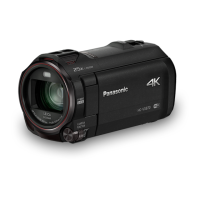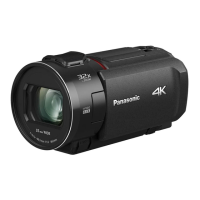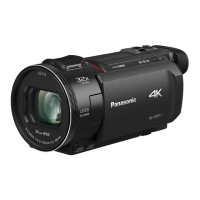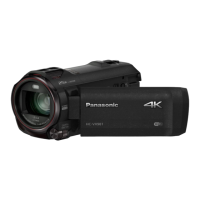
EasyManua.ls Logo

Panasonic HC-VX870 - User Manual

Panasonic HC-VX870
256 pages
Print Icon
To Next Page IconTo Next Page
Loading...
Operating Instructions
High Definition Video Camera 4K Video Camera
Model No.
HC-V770
Model No.
HC-WX970
HC-V770M HC-WX970M
HC-V760 HC-VX870
HC-VX870M
Please read these instructions carefully before using this product,
and save this manual for future use.
SQW0252
until
2015/1/28

Table of Contents

Other manuals for Panasonic HC-VX870

Questions and Answers

  • K
    keith15Sep 2, 2025
    Why does the color or brightness change on my Panasonic HC-VX870 Camcorder, or why do I see horizontal bars?
    • A
      Anna AdamsSep 2, 2025
      Color or brightness changes and horizontal bars may appear when recording under fluorescent, mercury, or sodium light. This isn't a malfunction. In Motion Picture Recording Mode, use Intelligent Auto Mode/Intelligent Auto Plus Mode, or set the shutter speed to 1/100 in 50 Hz areas, or 1/125 in 60 Hz areas. This will not affect the recorded image in Still Picture Recording Mode. In FULL HD Slow Motion Mode, setting the shutter speed to 1/100 seconds reduces the intensity of the problem.
  • S
    susan11Aug 25, 2025
    Why is my Panasonic Camcorder not detected by the PC when connected via USB?
    • N
      nperezAug 25, 2025
      If your Panasonic Camcorder is not detected by your PC when connected via USB cable: * Re-insert the SD card into the unit, then reconnect the supplied USB cable. * Try a different USB terminal on your PC. * Check the operating environment. After restarting the PC and the camcorder, reconnect the USB cable.
  • J
    Joseph MarshallSep 23, 2025
    Why is the live broadcast screen not displayed on my Panasonic HC-VX870?
    • A
      adamsstephanieSep 23, 2025
      If the live broadcast screen is not displayed on your Panasonic Camcorder: * Make sure the 'LUMIX CLUB' Login ID and Password have been input correctly. * Use a PC or smartphone to ensure the USTREAM account registration is complete. * Register and set up USTREAM from a 'LUMIX CLUB' linked service using a PC or smartphone. * The 'LUMIX CLUB' or USTREAM lines may be congested; retry the live broadcast after waiting a short while.
  • C
    Carl YoungSep 7, 2025
    What to do if my Panasonic Camcorder displays the error message “ERROR OCCURRED. PLEASE TURN UNIT OFF, THEN TURN ON AGAIN.”?
    • A
      Angela SanchezSep 7, 2025
      This message indicates that the Panasonic Camcorder has detected an error. Try restarting the unit by turning it off and then on again. If the error message continues to appear after restarting, the device likely requires repair. Detach the power and consult the dealer from whom you purchased the unit. Do not attempt to repair it yourself.
  • B
    Benjamin YoungSep 13, 2025
    What to do if my Panasonic HC-VX870 Camcorder unit is turned off automatically?
    • K
      Kelsey PerezSep 13, 2025
      If your Panasonic Camcorder turns off automatically when you turn off the TV using the TV remote, it may be due to the VIERA Link function. If you are not using VIERA Link, disable it by setting [VIERA Link] to [OFF].
  • L
    Lauren RoweSep 4, 2025
    How to fix the auto focus if it is not working on my Panasonic HC-VX870?
    • W
      William MorganSep 4, 2025
      If the auto focus function on your Panasonic Camcorder does not work, switch to Intelligent Auto Mode or Intelligent Auto Plus Mode. If you're recording a scene that is difficult to focus in Auto Focus Mode, use the Manual Focus Mode to adjust the focus.
  • K
    kimberlypinedaAug 30, 2025
    Why is the battery indicator inaccurate on my Panasonic HC-VX870 Camcorder?
    • R
      robertthomasAug 30, 2025
      If the remaining battery indication on your Panasonic Camcorder isn't displaying correctly, it's because the indication is an approximation. To recalibrate, fully charge the battery, then fully discharge it, and then charge it again.
  • T
    tyler77Sep 15, 2025
    Why cannot operate from smartphone using [Link to Cell] on my Panasonic HC-VX870?
    • C
      Carmen FlowersSep 16, 2025
      To use the [Link to Cell] function on your Panasonic Camcorder, install the “Image App” on your smartphone.
  • N
    Nathan WilliamsSep 10, 2025
    What to do if my Panasonic HC-VX870 Camcorder images or sounds are not output even when connected to the TV by the HDMI micro cable?
    • D
      Denise HowellSep 10, 2025
      If images or sounds are not output when connected to the TV via HDMI micro cable, check if the HDMI micro cable is correctly connected. Ensure the HDMI micro cable is fully inserted.
  • D
    douglasdanaAug 27, 2025
    Why are images or sounds not output even when my Panasonic HC-VX870 Camcorder is connected to the TV by the HDMI micro cable?
    • A
      Austin BlevinsAug 27, 2025
      If you're not getting images or sounds when your Panasonic Camcorder is connected to the TV via HDMI, ensure the HDMI micro cable is correctly and fully inserted.

Panasonic HC-VX870 Specifications

General IconGeneral
Sensor typeMOS BSI
Total megapixels18.91 MP
Optical sensor size1/2.3 \
Effective megapixels (image)7.00 MP
Effective megapixels (movie)8.29 MP
Filter size49 mm
Digital zoom60 x
Optical zoom20 x
Image stabilizerYes
Focal length range4.08 - 81.6 mm
Interchangeable lens-
Image stabilizer typeHybrid Image Stabilization (HIS)
Focal length (35mm film equivalent)30.8 - 626 mm
Memory slots1
Camcorder media typeMemory card
Disc types supportedNo
Compatible memory cardsSD, SDHC, SDXC
Internal storage capacity- GB
Focus adjustmentAuto/Manual
Camera shutter speed0.000125 - 0.04 s
Display diagonal3 \
Display resolution (numeric)460800 pixels
Camcorder typeHandheld camcorder
Minimum illumination2 lx
Product colorBlack
Video formats supportedAVC, AVCHD, H.264, MP4, MPEG4
Maximum video resolution1920 x 1080 pixels
Maximum image resolution- pixels
Still image resolution(s)[16:9] 25.9MP (6784 x 3816), 14 MP (4992 x 2808), 2.1 MP (1920 x 1080)/[3:2] 20 MP (5472 x 3648), 10.6 MP (3984 x 2656), 2.0 MP (1728 x 1152)/[4:3] 20.4 MP (5216 x 3912), 10.9 MP (3808 x 2856), 0.3 MP (640 x 480)
Audio systemDolby Digital 2.0/5.1
Audio formats supportedAAC
USB 2.0 ports quantityUSB 2.0 ports have a data transmission speed of 480 Mbps, and are backwards compatible with USB 1.1 ports. You can connect all kinds of peripheral devices to them.
Wi-Fi standards802.11b, 802.11g, Wi-Fi 4 (802.11n)
Battery voltage3.6 V
Battery capacity1940 mAh
Battery life (max)- h
Weight and Dimensions IconWeight and Dimensions
Depth139 mm
Width65 mm
Height73 mm
Weight353 g

Related product manuals