EasyManua.ls Logo

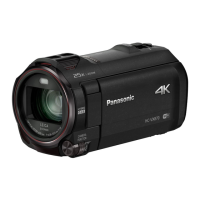
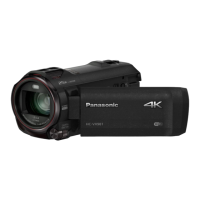
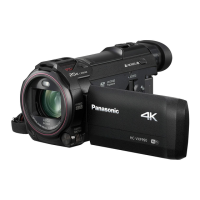
Panasonic HC-VX878 - User Manual

Panasonic HC-VX878
256 pages
Print Icon
To Next Page IconTo Next Page
Loading...
Operating Instructions
High Definition Video Camera 4K Video Camera
Model No.
HC-V770
Model No.
HC-WX970
HC-V777 HC-WX979
HC-V770M HC-WX970M
HC-V760 HC-VX870
HC-VX878
HC-VX870M
Please read these instructions carefully before using this product,
and save this manual for future use.
SQW0248
until
2015/1/28

Table of Contents

Other manuals for Panasonic HC-VX878

Questions and Answers

  • C
    Cory PriceSep 16, 2025
    What to do if my Panasonic HC-VX878 Camcorder shows 'Error occurred'?
    • D
      David SextonSep 16, 2025
      If your Panasonic Camcorder displays the error message “ERROR OCCURRED. PLEASE TURN UNIT OFF, THEN TURN ON AGAIN,” it has detected an error. Try restarting the unit. If the error persists after restarting, detach the power connected, and consult the dealer who you purchased this unit from. Do not attempt to repair the unit by yourself.
  • C
    cprestonAug 25, 2025
    What to do if my Panasonic HC-VX878 images or sounds are not output even when correctly connected to a TV?
    • K
      kelleylukeAug 25, 2025
      If images or sounds are not output when your Panasonic Camcorder is connected to a TV, consult your TV's operating instructions to select the correct channel that matches the input used for the connection. Also, adjust the [TV ASPECT] setting to match the aspect ratio of your TV. Note that during playback mode, audio is not output from the camcorder, so adjust the sound on the TV itself.
  • M
    Matthew WilliamsAug 25, 2025
    How to fix a Panasonic HC-VX878 Camcorder that won't turn on or has short battery life?
    • C
      Cory ZimmermanAug 26, 2025
      If your Panasonic Camcorder doesn't turn on, doesn't stay on long, or the battery drains quickly, ensure the battery is fully charged. In cold environments, battery life decreases. Batteries have a limited lifespan; if it still drains quickly after a full charge, it likely needs replacing.
  • N
    Nicholas BarronAug 26, 2025
    Why is there no image or sound when my Panasonic HC-VX878 Camcorder is connected to the TV?
    • W
      William RobertsAug 27, 2025
      If your Panasonic Camcorder is connected to a TV but you're not getting any images or sound, first consult your TV's operating instructions to select the correct input channel. If the images appear squeezed horizontally, adjust the [TV ASPECT] setting on the camcorder to match the TV's aspect ratio. Note that during playback, sound levels are controlled by the TV, not the camcorder.
  • Z
    Zachary ThompsonSep 18, 2025
    Why does my Panasonic HC-VX878 have strange colors indoors?
    • M
      Maria PerezSep 18, 2025
      If you're experiencing strange color balance in your Panasonic Camcorder images when recording in places like a gymnasium, adjust the White Balance setting to (Indoor mode 2). If the image is still not clear, switch to (Manual adjustment mode).
  • D
    Dr. Caitlin MaxwellSep 23, 2025
    Why doesn't my Panasonic HC-VX878 recognize the SD card?
    • J
      James BentonSep 23, 2025
      If your Panasonic Camcorder is not recognizing an inserted SD card, and the SD card was formatted on a PC, use the camcorder to format the SD card. (l 40)
  • C
    Colleen DavisSep 8, 2025
    How to fix Auto Focus function if it does not work on my Panasonic Camcorder?
    • S
      Samuel LesterSep 9, 2025
      If the Auto Focus function is not working on your Panasonic Camcorder, switch to Intelligent Auto Mode or Intelligent Auto Plus Mode. If you are trying to record a scene that is difficult to focus on in Auto Focus Mode, use the Manual Focus Mode to adjust the focus.
  • B
    Billy MarquezSep 9, 2025
    What to do if the remaining battery indication is not displayed properly on my Panasonic HC-VX878 Camcorder?
    • F
      floresconnieSep 10, 2025
      The remaining battery capacity indication on your Panasonic Camcorder is an approximation. If the remaining battery capacity indication is not displayed correctly, fully charge the battery, discharge it completely, and then charge it again.
  • C
    Christina HoldenSep 3, 2025
    What to do if my Panasonic Camcorder won't operate even when turned on?
    • C
      carolyn71Sep 3, 2025
      If your Panasonic Camcorder is on but not operating, remove the battery or AC adapter, wait about a minute, and reconnect it. Wait another minute, then turn the unit on again. Note that doing this while the media is being accessed may damage the data on the media. If normal operation isn't restored, detach the power connected, and consult the dealer who you purchased this unit from.
  • B
    Blake HicksSep 1, 2025
    Why does my Panasonic HC-VX878 battery run down quickly?
    • A
      Angela SandersSep 1, 2025
      If your Panasonic Camcorder battery drains fast, ensure it is fully charged. In cold environments, battery life decreases. Batteries have a limited lifespan; if the operating time remains short after a full charge, the battery is likely worn and requires replacement.

Summary

Preparation

Names and Functions of Main Parts

Identifies and describes the main parts and controls of the camcorder for user familiarization.

Power supply

Details on compatible batteries, charging, and power management for the camcorder.

Basic Operations

Recording motion pictures

Step-by-step guide on how to start, pause, and stop recording motion pictures.

Recording still pictures

Instructions on how to capture still pictures using the dedicated button and focus modes.

Motion picture;Still picture playback

Explains how to select and play back recorded motion pictures and still pictures using various playback modes.

Advanced Recording Features

Recording with the Sub Camera (Twin Camera)

Guide to using the sub camera for simultaneous recording and managing the sub window display.

Changing the Recording Mode

Covers switching between various recording modes like Intelligent Auto, Creative Control, HDR Movie, and Manual.

Manual recording

Guide to manually adjust focus, white balance, shutter speed, and brightness for precise control.

Advanced Playback Features

Deleting scenes;still pictures

Provides steps for deleting unwanted scenes or still pictures from the media using thumbnail display options.

Wi-Fi Functions

Wi-Fi function

Overview of the Wi-Fi capabilities and important usage precautions for wireless connectivity.

Troubleshooting and Support

Troubleshooting

Provides solutions for common problems related to power, operation, image quality, and playback issues.

Panasonic HC-VX878 Specifications

General IconGeneral
BrandPanasonic
ModelHC-VX878
CategoryCamcorder
LanguageEnglish

Related product manuals