EasyManua.ls Logo

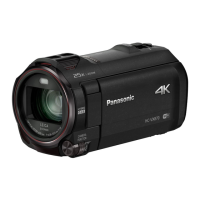
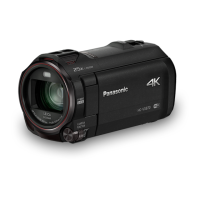
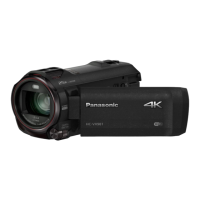
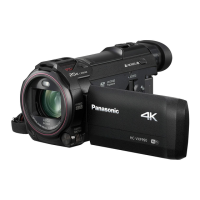
Panasonic HC-VX878 - User Manual

Panasonic HC-VX878
256 pages
Print Icon
To Next Page IconTo Next Page
Loading...
Operating Instructions
High Definition Video Camera 4K Video Camera
Model No.
HC-V770
Model No.
HC-WX970
HC-V777 HC-WX979
HC-V770M HC-WX970M
HC-V760 HC-VX870
HC-VX878
HC-VX870M
Please read these instructions carefully before using this product,
and save this manual for future use.
SQW0248
until
2015/1/28

Table of Contents

Other manuals for Panasonic HC-VX878

Questions and Answers

  • L
    leonardhannahSep 12, 2025
    What to do if I cannot use [DLNA Play] on my Panasonic HC-VX878 Camcorder?
    • L
      Leslie Walker DDSSep 12, 2025
      To use [DLNA Play] on your Panasonic Camcorder, ensure that the television is compatible with DLNA and consult the TV's instructions. Verify that the wireless access point and the camcorder are properly connected. If there are still problems, move closer to the wireless access point and reconnect.
  • M
    Michael WilcoxSep 12, 2025
    What to do if my Panasonic HC-VX878 is not recognised when the SD card is inserted?
    • A
      Anthony SimonSep 12, 2025
      If the SD card is formatted on a PC, it may not be recognised by your Panasonic Camcorder. Format the SD card using the camcorder itself.
  • V
    Virginia FarmerSep 12, 2025
    What to do if scenes cannot be deleted on my Panasonic HC-VX878 Camcorder?
    • M
      melissa39Sep 12, 2025
      If you are unable to delete scenes on your Panasonic Camcorder, first release the protect setting. Note that any scenes/still pictures where the thumbnails are displayed as cannot be deleted. If the scenes/still pictures are unnecessary, format the media to erase the data.
  • B
    Billy MarquezSep 9, 2025
    What to do if the remaining battery indication is not displayed properly on my Panasonic HC-VX878 Camcorder?
    • F
      floresconnieSep 10, 2025
      The remaining battery capacity indication on your Panasonic Camcorder is an approximation. If the remaining battery capacity indication is not displayed correctly, fully charge the battery, discharge it completely, and then charge it again.
  • C
    Colleen DavisSep 8, 2025
    How to fix Auto Focus function if it does not work on my Panasonic Camcorder?
    • S
      Samuel LesterSep 9, 2025
      If the Auto Focus function is not working on your Panasonic Camcorder, switch to Intelligent Auto Mode or Intelligent Auto Plus Mode. If you are trying to record a scene that is difficult to focus on in Auto Focus Mode, use the Manual Focus Mode to adjust the focus.
  • T
    Timothy CarterSep 7, 2025
    How to fix colour or brightness changes, horizontal bars, or flickering LCD on my Panasonic HC-VX878 Camcorder?
    • V
      vickiecarrollSep 8, 2025
      If you notice color or brightness changes, horizontal bars, or a flickering LCD monitor indoors while using your Panasonic Camcorder, switch to Intelligent Auto Mode or Intelligent Auto Plus Mode in Motion Picture Recording Mode. Alternatively, set the shutter speed to 1/100 in areas with a 50 Hz power supply, or 1/125 in areas with a 60 Hz power supply. In FULL HD Slow Motion Mode, setting the shutter speed to 1/100 seconds reduces the intensity of the problem. Note that in Still Picture Recording Mode, these issues will not affect the recorded image.
  • F
    fspearsAug 23, 2025
    What to do if my Panasonic HC-VX878 is not detected by the PC when connected by the USB cable?
    • C
      claudia96Aug 23, 2025
      If your Panasonic Camcorder is not detected by the PC, try the following steps: * Re-insert the SD card into the unit, then reconnect the supplied USB cable. * Try a different USB terminal on your PC. * Ensure that your operating environment is supported. * Restart your PC and the camcorder, then reconnect the USB cable.
  • C
    chloe05Sep 5, 2025
    Why does my Panasonic Camcorder turn off automatically?
    • R
      Richard HuffmanSep 6, 2025
      If your Panasonic Camcorder turns off when you turn off the TV using the TV remote control, the VIERA Link function is enabled. If you are not using VIERA Link, disable it by setting [VIERA Link] to [OFF].
  • J
    Jordan ReyesSep 5, 2025
    What to do if my Panasonic HC-VX878 Camcorder displays the error message “ERROR OCCURRED. PLEASE TURN UNIT OFF, THEN TURN ON AGAIN.”?
    • E
      Elizabeth ClarkSep 5, 2025
      This message indicates that the Panasonic Camcorder has detected an error. Try restarting the unit by turning it off and then on again. If the error message continues to appear after restarting, the device likely requires repair. Detach the power and consult the dealer from whom you purchased the unit. Do not attempt to repair it yourself.
  • J
    jermainetaylorSep 3, 2025
    Why does the color or brightness change on my Panasonic Camcorder, or why do I see horizontal bars?
    • J
      jordanteresaSep 4, 2025
      Color or brightness changes and horizontal bars may appear when recording under fluorescent, mercury, or sodium light. This isn't a malfunction. In Motion Picture Recording Mode, use Intelligent Auto Mode/Intelligent Auto Plus Mode, or set the shutter speed to 1/100 in 50 Hz areas, or 1/125 in 60 Hz areas. This will not affect the recorded image in Still Picture Recording Mode. In FULL HD Slow Motion Mode, setting the shutter speed to 1/100 seconds reduces the intensity of the problem.

Summary

Preparation

Names and Functions of Main Parts

Identifies and describes the main parts and controls of the camcorder for user familiarization.

Power supply

Details on compatible batteries, charging, and power management for the camcorder.

Basic Operations

Recording motion pictures

Step-by-step guide on how to start, pause, and stop recording motion pictures.

Recording still pictures

Instructions on how to capture still pictures using the dedicated button and focus modes.

Motion picture;Still picture playback

Explains how to select and play back recorded motion pictures and still pictures using various playback modes.

Advanced Recording Features

Recording with the Sub Camera (Twin Camera)

Guide to using the sub camera for simultaneous recording and managing the sub window display.

Changing the Recording Mode

Covers switching between various recording modes like Intelligent Auto, Creative Control, HDR Movie, and Manual.

Manual recording

Guide to manually adjust focus, white balance, shutter speed, and brightness for precise control.

Advanced Playback Features

Deleting scenes;still pictures

Provides steps for deleting unwanted scenes or still pictures from the media using thumbnail display options.

Wi-Fi Functions

Wi-Fi function

Overview of the Wi-Fi capabilities and important usage precautions for wireless connectivity.

Troubleshooting and Support

Troubleshooting

Provides solutions for common problems related to power, operation, image quality, and playback issues.

Panasonic HC-VX878 Specifications

General IconGeneral
BrandPanasonic
ModelHC-VX878
CategoryCamcorder
LanguageEnglish

Related product manuals