EasyManua.ls Logo

Panasonic HC-VX980M - User Manual

Panasonic HC-VX980M
267 pages
Print Icon
To Next Page IconTo Next Page
Loading...
Operating Instructions
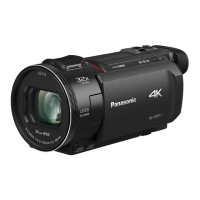
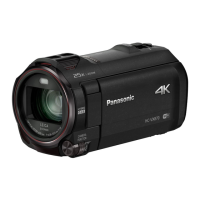
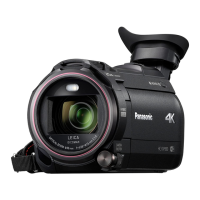
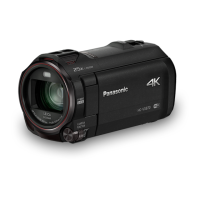
4K Video Camera
Model No.
HC-WXF990
HC-WXF990M
HC-VXF990
HC-VX980
HC-VX980M
Please read these instructions carefully before using this product,
and save this manual for future use.
SQW0540
until
2016/2/29

Table of Contents

Other manuals for Panasonic HC-VX980M

Questions and Answers

  • R
    rodriguezmariaSep 3, 2025
    How to fix Panasonic HC-VX980M auto focus if it does not work?
    • E
      Eric VillegasSep 3, 2025
      Switch to Intelligent Auto Mode or Intelligent Auto Plus Mode. If you're recording a scene that's difficult to focus on in Auto Focus Mode, try using Manual Focus Mode to adjust the focus.
  • A
    Anthony AustinSep 1, 2025
    What to do if my Panasonic HC-VX980M displays ERROR OCCURRED. PLEASE TURN UNIT OFF, THEN TURN ON AGAIN?
    • B
      boydjenniferSep 2, 2025
      This message indicates that the camcorder has detected an error. Try restarting the unit by turning it off and then on again. If the message continues to appear after restarting, repair is needed.
  • A
    Ashley HardingAug 31, 2025
    What to do if my Panasonic Camcorder stops recording arbitrarily?
    • L
      Lisa ScottAug 31, 2025
      Ensure you are using an SD card suitable for motion picture recording. Format the SD card or built-in memory using the camcorder, as the recordable time may have decreased due to data writing speed deterioration or repeated recording and deletion. If [AGS] is [ON], record in the normal horizontal position or set [AGS] to [OFF].
  • A
    April SmithAug 29, 2025
    What to do if my Panasonic Camcorder is on but not working?
    • M
      Mark ThomasAug 29, 2025
      If your Panasonic Camcorder is on but not responding, or not operating correctly, try removing the battery or AC adapter, waiting about a minute, and then reconnecting it. Wait another minute before turning the unit back on. Note: Doing this while the media is being accessed may damage the data. If the problem persists, disconnect the power and consult the dealer from whom you purchased the unit.
  • L
    Lisa ChristianAug 27, 2025
    What to do if my Panasonic HC-VX980M Camcorder displays “ERROR OCCURRED. PLEASE TURN UNIT OFF, THEN TURN ON AGAIN.”?
    • A
      ahernandezAug 27, 2025
      If the message “ERROR OCCURRED. PLEASE TURN UNIT OFF, THEN TURN ON AGAIN.” is displayed on your Panasonic Camcorder, it means the unit has automatically detected an error. Try restarting the unit by turning it off and on again. If the unit is not turned off and on, it will turn off in about 1 minute. If the error message repeatedly appears even after restarting, it indicates a need for repair. Detach the power connected, and consult the dealer who you purchased this unit from. Do not attempt to repair the unit by yourself.
  • M
    markmarshallAug 26, 2025
    What to do if my Panasonic HC-VX980M Camcorder turns off automatically?
    • M
      mackrachelAug 27, 2025
      If the camcorder turns off when you turn off the TV using the TV remote, the VIERA Link feature is likely enabled. If you are not using VIERA Link, disable it in the settings by setting [VIERA Link] to [OFF].
  • G
    Gail ParkerAug 25, 2025
    How to fix a Panasonic HC-VX980M Camcorder that won't turn on or has short battery life?
    • Z
      zjacksonAug 25, 2025
      If your Panasonic Camcorder won't turn on, doesn't stay on long, or the battery drains quickly, ensure the battery is fully charged. In cold environments, battery life decreases. Batteries have a limited lifespan; if it still drains quickly after a full charge, it likely needs replacing.
  • S
    Sarah McknightAug 22, 2025
    Why my Panasonic HC-VX980M Camcorder cannot be turned on or the battery runs down quickly?
    • S
      Stacy KellyAug 23, 2025
      If your Panasonic Camcorder cannot be turned on, does not stay on long enough, or the battery runs down quickly, try charging the battery again to ensure it is sufficiently charged. Keep in mind that in cold environments, the battery usage time may decrease. Batteries also have a limited lifespan. If the operating time remains too short even after a full charge, the battery is likely worn out and needs replacement.

Summary

Important Safety and Initial Information

Camera Preparation and Setup

Names and Functions of Main Parts

Identifies and explains key external components of the camera.

Power Supply

Details compatible batteries (VW-VBT190/VW-VBT380) and power sources.

Recording to a Card

Information on recording to SD cards, compatibility, and specifications.

Basic Camera Operations

Selecting a Media to Record [WXF990 M];[VX980 M]

How to choose between SD card and built-in memory for recording.

Recording Motion Pictures

Instructions for starting, pausing, and stopping video recording.

Recording Still Pictures

Instructions for capturing still photos, including focus indication.

Advanced Recording Features

Recording with the Sub Camera (Twin Camera) [WXF990] series

Using the secondary camera for dual recording.

Recording with the Backup for Twin Camera Function

How to record the main camera's feed separately as a backup.

Changing the Recording Mode

Guide to selecting different shooting modes like Intelligent Auto, Manual, etc.

Manual Recording

How to manually adjust settings like focus, white balance, and exposure.

Advanced Playback Functions

Playback Operations

Basic controls for playing back recorded media using on-screen icons.

Deleting Scenes;Still Pictures

Instructions on how to remove unwanted files from the media.

Data Transfer and Copying

Copying Between SD Card and Built-in Memory [WXF990 M];[VX980 M]

Transferring files between camera's internal storage and SD cards.

Copying;Playing Back with a USB HDD

Connecting and using external hard drives for copying and playback.

Wi-Fi Connectivity and Functions

Wi-Fi Function

Overview of the camera's wireless capabilities and security precautions.

[Remote Ctrl]

Controlling the camera remotely via smartphone using the Image App.

[Baby Monitor]

Using the camera for baby monitoring with a smartphone via Wi-Fi.

[Hom.Monitor]

Monitoring the home environment remotely via smartphone using the camera.

Setting Up a Wi-Fi Connection

Guide to establishing Wi-Fi connections to access points or smartphones.

Wireless Multi-Camera Features

Wireless Twin;Multi-Camera Function

Overview of using multiple smartphones or cameras simultaneously.

Additional Information and Support

Troubleshooting

Lists common problems and provides solutions for power and operation issues.

Panasonic HC-VX980M Specifications

General IconGeneral
Sensor TypeMOS
Sensor Size1/2.3-inch
Optical Zoom20x
Intelligent Zoom50x
Focal Length4.08 - 81.6 mm
ApertureF1.8 - F3.6
FocusAuto / Manual
Shutter Speed (Motion Image)1/25 - 1/8000 sec
Recording MediaSD/SDHC/SDXC Memory Card
LCD Monitor Size3.0-inch
LCD Screen Resolution460, 800 dots
Touch ScreenYes
Wi-FiYes
NFCYes
HDMIYes (micro HDMI)
MicrophoneStereo
External Microphone InputYes
Headphone JackYes
Weight (body only)approx. 390 g
Effective Pixels (Motion Image)8.29 Megapixels
Video Resolution4K (3840 x 2160)
Image StabilizationO.I.S. (Optical Image Stabilizer)
White BalanceAuto
Shutter Speed (Still Image)1/2 - 1/2000 sec
Recording FormatAVCHD, MP4
Video Compression FormatMPEG-4 AVC/H.264
Audio Recording FormatDolby Digital (2ch)
USBYes (micro USB)
Battery TypeLithium-ion

Related product manuals