- 30 -
≥ Before turning on the unit, remove the lens cap.
≥ Still pictures are recorded to SD card if one is inserted. If no SD card is
inserted, the still pictures are recorded to the built-in memory.
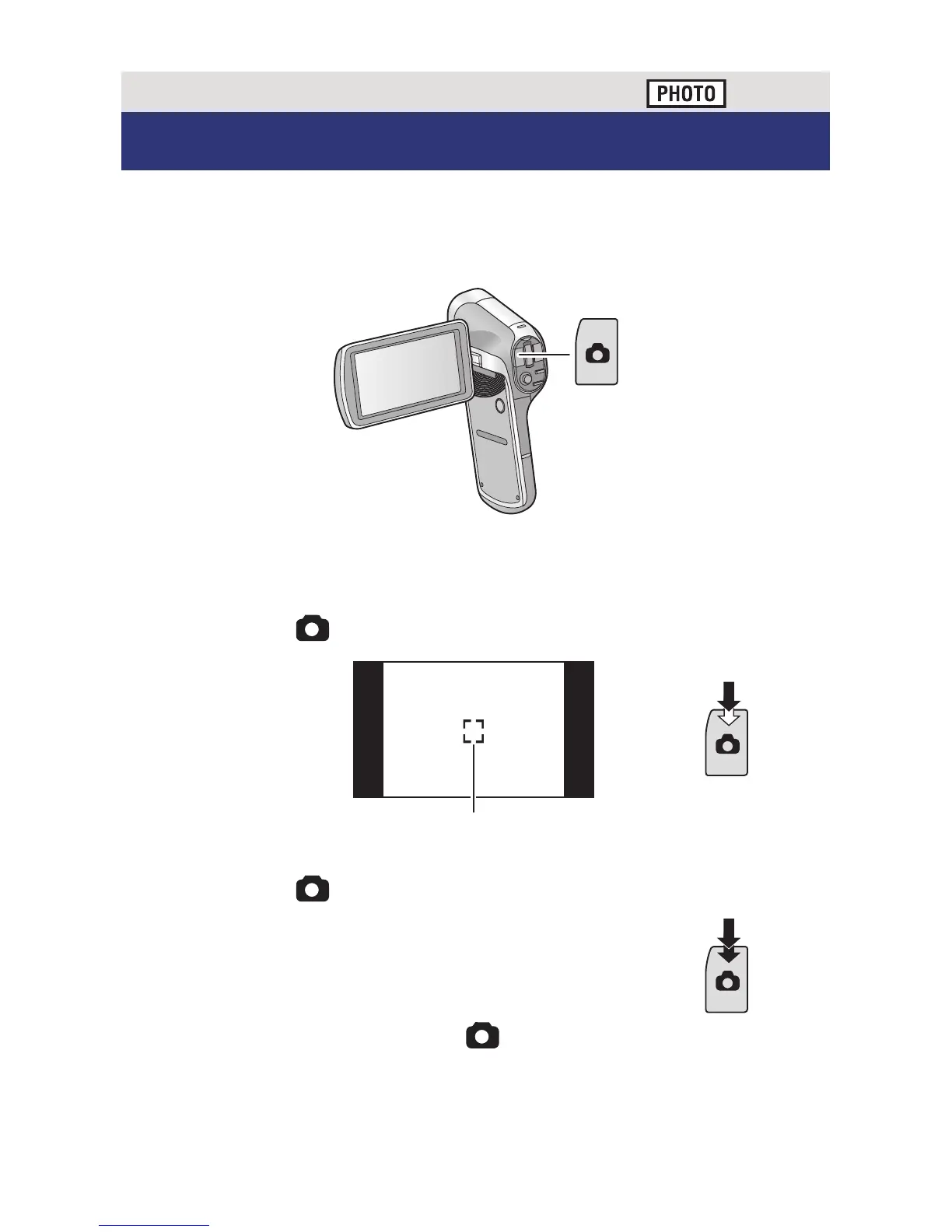
1 Open the LCD monitor.
2 (For Auto Focus only)
Press the button halfway.
A Focus area (area inside brackets)
3 Press the button fully.
≥ If you continue to hold down the button, you can check the
recorded image on the LCD monitor.
Basic
Recording still pictures
F3.5
F3.5
1/30
1/30






 To Next Page