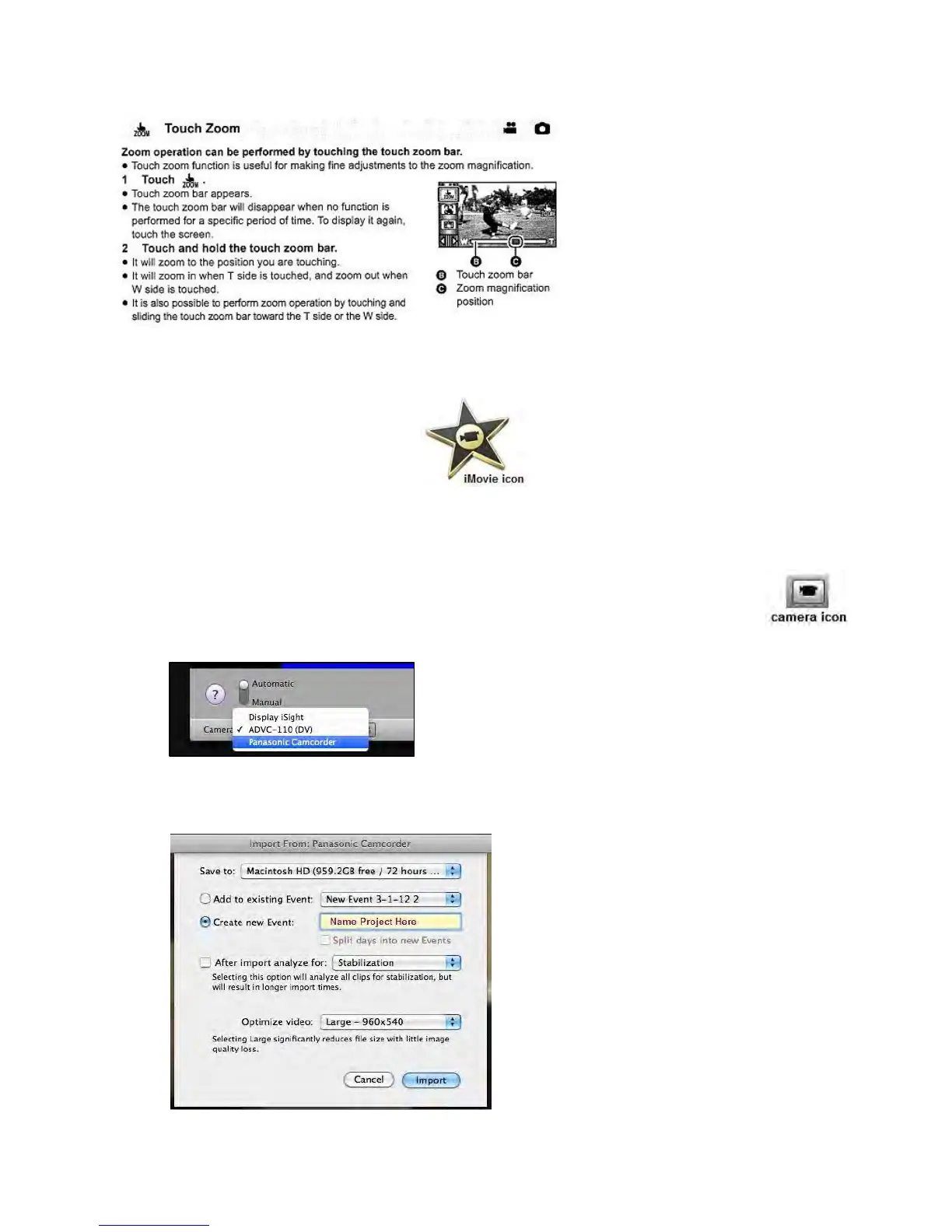
6) Transferring media to computer using iMovie
I. Open iMovie on the computer.
II. Connect camcorder to computer with the USB cable (the USB cable is located on the tripod
stand). The camcorder’s USB port is located above the power button.
III. From the screen that appears on the LCD monitor, choose the PC option.
IV. Select the camera icon located in the left of the iMovie interface (or you can select
file and then import from camera).
V. A new window will appear in the iMovie database. On the lower left corner of this
window use the down-arrow to select Panasonic Camcorder.
VI. Click the Import All button on the lower right of the window.
VII. A new window will open. Create a name for your project and then click Import button. Video
will import into iMovie. For more iMovie instructions, please refer to the iMovie user guide.









 To Next Page